Background to data structure:
Our users do an action which is called ‘publishing a work.’ In our database, this is reflected in a table where work_id is the primary key, and there are other columns called e.g., user_id, time_published
The table we have aggregated in our Data Warehouse (which is what is imported into Power BI) has columns (user_id, user_email, day, delivered). So if a user publishes n works on a 2017-12-19, there will be a row with [id, email, 2017-12-19, n] – but if a they did not publish anything on 2017-12-18, there is no row for that.
Problem
From this it’s easy to count how many users published a work in a time period, but I’m stuck to try and see how many users did not publish in a series of two week periods.
I have a table called All emails, with all user emails, and I made a calculated table for my relevant time periods called Thursdays
I tried something like the above to count emails where if you count how many works that email published in a time period, the result is blank – though that isn’t working for me.
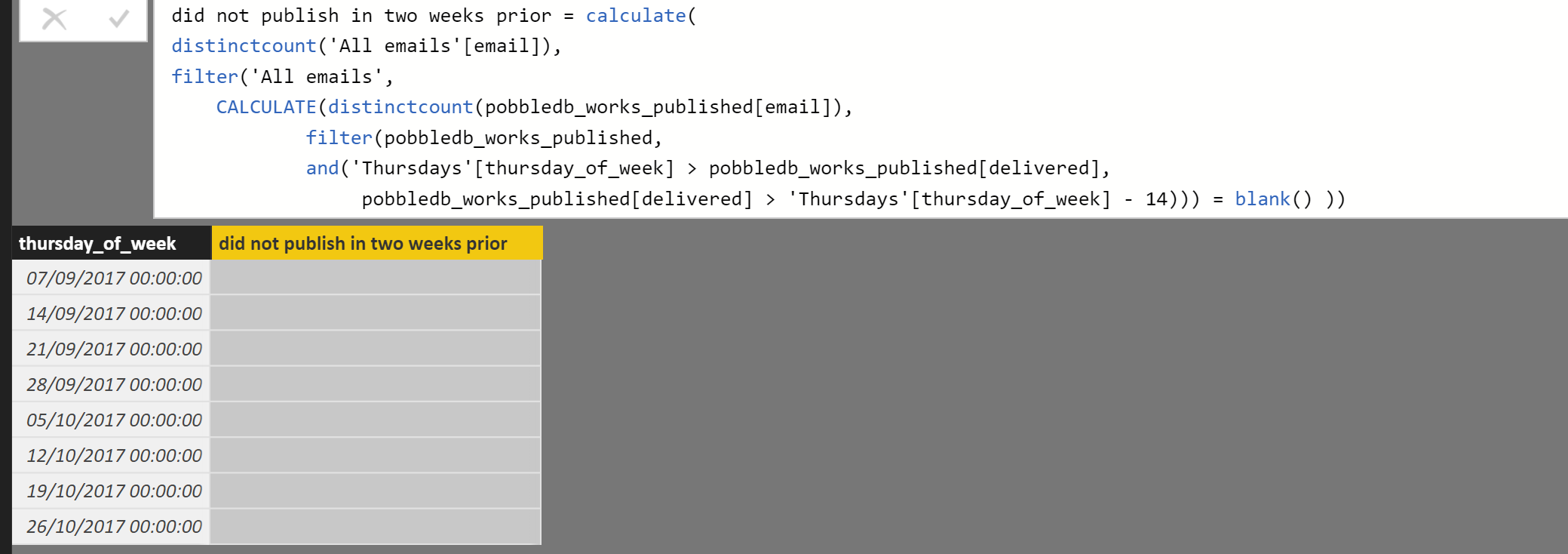
did not publish in two weeks prior = calculate(
distinctcount('All emails'[email]),
filter('All emails',
    CALCULATE(distinctcount(pobbledb_works_published[email]),
            filter(pobbledb_works_published,
            and('Thursdays'[thursday_of_week] > pobbledb_works_published[delivered],
                 pobbledb_works_published[delivered] > 'Thursdays'[thursday_of_week] - 14))) = blank() ))
Would any of you have any idea how to
- Write some DAX to calculate what I’m after with my current data structure? [e.g., some nested calculate function like the one I tried]
- Or Restructure my data to make what I’m after easier?
Thanks very much!


