Hi there,
I'm currently working in Power BI and I'm looking to create a filter dropdown with specific timeframe options. These options include:
Currently Open
Total Historical
Year-to-Date (YTD)
Last 3 Months
Last 6 Months
I've attempted to use the relative date setting, but it doesn't quite meet my requirements. I aim to create a filter similar to the image attached, where instead of the year, it will display the aforementioned timeframes. Additionally, I want this filter to apply to all graphs accordingly.
Any insights or guidance on achieving this would be greatly appreciated. Thank you!
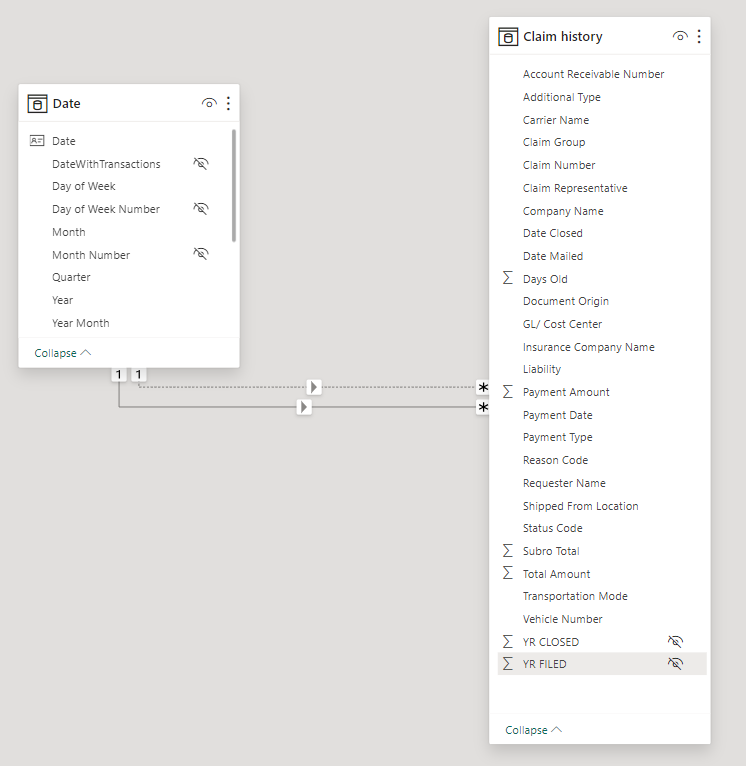
Here is the sample of the data.
| Status Code | Claim Group | Claim Representative | Date Mailed | Total Amount |
open | First 30 days | Dallon Codner | 02/18/2024 | 16670.02 |
| outstanding | First 30 days | Dallon Codner | 02/18/2024 | 13301.2 |
| outstanding | Approved to be paid | Dallon Codner | 12/25/2023 | 21002.53 |
| outstanding | Approved to be paid | Dallon Codner | 12/25/2023 | 20179.82 |
| outstanding | Approved to be paid | Dallon Codner | 02/18/2024 | 1060.81 |
| open | First 30 days | Dallon Codner | 12/25/2023 | 13465.73 |
| open | Approved to be paid | Dallon Codner | 12/25/2023 | 19096.97 |
| open | First 30 days | Dallon Codner | 02/18/2024 | 1448.96 |
| open | Approved to be paid | Dallon Codner | 12/25/2023 | 19746.26 |
| outstanding | First 30 days | Dallon Codner | 12/25/2023 | 7335.63 |
| open | First 30 days | Dallon Codner | 02/18/2024 | 18120.05 |
| open | Approved to be paid | Dallon Codner | 02/18/2024 | 5648.41 |
| outstanding | First 30 days | Dallon Codner | 02/18/2024 | 8737.64 |
Let me know if there is anything else I need to add or provide.


