
Don't miss your chance to take the Fabric Data Engineer (DP-700) exam on us!
Learn moreWe've captured the moments from FabCon & SQLCon that everyone is talking about, and we are bringing them to the community, live and on-demand. Starts on April 14th. Register now
Dear,
I'm working in an old file made with PBI and there is a header on all visuals that take a few pixels and also make it dificult for the user to click because this header is not visible but once you scroll over it, it gives all the options as pin, etc.
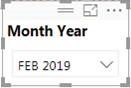
current PBI version file
old PBI file
What I want to remove
Is there any way to remove this besides starting all over in a new PBI file?
As there are loads of bookmarks and filters on all the sheets it will take a lot of time to use this workaround.
Could you please advise?
Thanks and regards
Solved! Go to Solution.
Hi @Anonymous ,
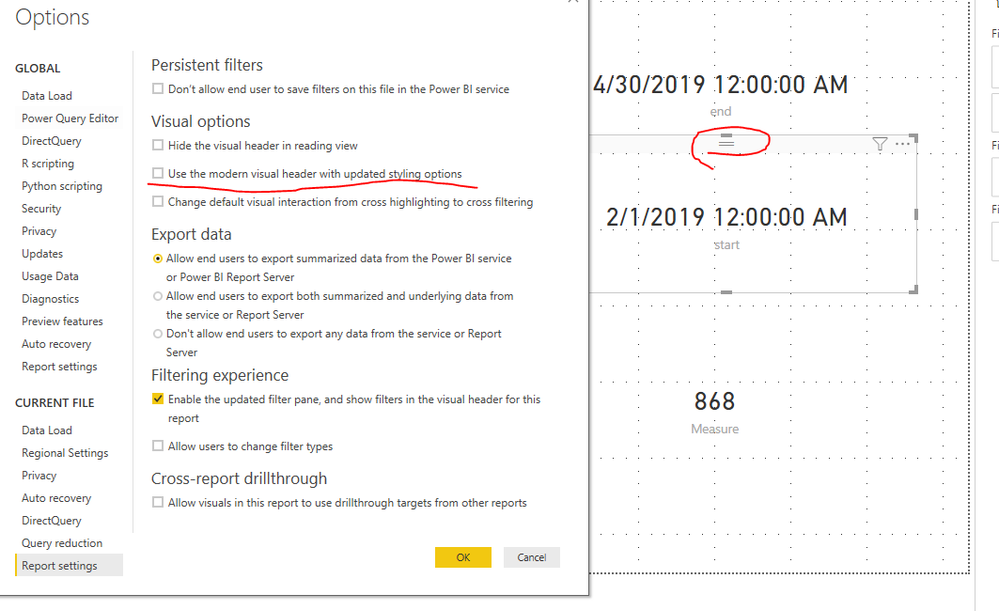
This option is only availabe in new version of Power BI desktop also it is always recomended to use the latest one.
Hi @Anonymous ,
This option is only availabe in new version of Power BI desktop also it is always recomended to use the latest one.
Thanks,
Unfortunately the reports were made on older versions by anyone else and when opened on the new PBI version this setting is not automatic.
I will update the report settings individually.
Regards
If you have recently started exploring Fabric, we'd love to hear how it's going. Your feedback can help with product improvements.
A new Power BI DataViz World Championship is coming this June! Don't miss out on submitting your entry.
Share feedback directly with Fabric product managers, participate in targeted research studies and influence the Fabric roadmap.
| User | Count |
|---|---|
| 51 | |
| 37 | |
| 35 | |
| 19 | |
| 17 |
| User | Count |
|---|---|
| 72 | |
| 70 | |
| 39 | |
| 34 | |
| 23 |