Join us at FabCon Atlanta from March 16 - 20, 2026, for the ultimate Fabric, Power BI, AI and SQL community-led event. Save $200 with code FABCOMM.
Register now!Get Fabric Certified for FREE during Fabric Data Days. Don't miss your chance! Request now
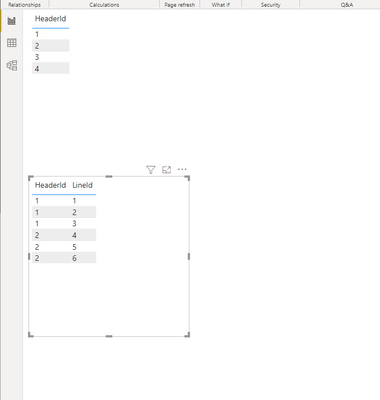
I have two tables on one page (header and line).
I have relationship between them (id header = id header in line).
When i select header then i see only line related with this header. After this i try to select line (related with selected header) then i lost header selection and view all header and all line.
How i can fix this? select header -> view line -> select line -> don't lose header selection.
I have tried to use "edit interactions" functions, but this doesn't help.
Solved! Go to Solution.
@Anonymous , You can make the first one as a slicer, then you will not lose the selection
or try to select the second one with ctrl plus click and check
@Anonymous ,The information you have provided is not making the problem clear to me. Can you please explain with an example.
Appreciate your Kudos.
You can try a bi-directional join
For example:
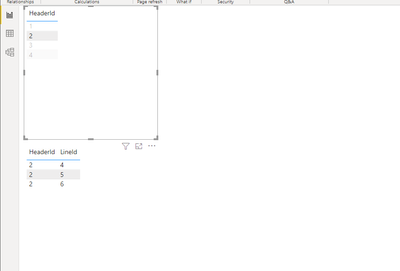
I select Header Id = 2 and view only related lines:
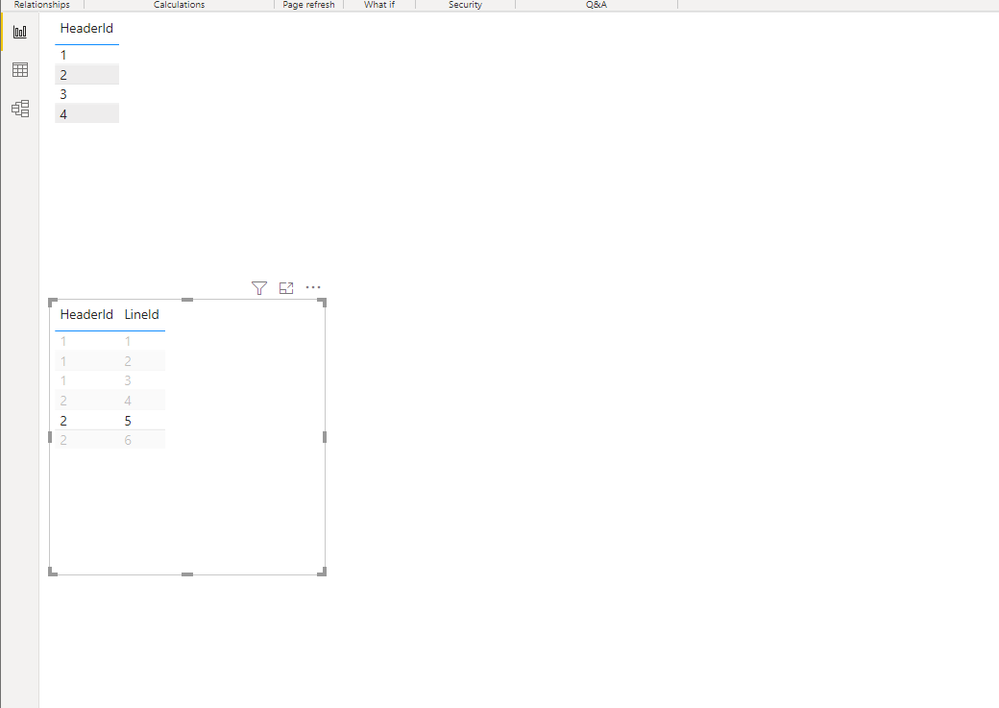
Select line with Header = 2 and Line = 5:
and now i view all lines. But i don't want to lose header selection when i select line.
I have tried single and both filter direction and edit interactions. But it doesn't help
@Anonymous , You can make the first one as a slicer, then you will not lose the selection
or try to select the second one with ctrl plus click and check
Check out the November 2025 Power BI update to learn about new features.
Advance your Data & AI career with 50 days of live learning, contests, hands-on challenges, study groups & certifications and more!