cancel
Showing results for 
Search instead for 
Did you mean: 

The Power BI Data Visualization World Championships is back! Get ahead of the game and start preparing now! Learn more

Reply
Anonymous
Not applicable

Header selection is dropped once line is selected

I have two tables on one page (header and line).

I have relationship between them (id header = id header in line).


When i select header then i see only line related with this header. After this i try to select line (related with selected header) then i lost header selection and view all header and all line.


How i can fix this? select header -> view line -> select line -> don't lose header selection.


I have tried to use "edit interactions" functions, but this doesn't help.

1 ACCEPTED SOLUTION

@Anonymous , You can make the first one as a slicer, then you will not lose the selection


or try to select the second one with ctrl plus click and check

Share with Power BI Enthusiasts: Full Power BI Video (20 Hours) YouTube
Microsoft Fabric Series 60+ Videos YouTube
Microsoft Fabric Hindi End to End YouTube

View solution in original post

3 REPLIES 3
amitchandak
Super User
Super User

@Anonymous ,The information you have provided is not making the problem clear to me. Can you please explain with an example.

Appreciate your Kudos.


You can try a bi-directional join

Share with Power BI Enthusiasts: Full Power BI Video (20 Hours) YouTube
Microsoft Fabric Series 60+ Videos YouTube
Microsoft Fabric Hindi End to End YouTube
Anonymous
Not applicable

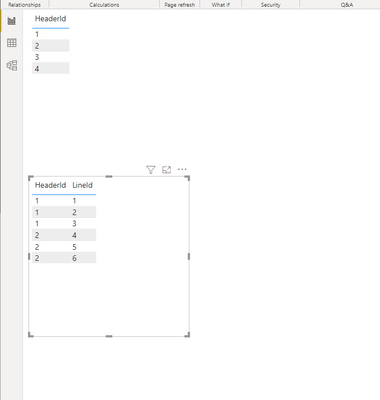
For example:

Снимок.PNG


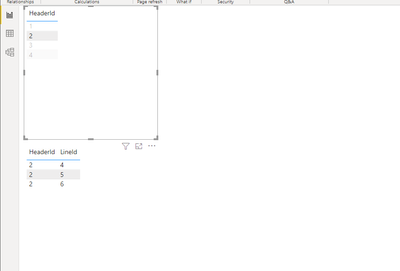
I select Header Id = 2 and view only related lines:


Снимок.PNG

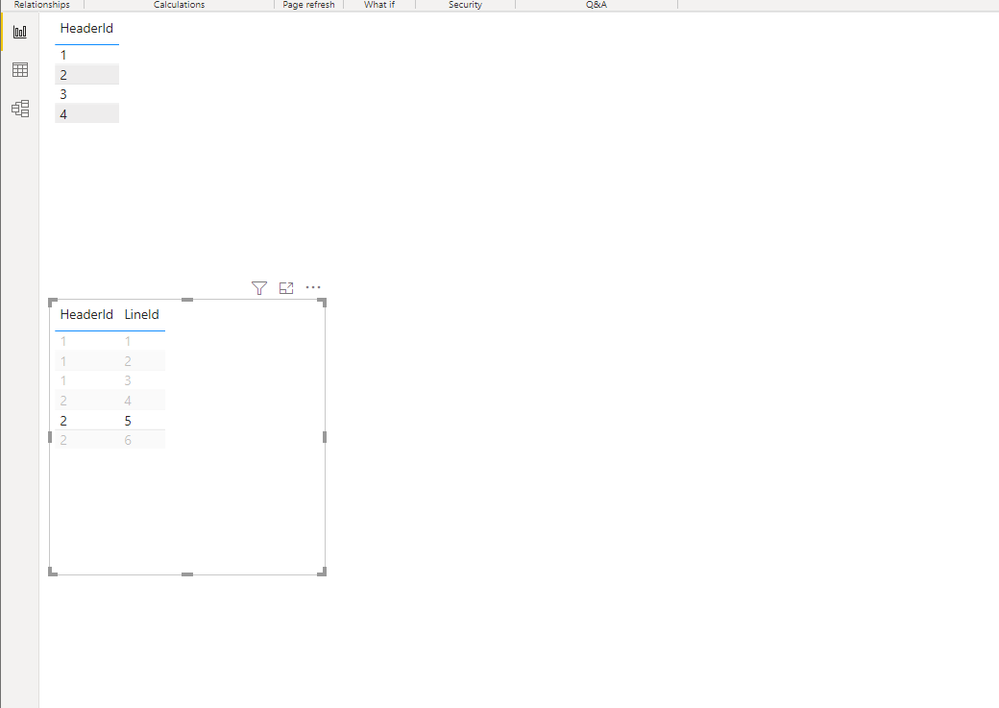
Select line with Header = 2 and Line = 5:

Снимок.PNG

and now i view all lines. But i don't want to lose header selection when i select line.

I have tried single and both filter direction and edit interactions. But it doesn't help


@Anonymous , You can make the first one as a slicer, then you will not lose the selection


or try to select the second one with ctrl plus click and check

Share with Power BI Enthusiasts: Full Power BI Video (20 Hours) YouTube
Microsoft Fabric Series 60+ Videos YouTube
Microsoft Fabric Hindi End to End YouTube

Helpful resources

Announcements
Power BI DataViz World Championships

Power BI Dataviz World Championships

The Power BI Data Visualization World Championships is back! Get ahead of the game and start preparing now!

November Power BI Update Carousel

Power BI Monthly Update - November 2025

Check out the November 2025 Power BI update to learn about new features.

FabCon Atlanta 2026 carousel

FabCon Atlanta 2026

Join us at FabCon Atlanta, March 16-20, for the ultimate Fabric, Power BI, AI and SQL community-led event. Save $200 with code FABCOMM.