Don't miss your chance to take the Fabric Data Engineer (DP-700) exam on us!
Learn moreThe FabCon + SQLCon recap series starts April 14th at 8am Pacific. If you’re tracking where AI is going inside Fabric, this first session is a can't miss. Register now
Hi everyone,
I am a Power BI noob and need help on reproducing some simple Tableau visualizations into Power BI,
I am not sure if there is a work around or if custom visualization is required (in which case I am an even bigger noob).
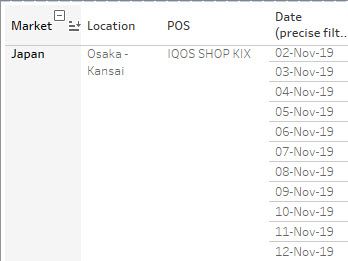
I am trying to reproduce a report as follows:
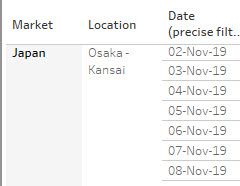
As you can see from the above, I have a hierarchy with Market > Location > POS and then a date.
Because i have a hierarchy, i can drill down from market to Location all the way to POS, however my date stays visible at all times because it is not part of the hierarchy.
This is very convenient because the aim is to be able to see at a daily level volumes either at market level or location level or even down to POS level.
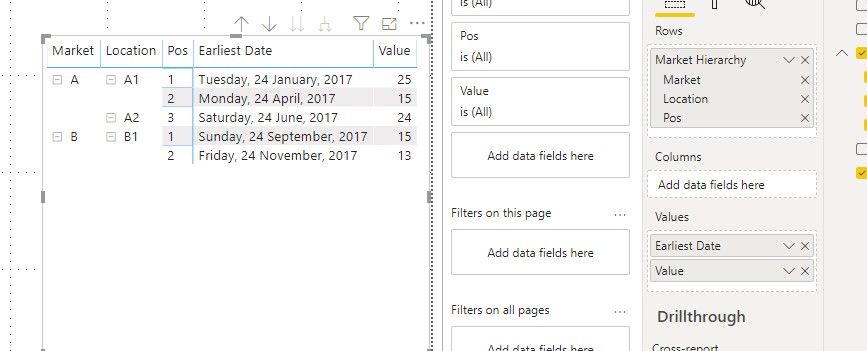
I tried to reproduce the same effect with the matrix visualization but unfortunately it puts the date within the drill down which means that my users unfortunately lose these different degrees of details. They can only see at POS level daily.
Could you please help?
Thank you!
Hi @dreyz64 ,
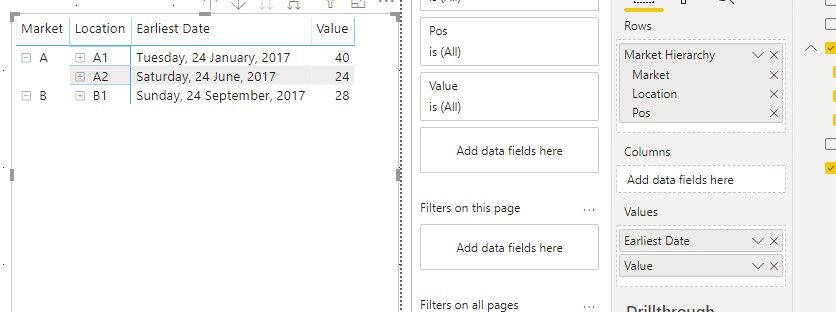
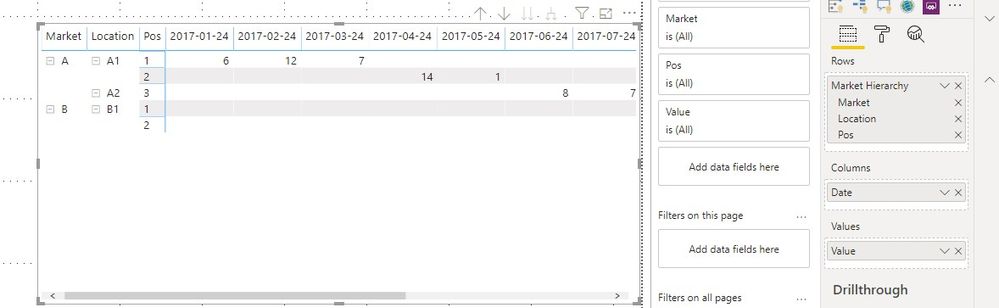
Based on my research, we can only put the date into cloumn field or values filed to keep it always show while drill down, when it is in value field, it will be aggreated.
Best regards,
Hi v-lid-msft,
Thanks for your answer.
Indeed I had seen this but unfortunately I do not want to have 'Earliest Date' or anything.
I would like to have the whole data not aggregated and this is where I come short...
Could be an update for PBI...
Best
If you have recently started exploring Fabric, we'd love to hear how it's going. Your feedback can help with product improvements.
A new Power BI DataViz World Championship is coming this June! Don't miss out on submitting your entry.
Share feedback directly with Fabric product managers, participate in targeted research studies and influence the Fabric roadmap.
| User | Count |
|---|---|
| 52 | |
| 38 | |
| 37 | |
| 19 | |
| 18 |
| User | Count |
|---|---|
| 67 | |
| 66 | |
| 34 | |
| 32 | |
| 29 |