Don't miss your chance to take the Fabric Data Engineer (DP-700) exam on us!
Learn moreNext up in the FabCon + SQLCon recap series: The roadmap for Microsoft SQL and Maximizing Developer experiences in Fabric. All sessions are available on-demand after the live show. Register now
Hello,
I've got a problem with handling blanks between two dates.
I've got a measure that sums up the amount of hours in my fact table. This is filtered by a relative date slicer.
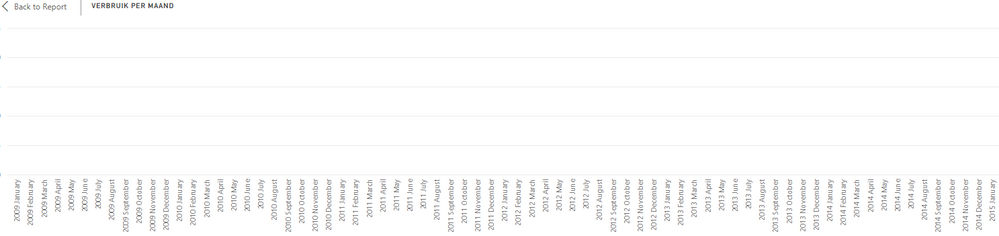
The picture below shows my actual result.
Actual Table
The months that are blank are not shown in my graph.
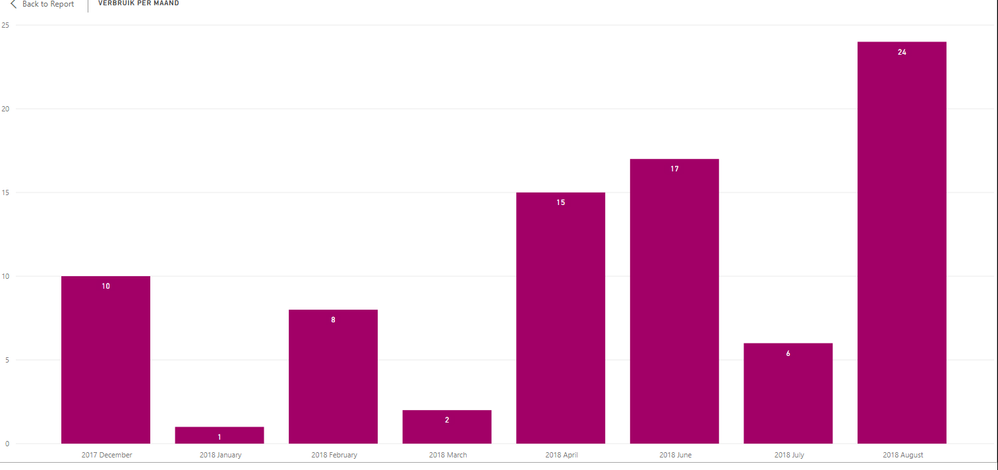
I made the desired graph bycalculating the total hours for each month in SQL.
I then loaded that data in my report as a second fact table.
This seems to fix my problem but then I can't highlight extra information in the graph unless I add those desired values in my SQL statement.
Desired Graph
Does anyone know how I can show the blank values as zero between to dates without creating a new date table?
Kind Regards,
Solved! Go to Solution.
I have fixed my issue by not using a date hierarchy but just a calculated column with year and month instead.
I could then use the "show items with no data" option.
I have fixed my issue by not using a date hierarchy but just a calculated column with year and month instead.
I could then use the "show items with no data" option.
Hi @Greg_Deckler and @v-jiascu-msft,
I have tried both possible solutions. But it does not seem to work.
With both solutions I get the following result:
It seems like my date dimension does not filter properly even though I've got a slicer on it and the relation setup between both date columns in the tables.
I cannot create a different date dimension using
Table = CALENDAR(date(2018;1;1);Date(2019;1;1)
since both values are variables depending on the users choice. I cannot simply say that the start date is in 2018 since it can also be somewhere in 2019. The same goes for the end date.
Is there an alternative?
Many times you can fix this by moving your calculations to VAR's and then have a return RETURN like:
IF(ISBLANK(__SomeVar),0,__SomeVar)
If you have recently started exploring Fabric, we'd love to hear how it's going. Your feedback can help with product improvements.
A new Power BI DataViz World Championship is coming this June! Don't miss out on submitting your entry.
Share feedback directly with Fabric product managers, participate in targeted research studies and influence the Fabric roadmap.
| User | Count |
|---|---|
| 53 | |
| 45 | |
| 44 | |
| 20 | |
| 19 |
| User | Count |
|---|---|
| 73 | |
| 71 | |
| 34 | |
| 33 | |
| 31 |