Learn from the best! Meet the four finalists headed to the FINALS of the Power BI Dataviz World Championships! Register now
samiply I need to exclude the Super End user from RLS Rols,
in order to disply all data to him.
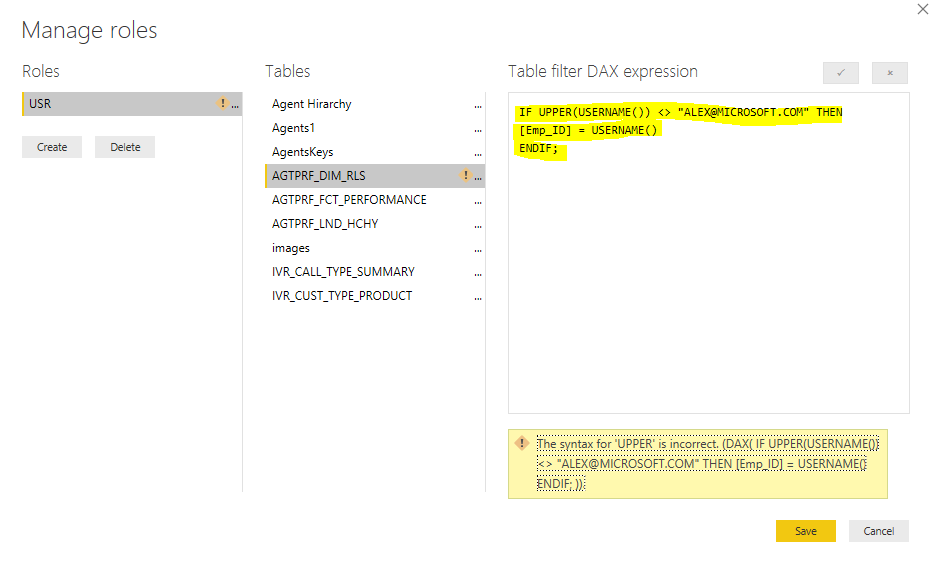
IF UPPER(USERNAME()) <> "ALEX@MICROSOFT.COM" THEN [Emp_ID] = USERNAME() END IF;
ALSO TRIED:
IF UPPER(USERNAME()) ="ALEX@MICROSOFT.COM",[Emp_ID] = USERNAME(),TRUE)
but I am grtting below error
any advice ?
Hi @Anonymous ,
You can refer to this article.
My test results are as follows:
1. Two tables:
'Is Super End User' is a measure crested like so:
Is Super End User = IF ( MAX ( Sales[SalesPerson] ) = "A", 1, 0 )
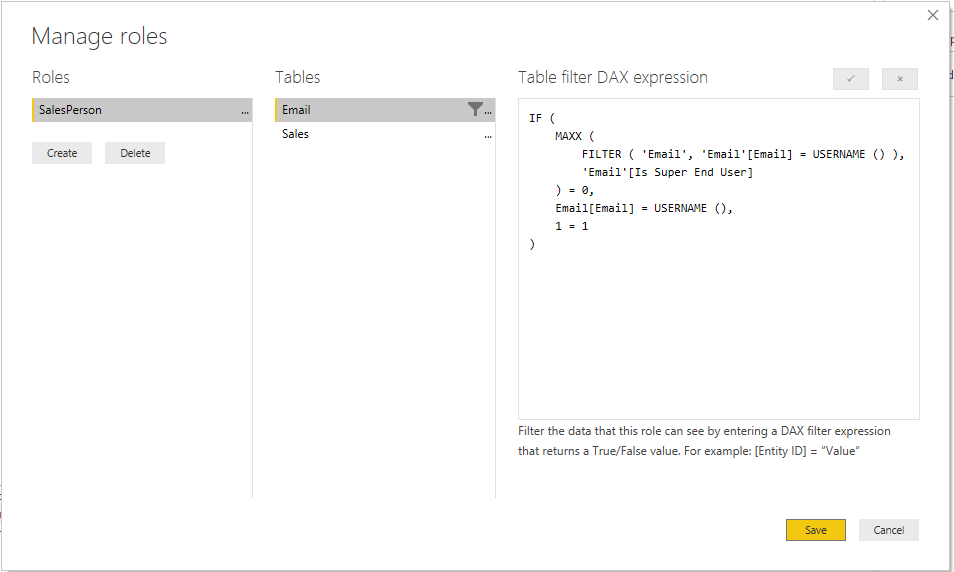
2. Manage Roles:
IF (
MAXX ( FILTER ( 'Email', 'Email'[Email] = USERNAME () ), [Is Super End User] ) = 0,
Email[Email] = USERNAME (),
1 = 1
)3. Result for SalesPerson A,
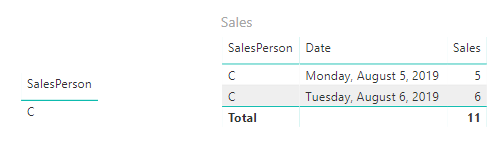
Result for SalesPerson C,
Best Regards,
Icey Zhang
If this post helps, then please consider Accept it as the solution to help the other members find it more quickly.
Thanks for the great explination, @Icey
BUT , the USER is not included on data ....
this user : ALEX@MICROSOFT.COM
Doesn`t have any records in AGTREF_DIM_RLS table
kindly advice
Hi @Anonymous ,
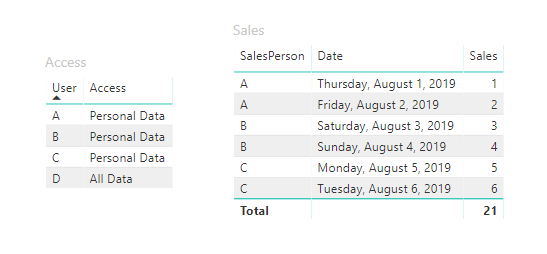
1. You can create another two tables - 'User' and 'Access' or just one table.
2. Create relationships among them.
3. Manage Roles:
IF (
MAXX (
FILTER ( 'User', 'User'[Email] = USERNAME () ),
RELATED ( 'Access'[Access] )
) = "Personal Data",
User[Email] = USERNAME (),
"ALL Data" = "All Data"
)4. Publish to Power BI Service and Manage security on the model.
5. The result for User C:
The result for User 😧
Best Regards,
Icey
If this post helps, then please consider Accept it as the solution to help the other members find it more quickly.
| User | Count |
|---|---|
| 55 | |
| 37 | |
| 23 | |
| 17 | |
| 17 |
| User | Count |
|---|---|
| 69 | |
| 58 | |
| 39 | |
| 21 | |
| 21 |