Join us at FabCon Atlanta from March 16 - 20, 2026, for the ultimate Fabric, Power BI, AI and SQL community-led event. Save $200 with code FABCOMM.
Register now!The Power BI Data Visualization World Championships is back! Get ahead of the game and start preparing now! Learn more
Solved! Go to Solution.
Hello-
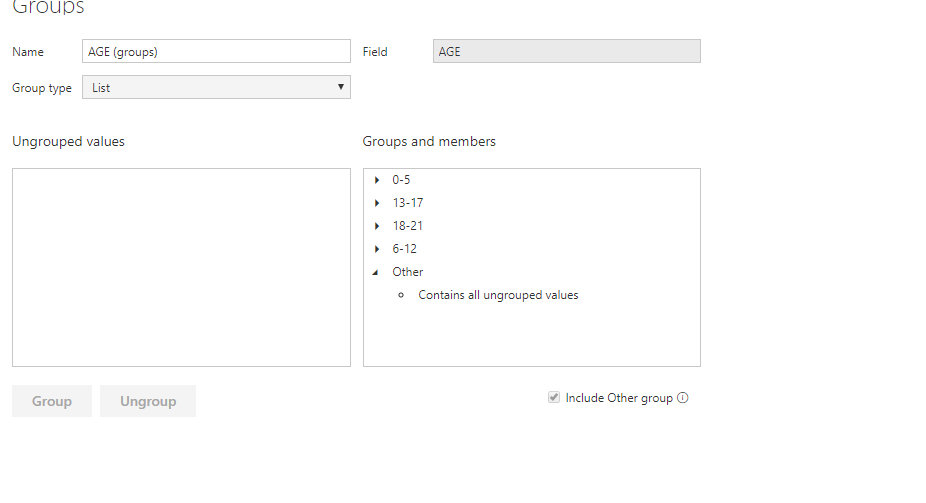
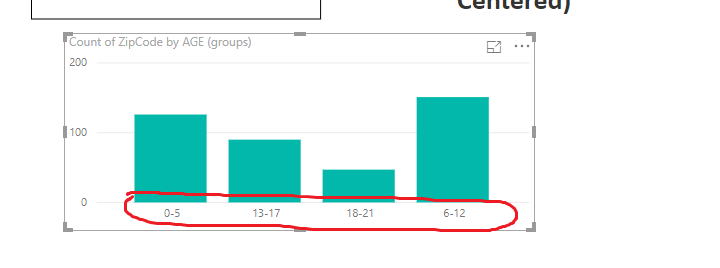
One solution would be in PowerQuery create a conditional column and for 0-5, make it A, 6-12, B, etc. Then on your dashboard, click "Sort by Column" under the modeling section on the top and select this new column. It should give you the order you want.
Jared
Hello-
One solution would be in PowerQuery create a conditional column and for 0-5, make it A, 6-12, B, etc. Then on your dashboard, click "Sort by Column" under the modeling section on the top and select this new column. It should give you the order you want.
Jared
The Power BI Data Visualization World Championships is back! Get ahead of the game and start preparing now!
| User | Count |
|---|---|
| 41 | |
| 39 | |
| 37 | |
| 29 | |
| 24 |
| User | Count |
|---|---|
| 124 | |
| 107 | |
| 80 | |
| 69 | |
| 67 |