Join us at FabCon Atlanta from March 16 - 20, 2026, for the ultimate Fabric, Power BI, AI and SQL community-led event. Save $200 with code FABCOMM.
Register now!The Power BI Data Visualization World Championships is back! Get ahead of the game and start preparing now! Learn more
Hi Guys,
I have data coming from adobe analytics.
Dimension: Page URL
Measure: Visits
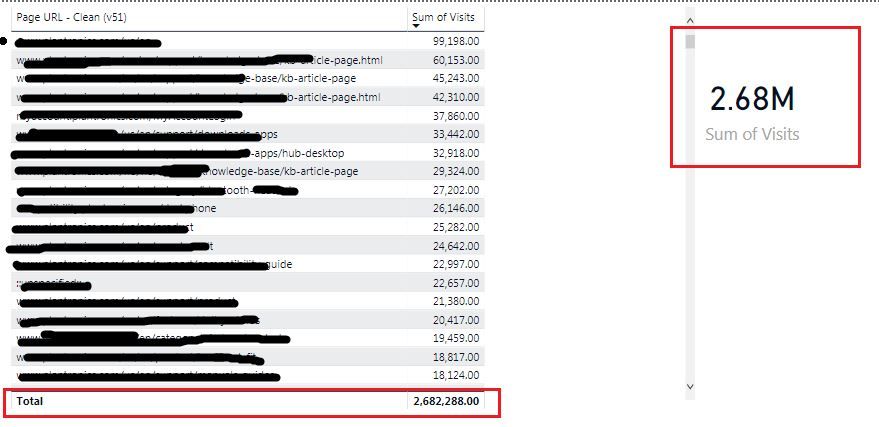
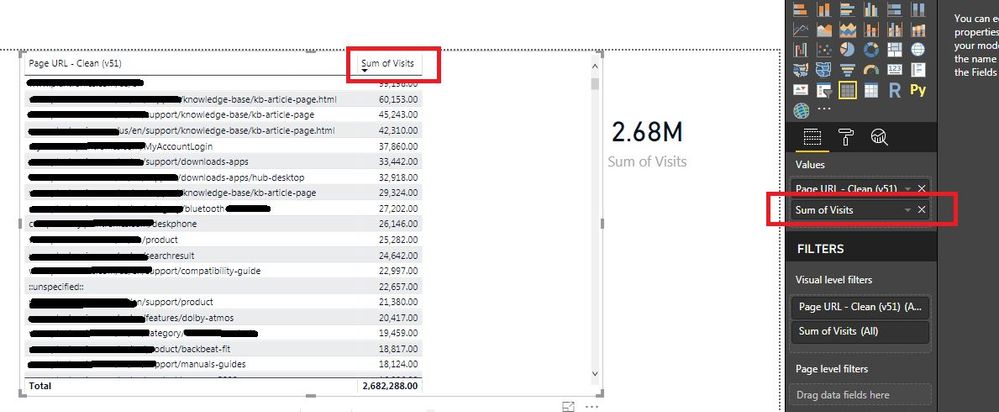
When i create a table with Page Url and Visits. The grand total is incorrect. I also added Card Visiual to test it. It gives the same number.
The number in the adobe anlaytics platform is way less than what Power BI shows. What am i missing here. Do i need to create a calcualted measure? below is the screenshot.
Solved! Go to Solution.
Hi guys,
Closing this discussion. As I found out their was another calcualted measure that needed to be brought in by the team.
Thank you everyone for your help.
Hi @Anonymous,
How is the formula of measure [Sum of visits]? And please check if this thread is helpful to you.
Regards,
Yuliana Gu
Hi,
There is no formula on the measure. I have simply dragged the measure and sum the visits.
Visits = Sum(Table_Name[Visits]). So the total here is adding up the values in the column
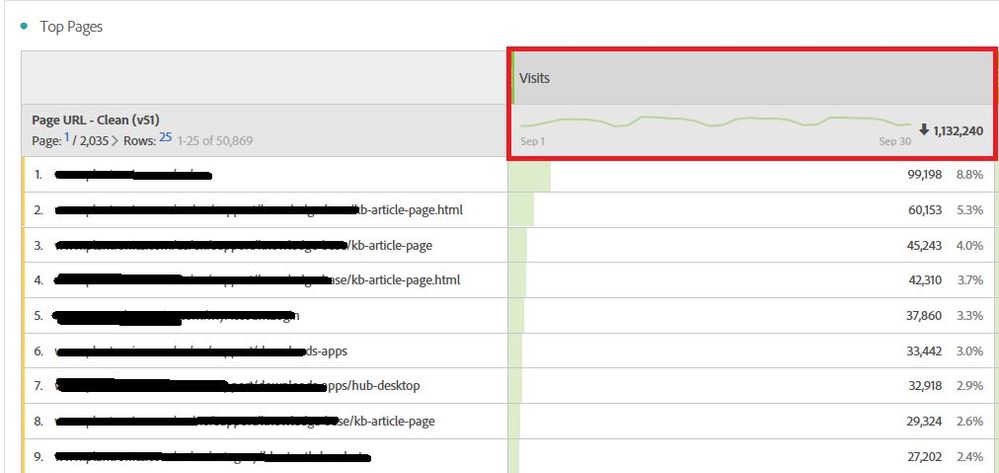
However in Adobe analytics I am expecting the below total: Also if you see for every page the visits does match with what is in power bi. However the aggregate does not.
Hi guys,
Closing this discussion. As I found out their was another calcualted measure that needed to be brought in by the team.
Thank you everyone for your help.
Hi,
Please ensure that Visits ( i assume that is a measure you have written) is a measure and not a calculated column formula.
The Visits is not a calculated formula. It is a measure.
Hi,
Share the link from where i can download your PBI file.
The Power BI Data Visualization World Championships is back! Get ahead of the game and start preparing now!
| User | Count |
|---|---|
| 39 | |
| 38 | |
| 38 | |
| 28 | |
| 27 |
| User | Count |
|---|---|
| 124 | |
| 88 | |
| 73 | |
| 66 | |
| 65 |