cancel
Showing results for 
Search instead for 
Did you mean: 

The Power BI Data Visualization World Championships is back! It's time to submit your entry. Live now!

Reply
Cobra77
Post Patron
Post Patron

Google Analytics error connection , impossible modify

Hi,

the latest version of Power bi, december.

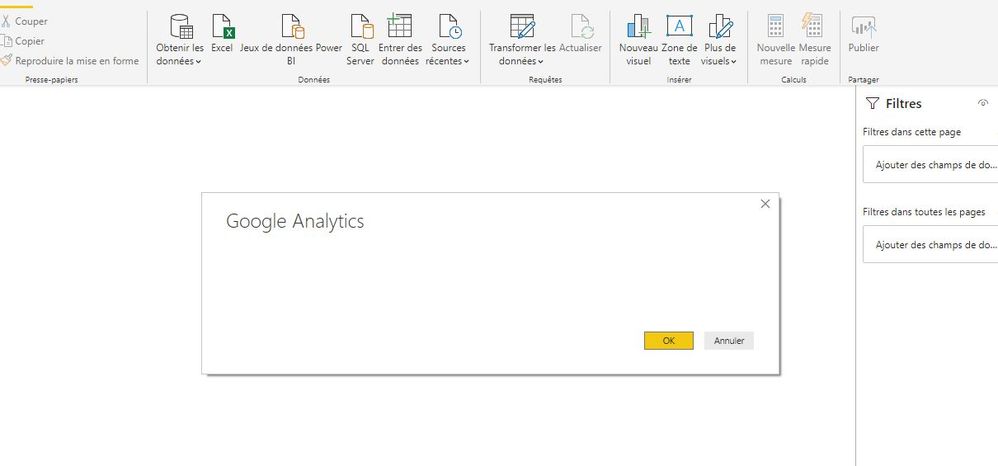
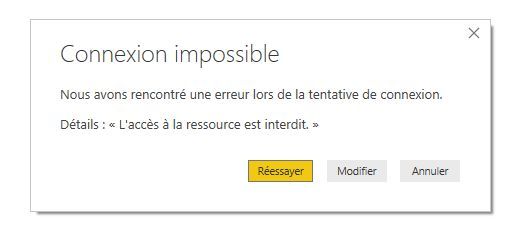
I try to use Google analytics , but after click on GA services ( screen 1 ) , i click on modify ( screen2 is empty )  : Ga_error1.jpgGa_error2.jpg

An idea ?


Thanks for your helps


1 ACCEPTED SOLUTION
parry2k
Super User
Super User

@Cobra77 there is known issue with GA, https://powerbi.microsoft.com/en-us/support/ and that could be the reason , although as per information there, fix is around the corner


Power BI users connecting to a Google Analytics data source may experience issues while authenticating. As a workaround, customers can republish the dataset from the Power BI Desktop app. Engineers are working with Google to mitigate the issue and a fix will be provided by end of week 12/27/2019.


Subscribe to the @PowerBIHowTo YT channel for an upcoming video on List and Record functions in Power Query!!

Learn Power BI and Fabric - subscribe to our YT channel - Click here: @PowerBIHowTo

If my solution proved useful, I'd be delighted to receive Kudos. When you put effort into asking a question, it's equally thoughtful to acknowledge and give Kudos to the individual who helped you solve the problem. It's a small gesture that shows appreciation and encouragement! ❤


Did I answer your question? Mark my post as a solution. Proud to be a Super User! Appreciate your Kudos 🙂
Feel free to email me with any of your BI needs.

View solution in original post

5 REPLIES 5
parry2k
Super User
Super User

@Cobra77 there is known issue with GA, https://powerbi.microsoft.com/en-us/support/ and that could be the reason , although as per information there, fix is around the corner


Power BI users connecting to a Google Analytics data source may experience issues while authenticating. As a workaround, customers can republish the dataset from the Power BI Desktop app. Engineers are working with Google to mitigate the issue and a fix will be provided by end of week 12/27/2019.


Subscribe to the @PowerBIHowTo YT channel for an upcoming video on List and Record functions in Power Query!!

Learn Power BI and Fabric - subscribe to our YT channel - Click here: @PowerBIHowTo

If my solution proved useful, I'd be delighted to receive Kudos. When you put effort into asking a question, it's equally thoughtful to acknowledge and give Kudos to the individual who helped you solve the problem. It's a small gesture that shows appreciation and encouragement! ❤


Did I answer your question? Mark my post as a solution. Proud to be a Super User! Appreciate your Kudos 🙂
Feel free to email me with any of your BI needs.
Hi @parry2k 


do you know this is corrected ?

Because I always have the problem as soon as I want to choose a google analytics source


Best regards.

Thanks


Hi @parry2k 


sorry its ok after reset and delete history connexion with google ana.


thanks

Hi @Cobra77,

Can you explain to me how did you do it?

Im stuck only with that to continue with my report.


Please help! 

hi @parry2k 

thanks for your answer


Helpful resources

Announcements
FabCon Atlanta 2026 carousel

FabCon Atlanta 2026

Join us at FabCon Atlanta, March 16-20, for the ultimate Fabric, Power BI, AI and SQL community-led event. Save $200 with code FABCOMM.