Hi All.
Thanks for reading. 🙂
I am currently trying to Get some data moved from one table to another while all data is connected as DirectQuery.
Issue:
The value i in order to Merge the two tables is combined with other text.
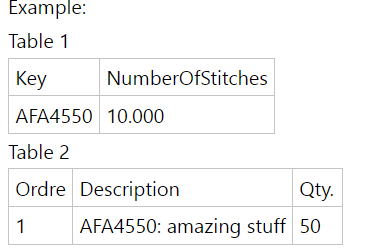
Example:
Table 1
| Key | NumberOfStitches |
| AFA4550 | 10.000 |
Table 2
| Ordre | Description | Qty. |
| 1 | AFA4550: amazing stuff | 50 |
I need the NumberOfStitches as its own column on Table 2.
First issue is getting the Keu value seperated to its own coloumn in table 2 in order to connect the two tables.
The key will always end with the first : on the Description, so the rule is fairly simple.
I don't think i can just use MID in DAX as this would later require me to use LOOKUPVALUE, but this is not avaliable with DirectQuery.
Same issues goes when trying to split be delimiter in Quiry Editor. This is also not avaliabe with Direct Query.
Also it wont work doing it as a meassure using Dax, as i will need to do some more calculations afterwards that is not really possible unless i get the data moved together.
Hope it makes sence what i am trying to do.
Any help is strongly appreciated. 🙂
Quick edit:
Tables are suppose to look like this. 😄