cancel
Showing results for 
Search instead for 
Did you mean: 

The Power BI Data Visualization World Championships is back! Get ahead of the game and start preparing now! Learn more

Reply
GH21
Frequent Visitor

Generic Thumbnail - using Sharepoint for image location

Hi,


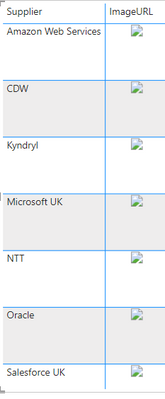
I'm trying to add some supplier logos into a PowerBi report, I have these 7 logos saved in a sharepoint folder and are linked to the report however I am just presented with this generic thumbnail image instead of my logos. Can anyone suggest a option, I'm using Image URL as a categorisation.


GH21_1-1678440881007.png


2 REPLIES 2
GH21
Frequent Visitor

Hey @amitchandak, They sit within a sharepoint folder that has already been linked into the report


amitchandak
Super User
Super User

@GH21 , where is the image located


refer these

https://community.powerbi.com/t5/Desktop/Image-not-displaying/td-p/1942262

https://www.youtube.com/watch?v=Jy2GpZuuE_4

https://www.youtube.com/watch?v=EowHdhy-Nio

Share with Power BI Enthusiasts: Full Power BI Video (20 Hours) YouTube
Microsoft Fabric Series 60+ Videos YouTube
Microsoft Fabric Hindi End to End YouTube

Helpful resources

Announcements
Power BI DataViz World Championships

Power BI Dataviz World Championships

The Power BI Data Visualization World Championships is back! Get ahead of the game and start preparing now!

December 2025 Power BI Update Carousel

Power BI Monthly Update - December 2025

Check out the December 2025 Power BI Holiday Recap!

FabCon Atlanta 2026 carousel

FabCon Atlanta 2026

Join us at FabCon Atlanta, March 16-20, for the ultimate Fabric, Power BI, AI and SQL community-led event. Save $200 with code FABCOMM.