Join us at FabCon Atlanta from March 16 - 20, 2026, for the ultimate Fabric, Power BI, AI and SQL community-led event. Save $200 with code FABCOMM.
Register now!The Power BI Data Visualization World Championships is back! Get ahead of the game and start preparing now! Learn more
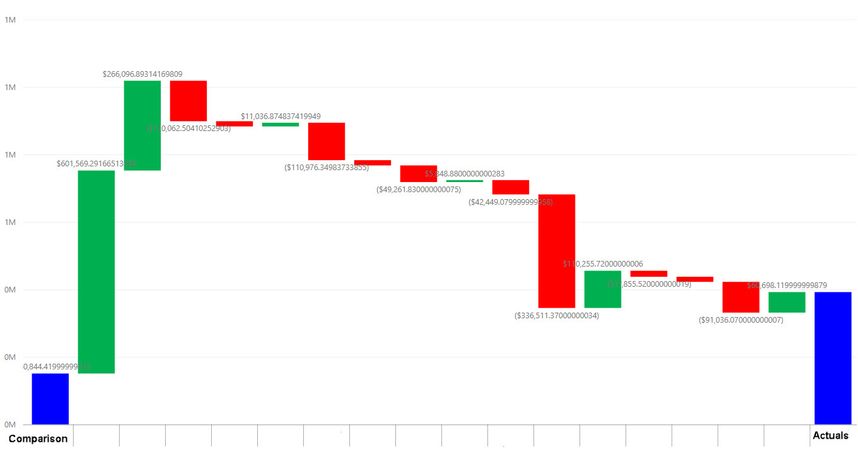
I am using the Simple Waterfall visual that I downloaded from the AppSource. I am showing an example of what I am looking at below. This looks good, however I want to show these numbers with a $ sign and a ( ) instead of a negative sign.
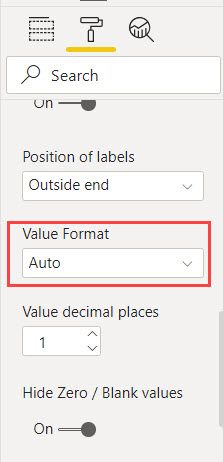
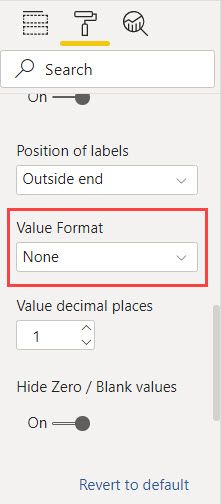
The problem is that my measures do this when I put the format for both measures in $ Currency General, set the decimal places to Auto, and switch the value format to None for the visual... How do I fix this?
I want to have "Auto" for decimal places, because the value can flucutate from thousands to millions.
@astanfo
Can you post a sample data or pbix so I can test. I am think you might need to use format() to change the format of the data.
Regards
Paul.
@Anonymous Here you go. See page 2 within .pbix file for the visual. The folder with the .pbix is below. Format() does not work for the waterfall, since the waterfall does not support text. Since Format() creates a text, it also does not filter out categories that do not have values and are blank.
https://drive.google.com/drive/folders/1EsaTokNbc_l5b1nhIp2xb7zfIESiLq_Z?usp=sharing
The Power BI Data Visualization World Championships is back! Get ahead of the game and start preparing now!
| User | Count |
|---|---|
| 38 | |
| 36 | |
| 33 | |
| 32 | |
| 29 |
| User | Count |
|---|---|
| 129 | |
| 88 | |
| 79 | |
| 68 | |
| 63 |