Join us at FabCon Atlanta from March 16 - 20, 2026, for the ultimate Fabric, Power BI, AI and SQL community-led event. Save $200 with code FABCOMM.
Register now!The Power BI Data Visualization World Championships is back! Get ahead of the game and start preparing now! Learn more
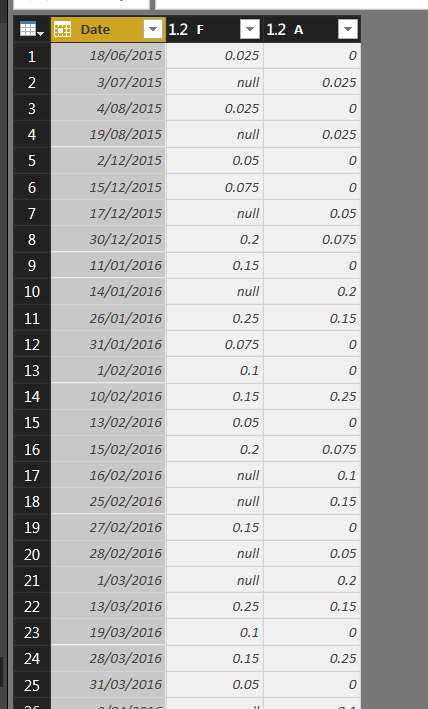
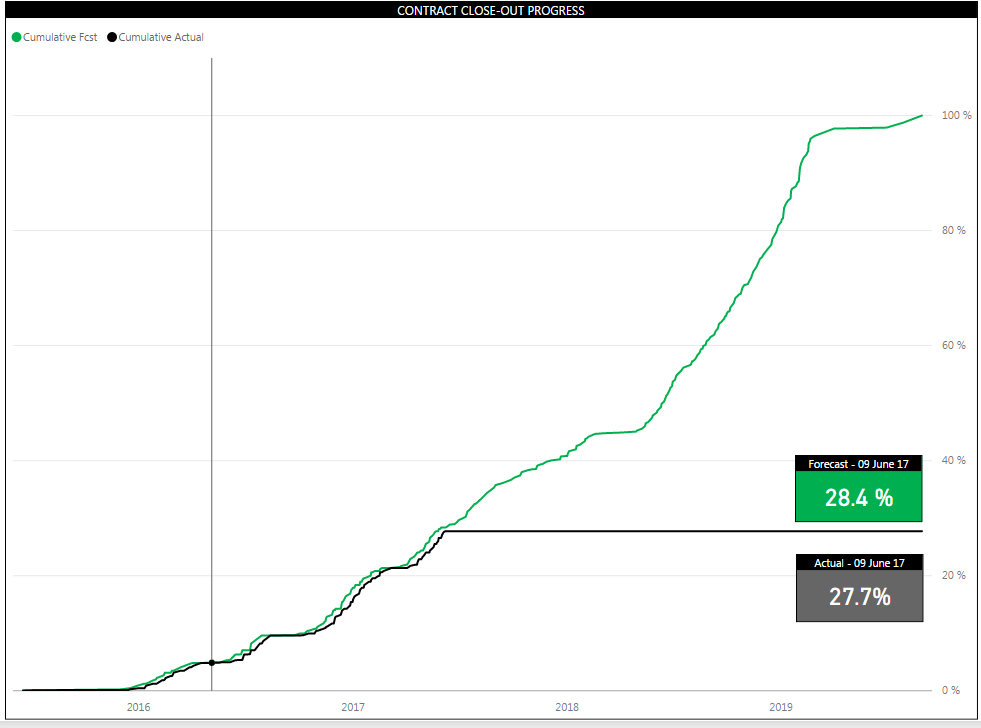
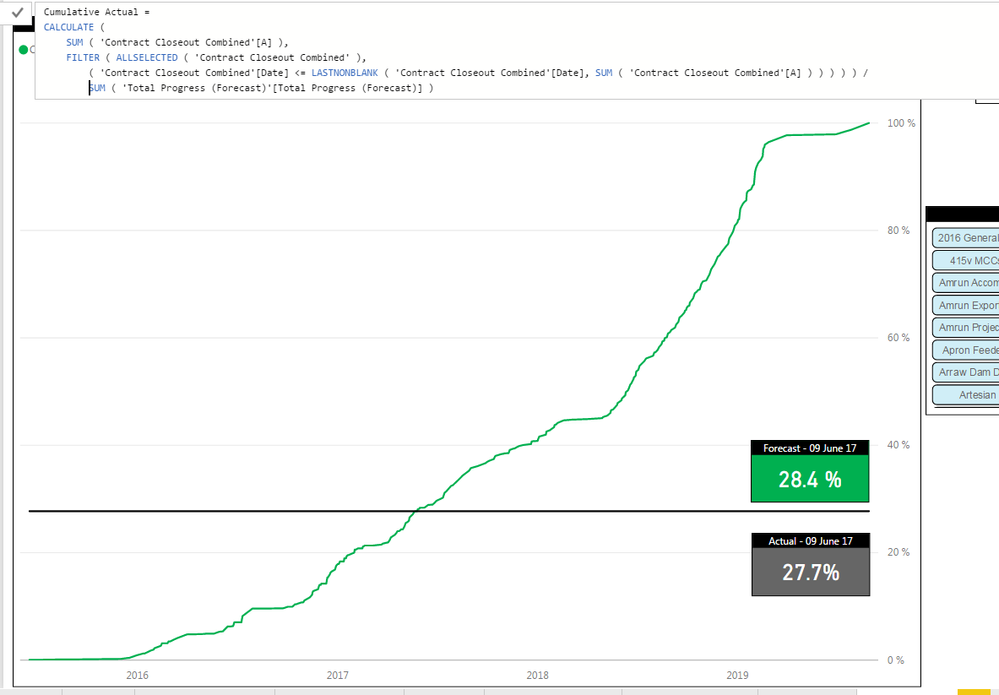
Hey Guys - Any idea how to get rid of the BLACK FLAT LINE for Actuals? The Actual Curve should stop after TODAY's Date. The data extract is also shown below.
The Formula used for the Actual Curve is:
Cumulative Actual = CALCULATE (
SUM ('Contract Closeout Combined'[A]),
FILTER (
ALLSELECTED('Contract Closeout Combined'),
('Contract Closeout Combined'[Date] <= max('Contract Closeout Combined'[Date]))
))/sum('Total Progress (Forecast)'[Total Progress (Forecast)])
i tried replacing "('Contract Closeout Combined'[Date] <= max('Contract Closeout Combined'[Date]) with Today()"
but that did not work.
Solved! Go to Solution.
Hi @hackfifi
What I would suggest you do is the following:
Create a measure for your A Value with the example below:
A Total = IF(SUM('Table2'[A]) = 0,BLANK(),SUM('Table2'[A]))The above will always ensure that there is one place to change it, as well as then make it easier for the filter context later.
Then with the above measure you can now create your cumulative curve with the following measure.
Cumulative Actual =
Var LNBD = LASTNONBLANK('Table2'[Date],[A Total])
RETURN
CALCULATE([A Total],FILTER(ALL('Table2'[Date]), 'Table2'[Date] <= LNBD))
@GilbertQ - Thanks again for your help. I just cant work out why the "Cumulative Actual" Formula doesnt work.
Cumulative Plan & Cumulative Forecast works perfectly.
The formulas used are:
Cumulative Plan =
CALCULATE (
'F2 Hours'[Progress % F2 Plan],
FILTER (
ALLSELECTED('Progress Curve'),
('Progress Curve'[Period] <= MAX ( 'Progress Curve'[Period]))))
Cumulative Forecast =
CALCULATE (
'F2 Hours'[Progress % Forecast],
FILTER (
ALLSELECTED('Progress Curve'),
('Progress Curve'[Period] <= MAX ( 'Progress Curve'[Period]))))
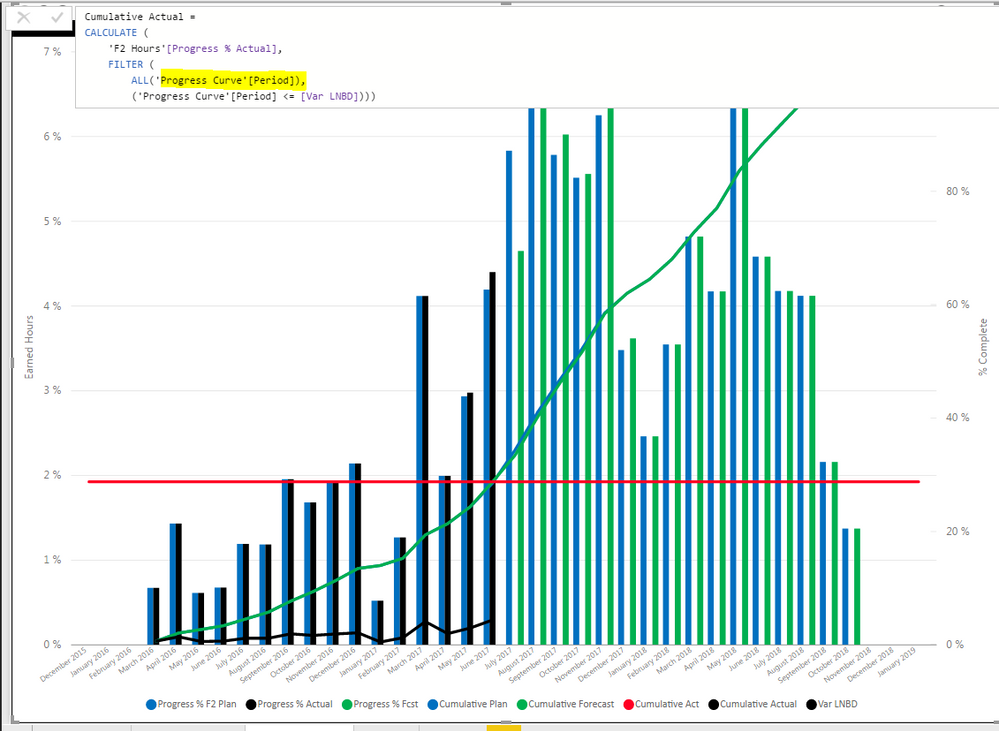
Cumulative Actual =
CALCULATE(
'F2 Hours'[Progress % Actual],
FILTER(
ALL('Progress Curve'[Period]),
'Progress Curve'[Period] <= [Var LNBD]))
Sorry @GilbertQ - i took a while to get back - stil no JOY.
Year & Month based on "Progress Curve" Table: BLACK LINE
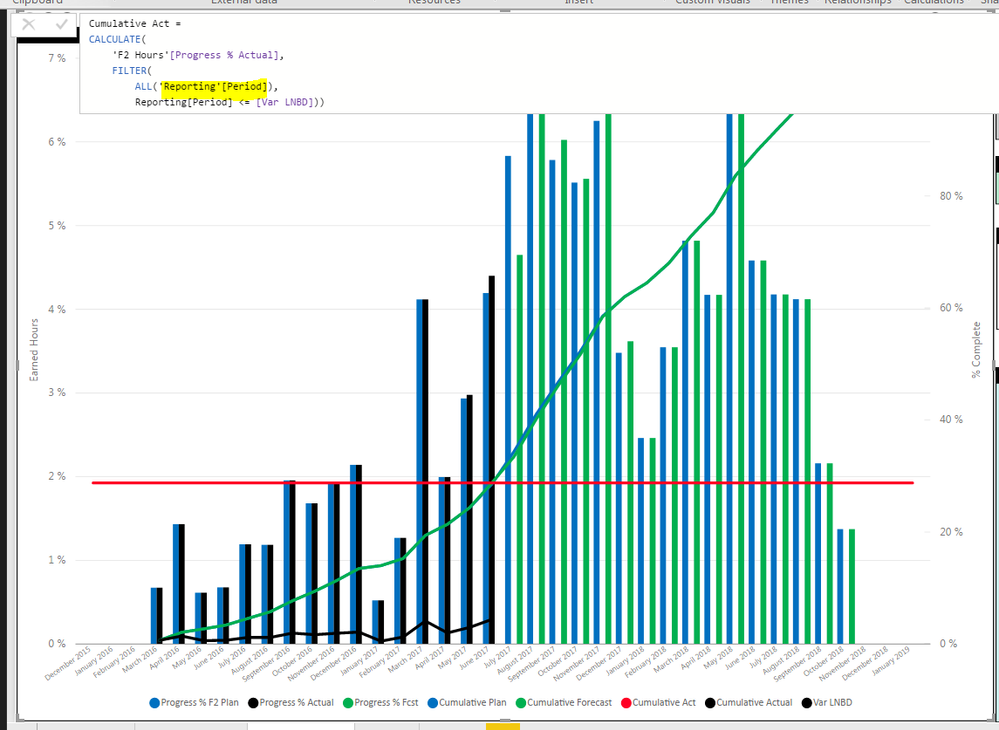
Year & Month based on "Date" Table: RED LINE
The Power BI Data Visualization World Championships is back! Get ahead of the game and start preparing now!
| User | Count |
|---|---|
| 39 | |
| 38 | |
| 38 | |
| 28 | |
| 27 |
| User | Count |
|---|---|
| 124 | |
| 88 | |
| 73 | |
| 66 | |
| 65 |