cancel
Showing results for 
Search instead for 
Did you mean: 

July 28 - August 9 | Final Round of the Power BI Dataviz World Championships. This is your chance. Learn more

Reply
madashelliam
Regular Visitor

Filtering data based on another table

I have 2 tables. Table A has list of employees and how much leave they have. Table B has a list of some of the names but only those that have agreed to a certien condition. They are linked via a employee id number. I cant work out how to filter table A based on them being listed in table B. Do i need to write a calculate formula in table A or can i filter them?

1 ACCEPTED SOLUTION
ankitpatira
Community Champion
Community Champion

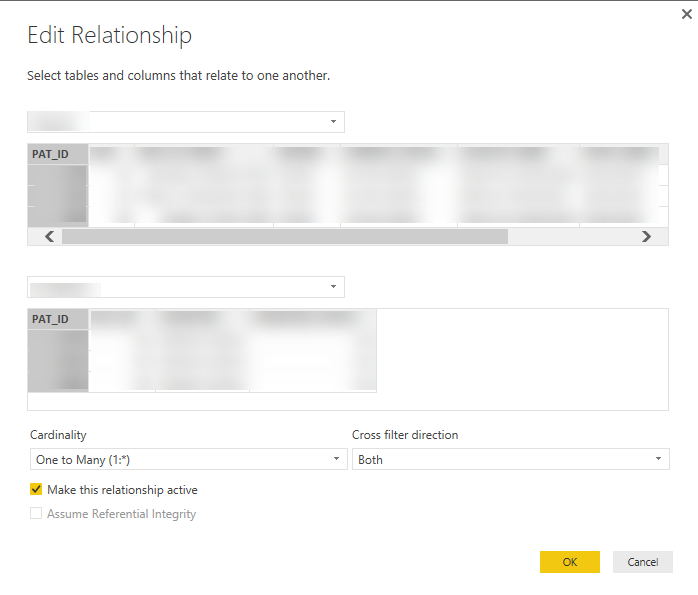
@madashelliam You need to ensure there is active relationship between table A and B via power bi relationship view and filtering will work automatically for you. When you create relationship in power bi ensure cross-filter direction is set to Both and this will filter both table based on selection of another. Just like shown below,


Capture.PNG

View solution in original post

4 REPLIES 4
v-caliao-msft
Microsoft Employee
Microsoft Employee

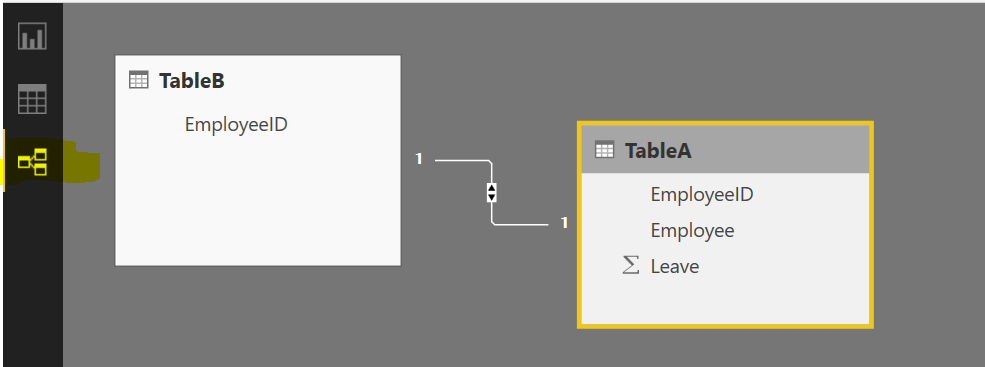
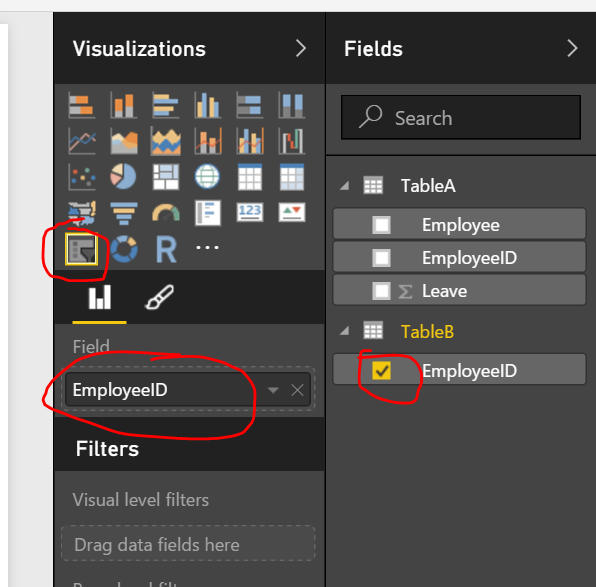
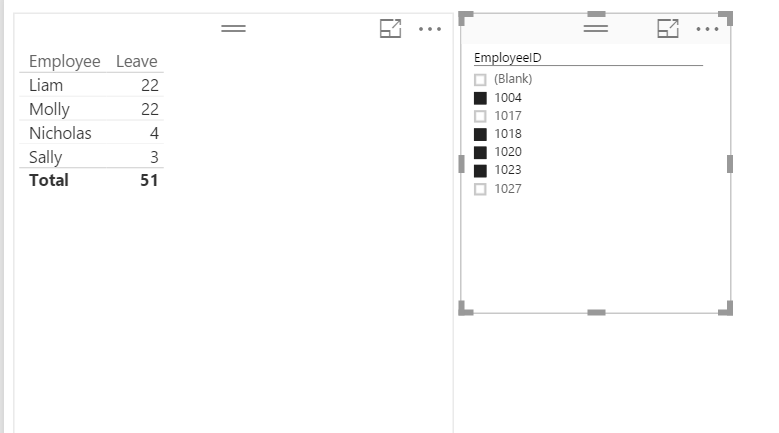
@madashelliam If you have difined relationship between table a and table b, then you can use a slicer visual to filter the employees in table a. Add a slicer to your report, and drag employeeID into Field of the slicer, then you can filter the the employees in table a.

Capture.PNGCapture1.PNGCapture2.PNG

Regards,

Charlie Liao

thanks for some reason this worked were as just filtering didnt

ankitpatira
Community Champion
Community Champion

@madashelliam You need to ensure there is active relationship between table A and B via power bi relationship view and filtering will work automatically for you. When you create relationship in power bi ensure cross-filter direction is set to Both and this will filter both table based on selection of another. Just like shown below,


Capture.PNG

Anonymous
Not applicable

Hi, I am doing something similar with a similar problem-


So I want to create a filter based on the data in the table I am linking to. That second table contains a bunch of other options but I just want to have options to filter by what is in the first table.


Example:

Table 1: EE ID's (count = 5)

Table 2: EE Demo Information (count = 1000)


I want to throw a slicer on the visualization so I can filter those 5 EE' ID's by their state for example. But when I do the state slicer I have all 50 options instead of their 5 states. Is there anyway around this?

@ankitpatira 

Helpful resources

Announcements
FabCon and SQLCon Barcelona 2026

FabCon & SQLCon – Barcelona 2026

Join us in Barcelona for FabCon and SQLCon, the Fabric, Power BI, SQL, and AI community event. Save €200 with code FABCMTY200.

Fabric Community Sticker Design Challenge Barcelona Carousel

Fabric Community Sticker Challenge - Barcelona 2026

If you love stickers, then you will definitely want to check out our community sticker challenge, Barcelona edition!

July Power BI Update Carousel

Power BI Monthly Update - July 2026

Check out the July 2026 Power BI update to learn about new features.

Power BI DataViz World Championships carousel

Power BI DataViz World Championships - June 2026

A new Power BI DataViz World Championship is coming this June! Don't miss out on submitting your entry.

Top Solution Authors