cancel
Showing results for 
Search instead for 
Did you mean: 

Get Fabric Certified for FREE during AI Skills Fest. This week only. Secure your voucher now.

Reply
iping
New Member

Filtering Data by containing string values

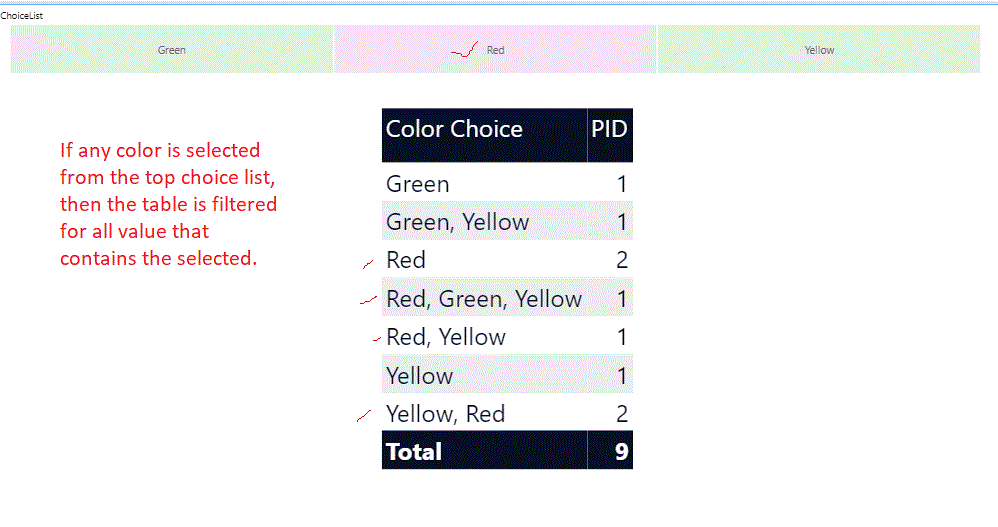
SampleIdea.gifFigure 1.0 - design screen above is shown of my report.


I collected data shown in the table for preference of colors - the results are shown eg. Red, Yellow for the participants in survey.


What I need to acheive:

The horizontal three colors at the top, as shown in the image above, when clicked shouold filter for all rows that contains the selected color.

  • The three (3) Colors at the top (horitonal layout) are an independant table that is created in the PowerBI,
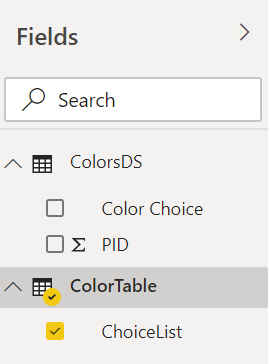
  • The dataset with the color choices and participant ID are  stored in another table named the ColorDS. See figure 2.0

\Figure 2.0 the tables in the PowerBI

ColourDS.png


1 ACCEPTED SOLUTION
Icey
Community Support
Community Support

Hi @iping ,


Try this:

Measure 2 =
IF (
    SUMX (
        ColorTable,
        FIND (
            UPPER ( ColorTable[ChoiceList] ),
            UPPER ( MAX ( ColorsDS[Color Choice] ) ),
            ,
            0
        )
    ) > 0,
    1
)

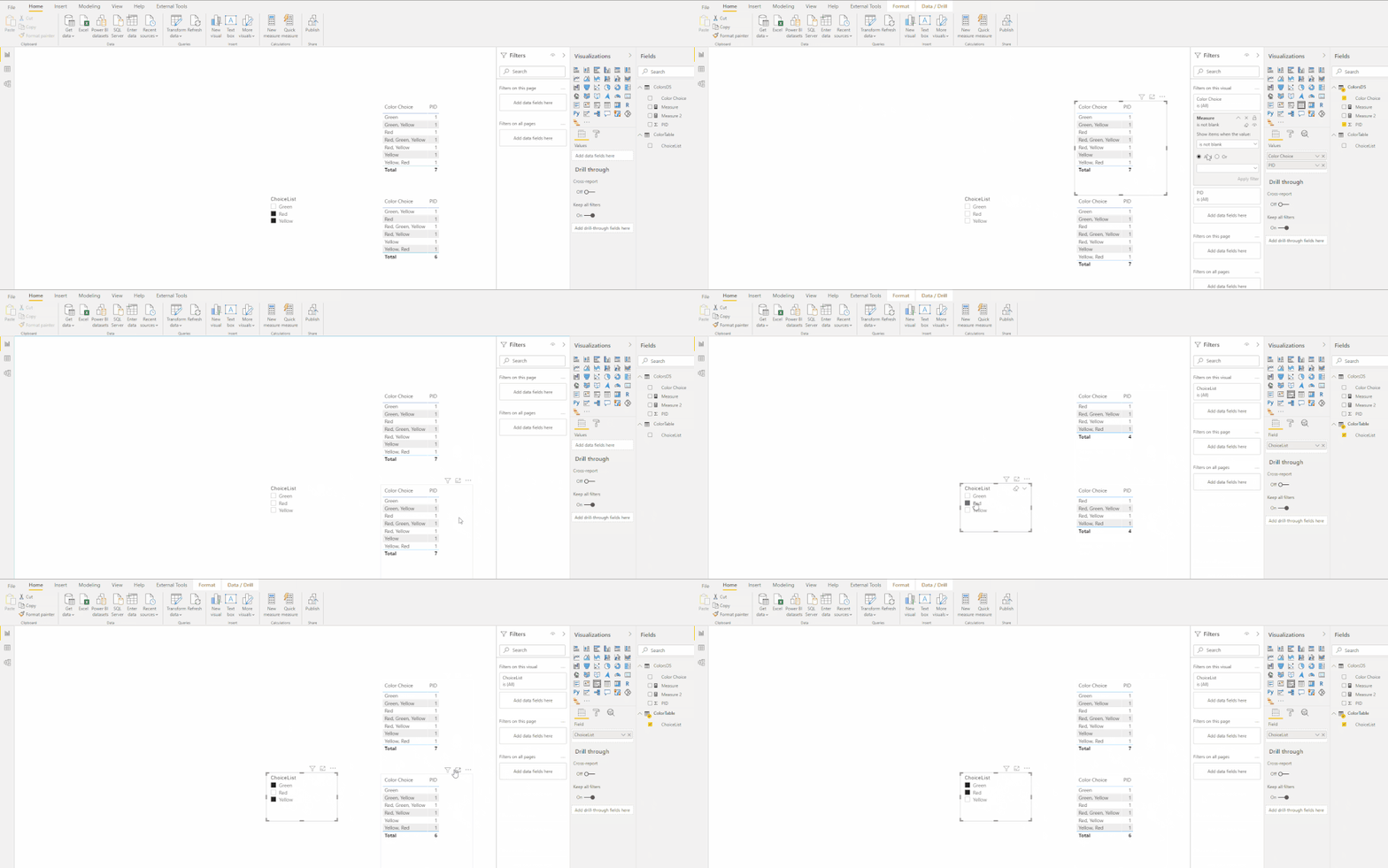
filter.gif


Best regards

Icey


If this post helps, then consider Accepting it as the solution to help other members find it faster.

View solution in original post

4 REPLIES 4
iping
New Member

This is great.

Muchas Gracia.

Icey
Community Support
Community Support

Hi @iping ,


Try this:

Measure 2 =
IF (
    SUMX (
        ColorTable,
        FIND (
            UPPER ( ColorTable[ChoiceList] ),
            UPPER ( MAX ( ColorsDS[Color Choice] ) ),
            ,
            0
        )
    ) > 0,
    1
)

filter.gif


Best regards

Icey


If this post helps, then consider Accepting it as the solution to help other members find it faster.

amitchandak
Super User
Super User

@iping , On of the way is to split the values using power query into the rows.

https://www.tutorialgateway.org/how-to-split-columns-in-power-bi/


Another way is use and independent slicer table to display color in the slicer and then use search or containsstring

measure =
var _max = selectedvalues(Color[Color])
return
calculate(countrows(colortable),filter(colortable,search(_max,colortable[Color],,0)>0))


refer: https://www.youtube.com/watch?v=mZt0HJw4gjQ

https://www.youtube.com/watch?v=XbgLGDvWdWQ
 

Share with Power BI Enthusiasts: Full Power BI Video (20 Hours) YouTube
Microsoft Fabric Series 60+ Videos YouTube
Microsoft Fabric Hindi End to End YouTube

@amitchandak  Thank you for the idea and post. ✌️

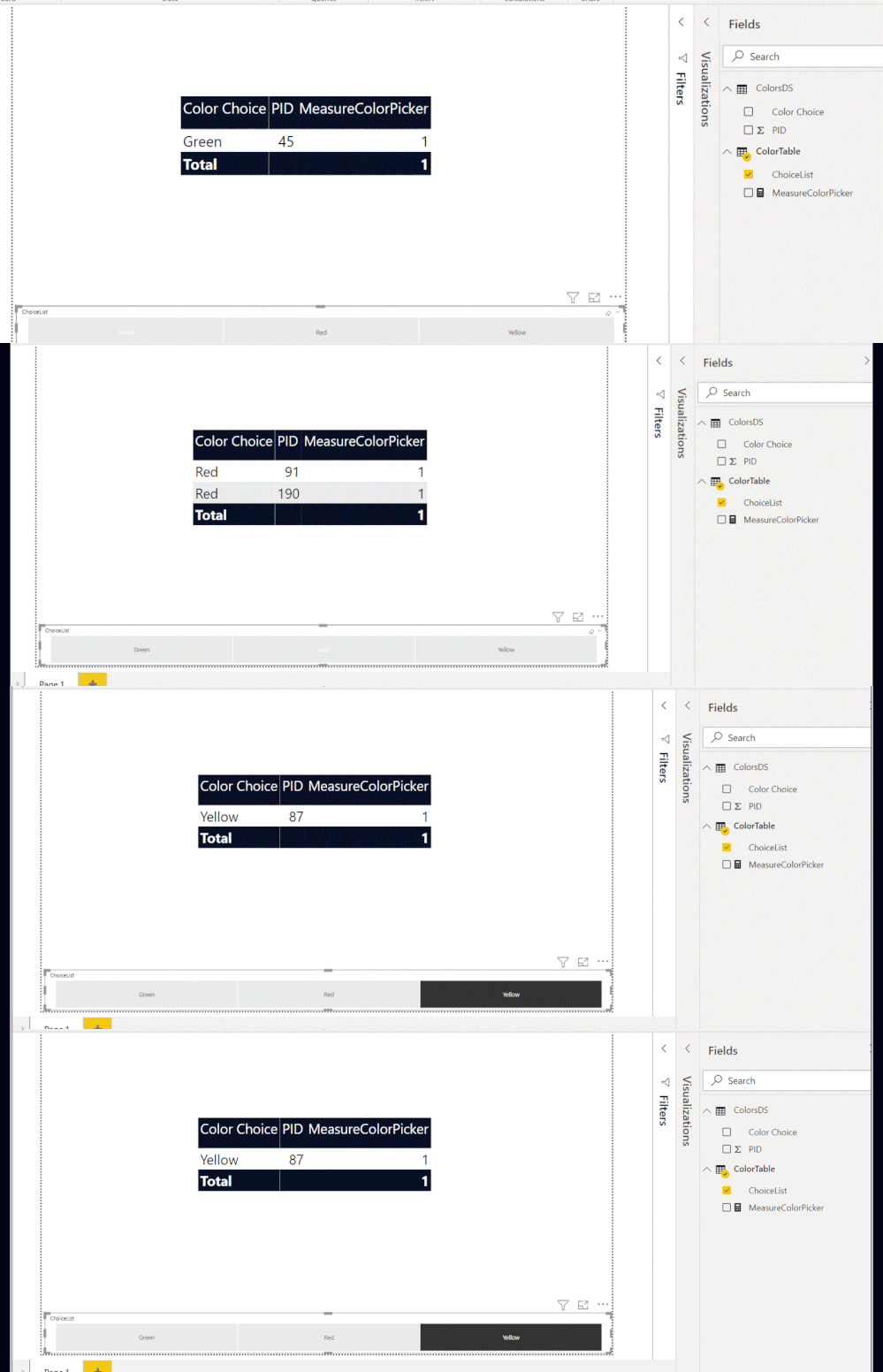
The second method using the DAX is preferred. However, what I observe from your online videos for the search function, seem to be that it will only find the text string entered. My results are shown below.

The function work but it will return results only if it says  "Red" , while I am seeking to return a result where the work Red can be in  a line as follows eg - Green, Red, Yellow or Yellow, Red.

Will look into the ContainString function.


@amitchandak wrote:

@iping, On of the way is to split the values using power query into the rows.

https://www.tutorialgateway.org/how-to-split-columns-in-power-bi/


Another way is use and independent slicer table to display color in the slicer and then use search or containsstring

measure =
var _max = selectedvalues(Color[Color])
return
calculate(countrows(colortable),filter(colortable,search(_max,colortable[Color],,0)>0))


refer: https://www.youtube.com/watch?v=mZt0HJw4gjQ

https://www.youtube.com/watch?v=XbgLGDvWdWQ


Webp.net-gifmaker (1).gif

Helpful resources

Announcements
May Power BI Update Carousel

Power BI Monthly Update - May 2026

Check out the May 2026 Power BI update to learn about new features.

Fabric SQL PBI Data Days

Data Days 2026 coming soon!

Sign up to receive a private message when registration opens and key events begin.

New to Fabric survey Carousel

New to Fabric Survey

If you have recently started exploring Fabric, we'd love to hear how it's going. Your feedback can help with product improvements.

Power BI DataViz World Championships carousel

Power BI DataViz World Championships - June 2026

A new Power BI DataViz World Championship is coming this June! Don't miss out on submitting your entry.