cancel
Showing results for 
Search instead for 
Did you mean: 

Learn from the best! Meet the four finalists headed to the FINALS of the Power BI Dataviz World Championships! Register now

Reply
DiegoCorriendo
Frequent Visitor

Filter reset while interacting

Hi,

I have a problem with filters in a particular casuistry I will try to replicate in order to clarify it.


I have two filters related, lets say Countries and Football Teams that I need to filter my data.

It is a typical 1:N relationship where each team belongs to only one country.
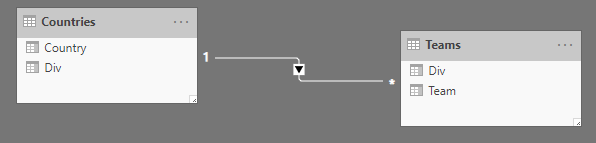
rel.png

The problem here is that if I filter a Country for (typically) reduce the Team list and select the desired one easily.
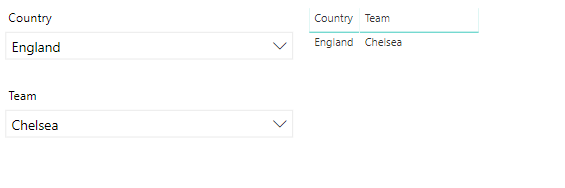
1.png

And then I change the Country filter in order to select another team, information became incompatible because as shown in images, Chelsea is not an Spanish team and displayed data is null.
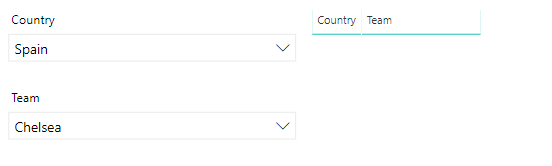
2.png


Is there any way to clear the Team filter when the Country filter is interacted or solve the problem in another way?


PD: Also, the selected value in Teams filter stays as a 'ghost value'

3.png

and it dissapear from list while deselected.
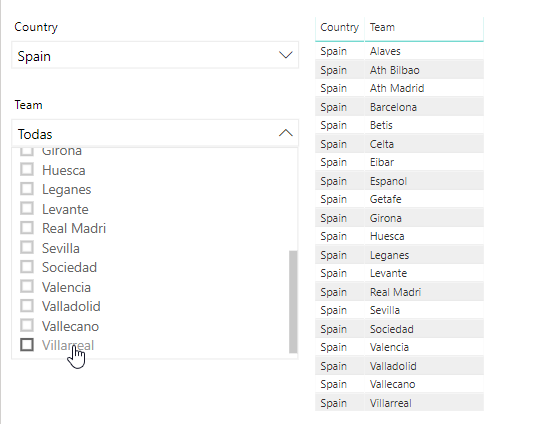
4.png

making data compatible again and being able to show the values.


Thanks in advance.

Regards.

1 ACCEPTED SOLUTION
v-juanli-msft
Community Support
Community Support

Hi @DiegoCorriendo 

As tested, it is a default behavior.

I find a workaround with Hierarchy slicer from market place.


Edit the interaction between Hierarchy slicer and default slicer as below

select "ignore" on default slicer when clicking on the Hierarchy slicer

Capture1.JPG

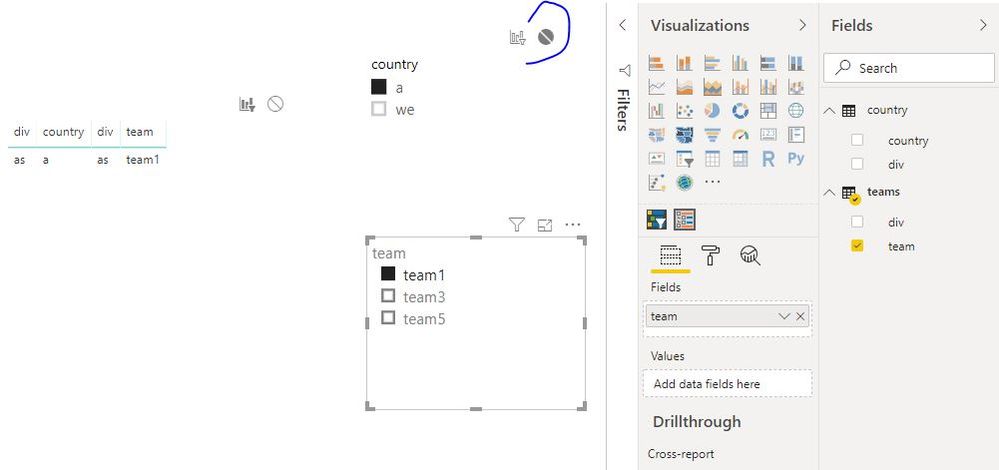
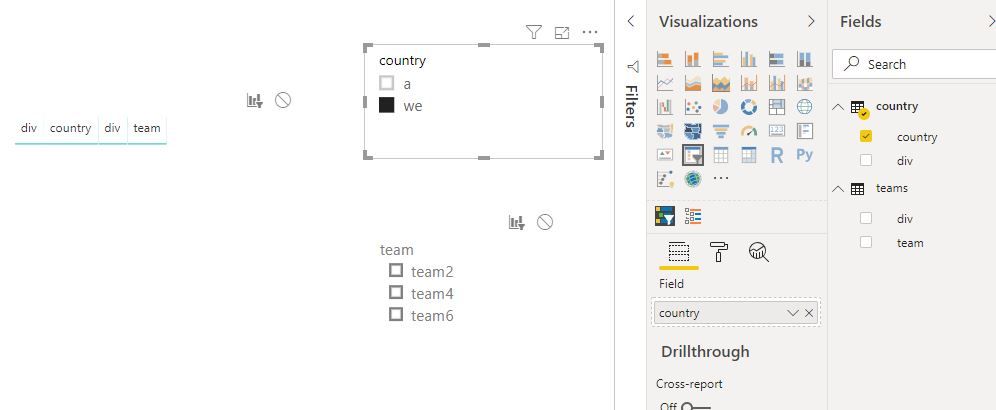
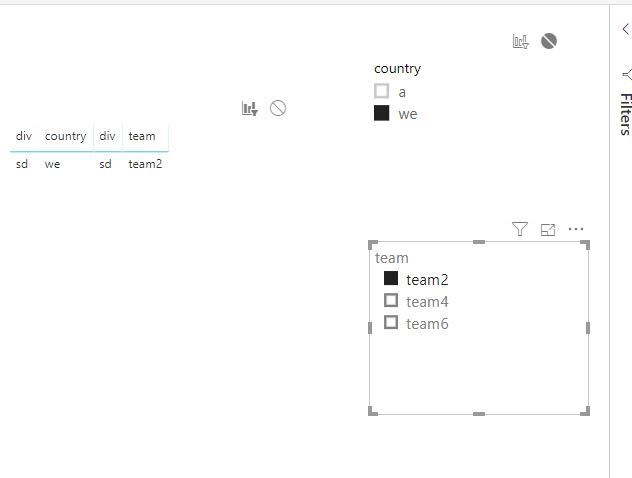
Then when you reselect from "country" slicer, the team slicer will be reset.

Capture2.JPGCapture3.JPG

Best Regards
Maggie


Community Support Team _ Maggie Li
If this post helps, then please consider Accept it as the solution to help the other members find it more quickly.

View solution in original post

1 REPLY 1
v-juanli-msft
Community Support
Community Support

Hi @DiegoCorriendo 

As tested, it is a default behavior.

I find a workaround with Hierarchy slicer from market place.


Edit the interaction between Hierarchy slicer and default slicer as below

select "ignore" on default slicer when clicking on the Hierarchy slicer

Capture1.JPG

Then when you reselect from "country" slicer, the team slicer will be reset.

Capture2.JPGCapture3.JPG

Best Regards
Maggie


Community Support Team _ Maggie Li
If this post helps, then please consider Accept it as the solution to help the other members find it more quickly.

Helpful resources

Announcements
Join our Fabric User Panel

Join our Fabric User Panel

Share feedback directly with Fabric product managers, participate in targeted research studies and influence the Fabric roadmap.

February Power BI Update Carousel

Power BI Monthly Update - February 2026

Check out the February 2026 Power BI update to learn about new features.

FabCon Atlanta 2026 carousel

FabCon Atlanta 2026

Join us at FabCon Atlanta, March 16-20, for the ultimate Fabric, Power BI, AI and SQL community-led event. Save $200 with code FABCOMM.