Join us at FabCon Atlanta from March 16 - 20, 2026, for the ultimate Fabric, Power BI, AI and SQL community-led event. Save $200 with code FABCOMM.
Register now!The Power BI Data Visualization World Championships is back! Get ahead of the game and start preparing now! Learn more
Hello everyone,
Thank you in advance for your help. I've an idea althought I dont know if it is possible.
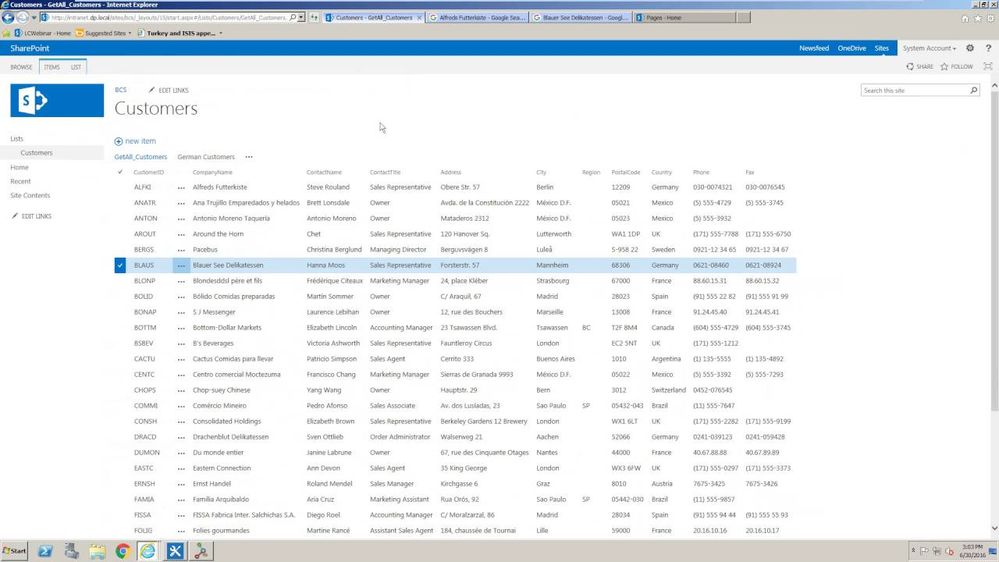
We have a sharepoint list similar to this one in which each assigned analyst have to attach an excel document in astandarized manner in each row. Every row contains only 1 excel file and all of them have the same structure (Number of columns, names of the columns, etc).
Now I was able to Merge the files by using this helpful guide, but the problem is that I need to filter my sharepoint data BEFORE merging the files and by using this method it wont give me the option.
IE: Filter the data by "Argentina" Only and THEN merge all of the excel files.
Is there any workaround for this?
THANK YOU!!!
Filtering after merging is a relatively simple method. You can apply the filter directly to the corresponding column after merging, or create a parameter to filter items.
Check out the November 2025 Power BI update to learn about new features.
Advance your Data & AI career with 50 days of live learning, contests, hands-on challenges, study groups & certifications and more!