Join us at FabCon Atlanta from March 16 - 20, 2026, for the ultimate Fabric, Power BI, AI and SQL community-led event. Save $200 with code FABCOMM.
Register now!Learn from the best! Meet the four finalists headed to the FINALS of the Power BI Dataviz World Championships! Register now
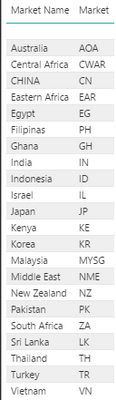
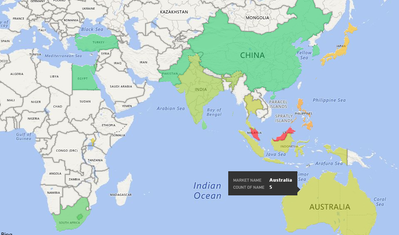
I have a column that has a bunch of country codes and I have created a calculated column to "transform" this codes into the country name (see below) doing so I could use Filled map to fill the countries with the data needed. But the tricky situation is that I need to fill Middle East, Eastern Africa and Central Africa and Bing does not fill it. Is there any way to fill those regions? Maybe create a new column? But how to relate the Code with more than one country?
In my database I have some IDs that references a country code and I use the Switch function to create the country name column.
Is switch function the best way to do that?
Market Name = SWITCH(Folder[ParentID];6939;"CHINA";6940;"Eastern Africa";6941;"Indonesia";6942;"Japan";6943;"Korea";6944;"Sri Lanka";6945;"Malaysia";6946;"New Zealand";6947;"Filipinas";6948;"Thailand";6949;"Turkey";6950;"South Africa";6951;"Australia";6952;"Egypt";6953;"Ghana";6954;"Israel";6955;"India";6956;"Middle East";6957;"Pakistan";6958;"Vietnam";6959;"Kenya";6960;"Central Africa";6585;"Australia" )
Hi @brlimagu,
Since you only have country code, creating a new column of country name is essential. Switch function is good.
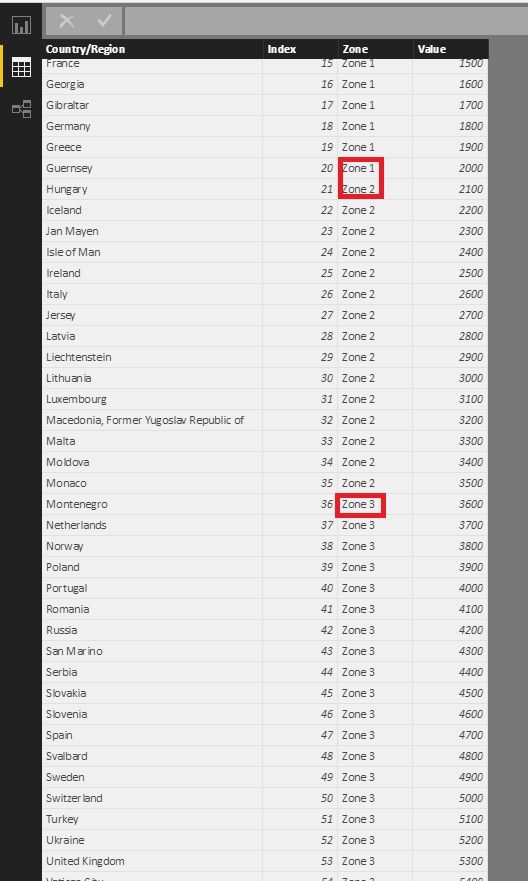
If you want to group many country into a big region, you can add a conditional column, then add it to the legend.
1. Add a conditional column. It's Zone in my example.
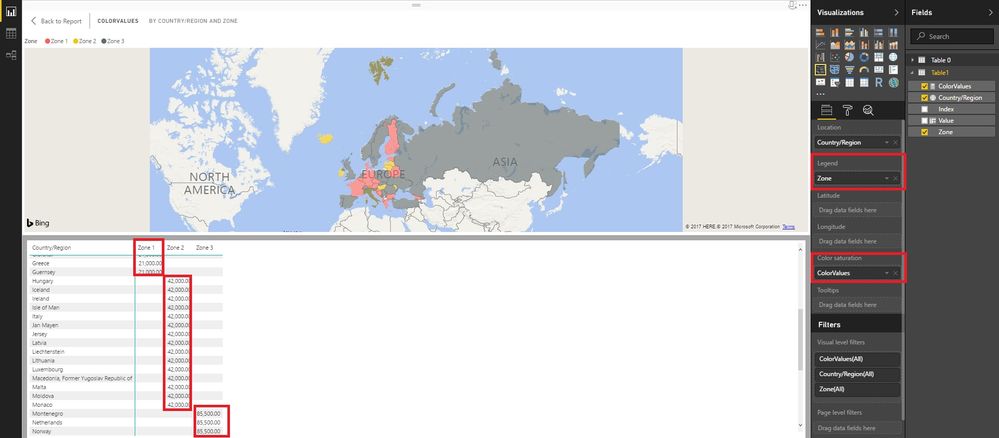
2. Create a measure for the color saturation like this:
ColorValues = CALCULATE ( SUM ( 'Table1'[Value] ); ALLEXCEPT ( Table1; 'Table1'[Zone] ) )
3. You can see there are three colors and the value of each country of each zone is the same respective. So the color would be the same.
Best Regards!
Dale
Share feedback directly with Fabric product managers, participate in targeted research studies and influence the Fabric roadmap.
Check out the February 2026 Power BI update to learn about new features.
| User | Count |
|---|---|
| 53 | |
| 51 | |
| 36 | |
| 15 | |
| 14 |
| User | Count |
|---|---|
| 92 | |
| 75 | |
| 41 | |
| 26 | |
| 25 |