Join us at FabCon Atlanta from March 16 - 20, 2026, for the ultimate Fabric, Power BI, AI and SQL community-led event. Save $200 with code FABCOMM.
Register now!The Power BI Data Visualization World Championships is back! Get ahead of the game and start preparing now! Learn more
Hi,
I really tried a lot of things to make a filled map, but it seems not to work in my system.
I just loaded a sample set of data from a forum:
| Country | Region | Sales |
| Argentina | A | $1,500.00 |
| Uruguay | A | $1,000.00 |
| Brazil | B | $2,000.00 |
| Peru | B | $1,000.00 |
| Equador | C | $1,000.00 |
| Columbia | C | $1,250.00
|
I select a bubble map and everything is ok, but with the filled map, nothing appears in teh map.
What could be the issue?
Thanks
Carlos
Solved! Go to Solution.
At the end the problem was my network.
It seems that bubbles map and filled map use different network connections, and one was filtered by my network.
At the end the problem was my network.
It seems that bubbles map and filled map use different network connections, and one was filtered by my network.
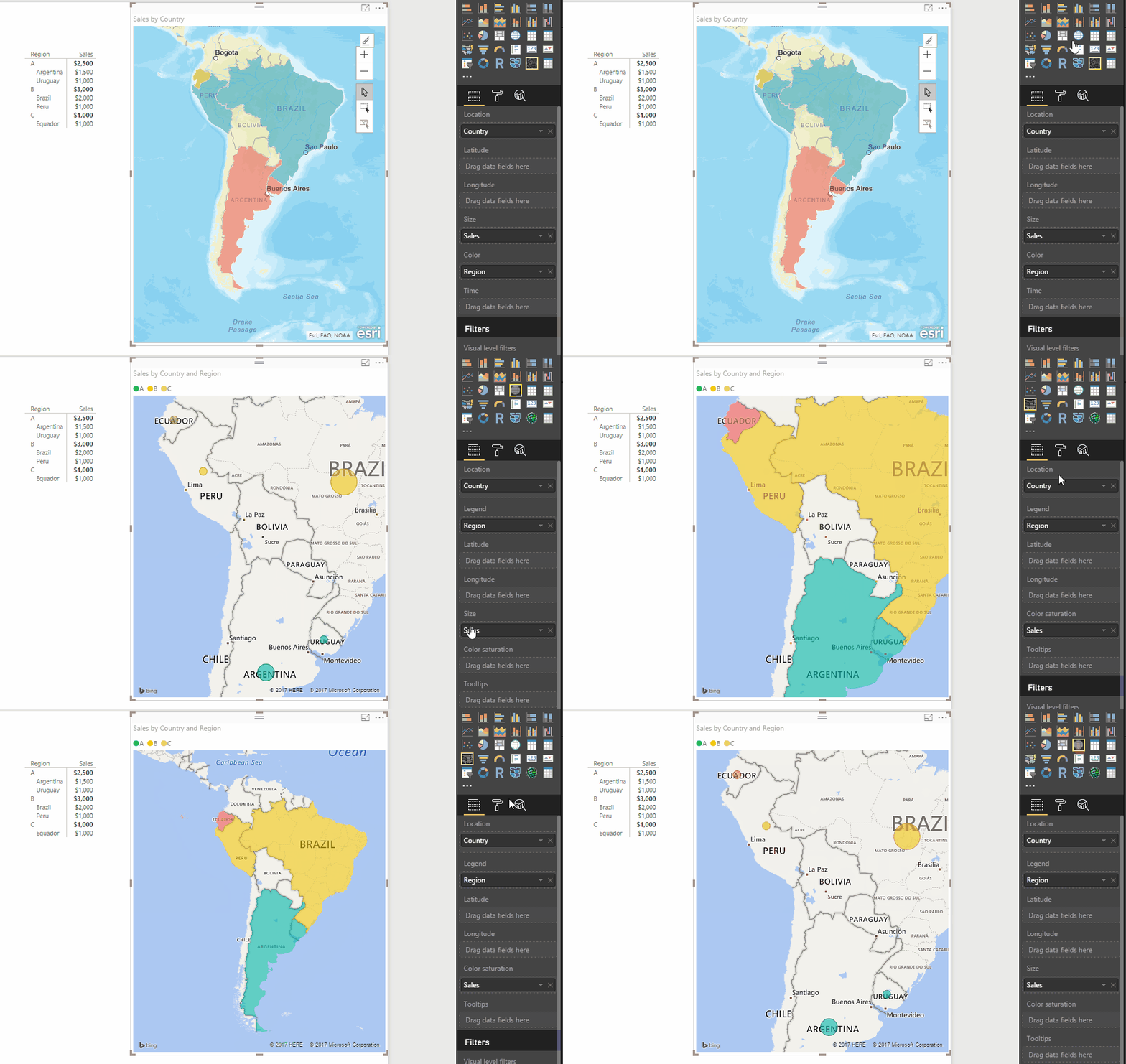
Using the sample data you provided if you place
Filled Map - place Country in Location, Region in the Legend and Sales in Color Saturation
Reguldar Map - place Country in Location, Region in the Legend and Sales in Size
ArcGIS - place Country in Location, Sales in Size and Region in Color
But they should all work and they even adjust the fields automatically for each Map type!
Hope this helps! ![]()
The Power BI Data Visualization World Championships is back! Get ahead of the game and start preparing now!
| User | Count |
|---|---|
| 37 | |
| 37 | |
| 33 | |
| 32 | |
| 29 |
| User | Count |
|---|---|
| 130 | |
| 88 | |
| 82 | |
| 68 | |
| 64 |