cancel
Showing results for 
Search instead for 
Did you mean: 

The Power BI Data Visualization World Championships is back! Get ahead of the game and start preparing now! Learn more

Reply
Panto
Helper I
Helper I

Filled Map working on Desktop but not Online

Hi guys,


I'm facing an issue with filled map.


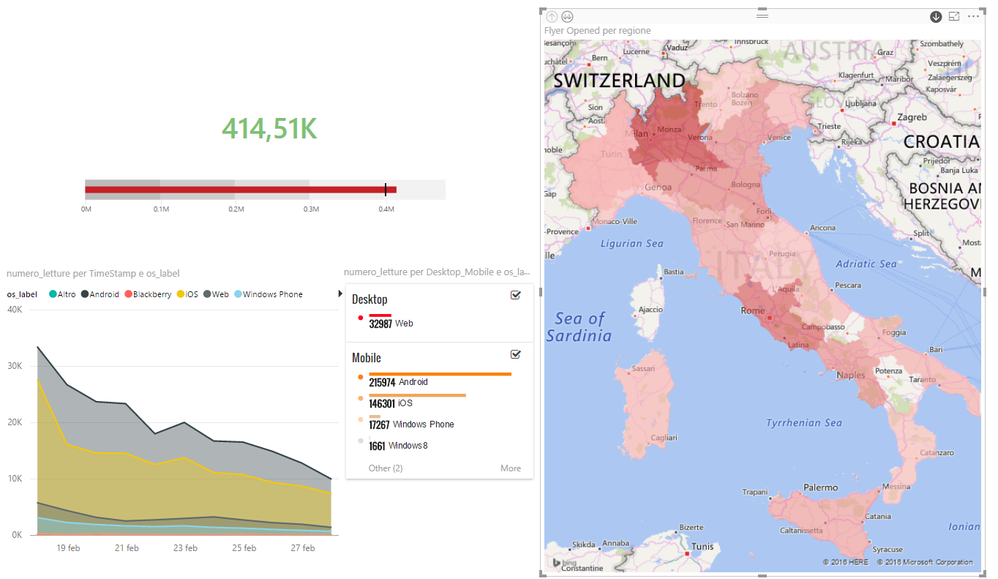
Developing my dashboard on Power BI Desktop I'm able to produce the fillep map as shown below:
2016-07-22 17_11_53-Prototipo_v4 - Power BI Desktop.png


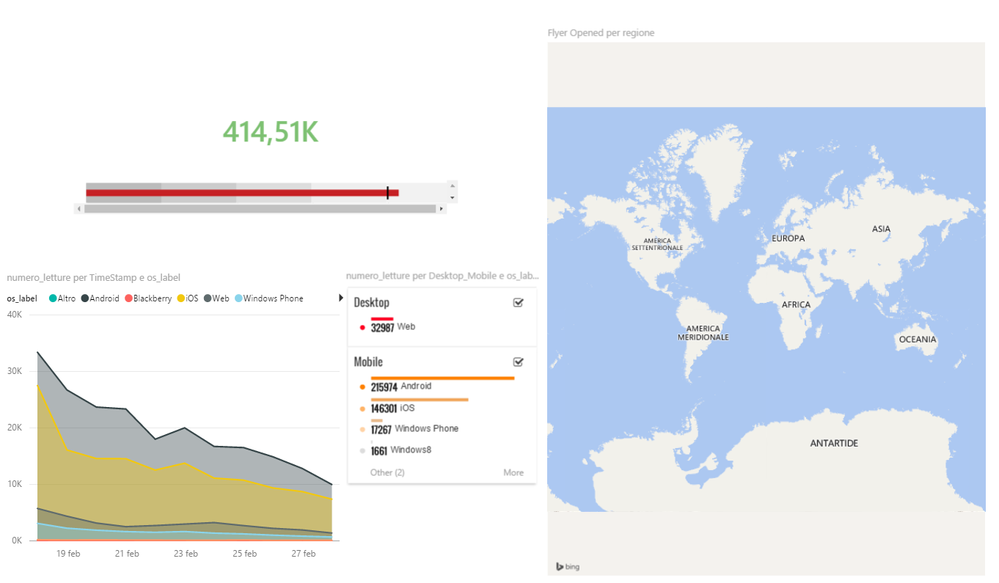
But when I publish my work online, there's no data in my filled map:
2016-07-22 17_13_10-Prototipo_v4 - Power BI.png


It's quite strange because if I select (normal) Map, I can see it correctly both in Desktop and Online Mode.


Is there any already known issue?
Am I missing something?


Thanks in advance

Follow me on Twitter:@PantoMvp
Get in contact on Linkedin: Fabio Fantoni
1 ACCEPTED SOLUTION
Anonymous
Not applicable

Hi @Panto,

I am not able to reproduce your issue. When I publish a filled map to Power BI Service or directly create a filled map from published dataset in Power BI Service, it shows data as expected.

What browser do you use? As far as I know, some persons encounter the issue that filled map is not working when signing in Power BI Service by using Chrome. Could you please test the filled map in different browsers and check if the issue persists? Furthermore, I will appreciate that if you can share the pbix file, I will test it in my environment.


Thanks,
Lydia Zhang

View solution in original post

5 REPLIES 5
Erik_van_Hurck
New Member

I am still getting this issue, in Chrome, IE11, Edge. Can not see the values. Please advise.

Anonymous
Not applicable

Hi @Panto,

I am not able to reproduce your issue. When I publish a filled map to Power BI Service or directly create a filled map from published dataset in Power BI Service, it shows data as expected.

What browser do you use? As far as I know, some persons encounter the issue that filled map is not working when signing in Power BI Service by using Chrome. Could you please test the filled map in different browsers and check if the issue persists? Furthermore, I will appreciate that if you can share the pbix file, I will test it in my environment.


Thanks,
Lydia Zhang

Hi @Anonymous


You got me Smiley Very Happy


I was using Chrome: didn't know this issue.


Using another browser the Filled Map works fine.


Thanks a lot.


Follow me on Twitter:@PantoMvp
Get in contact on Linkedin: Fabio Fantoni
ankitpatira
Community Champion
Community Champion

@Panto in power bi service, go to published dataset, click on filled map visual and build it there and see if it works. If it doesn't maybe use table visual to ensure that field contains data.

Hi Ankit,


I've already tried to create a filled map starting from published dataset, but it doesn't work.


Funny fact: if I just switch my "broken" Filled Map visual to simple Map, all my data appear correctly.
If I switch back to Filled Map, all my data disappear again.


BTW: with table visual, I always get my data correctly (actually Filled Map is the only visual that doesn't show any data) 


Hope it could give you a more specific view of my scenario.


Follow me on Twitter:@PantoMvp
Get in contact on Linkedin: Fabio Fantoni

Helpful resources

Announcements
Power BI DataViz World Championships

Power BI Dataviz World Championships

The Power BI Data Visualization World Championships is back! Get ahead of the game and start preparing now!

November Power BI Update Carousel

Power BI Monthly Update - November 2025

Check out the November 2025 Power BI update to learn about new features.

FabCon Atlanta 2026 carousel

FabCon Atlanta 2026

Join us at FabCon Atlanta, March 16-20, for the ultimate Fabric, Power BI, AI and SQL community-led event. Save $200 with code FABCOMM.