This time we’re going bigger than ever. Fabric, Power BI, SQL, AI and more. We're covering it all. You won't want to miss it.
Learn moreLevel up your Power BI skills this month - build one visual each week and tell better stories with data! Get started
Hello.
I'd like to request help as I'm getting stuck enriching missing dates in my dataset.
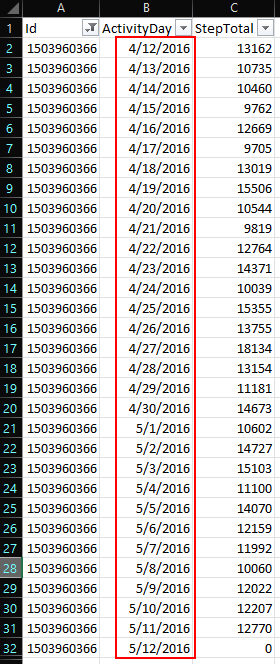
I have an ID where the dates are complete from 4/12 to 5/12.
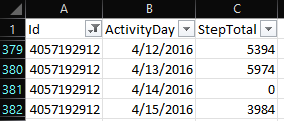
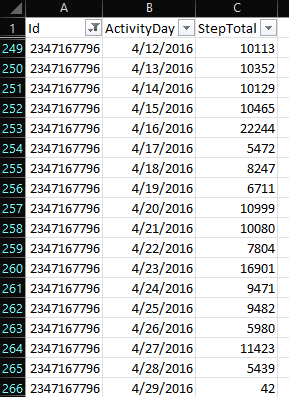
However, I have some several IDs where dates are not complete and I wish to enrich.
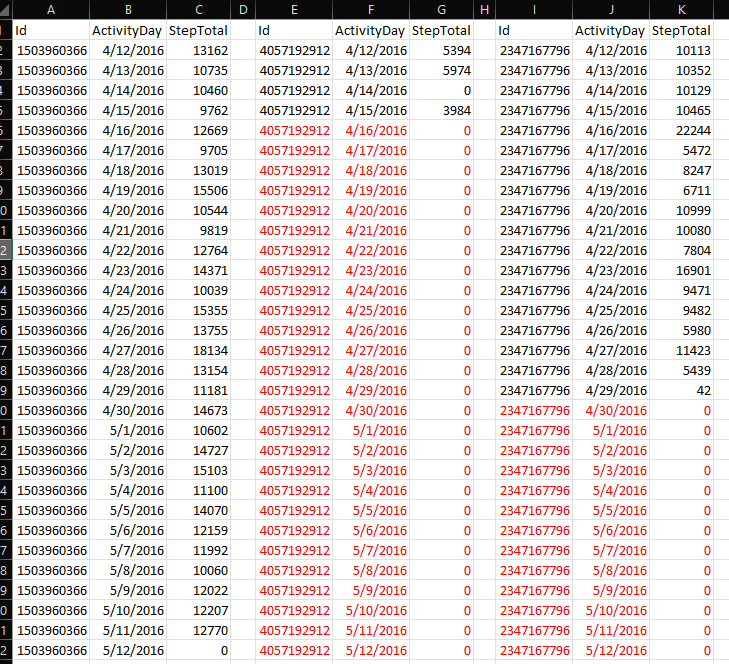
My target objective is similar to this:
What I did was:
- Created a calendar table from 4/12 to 5/16.
- Tried some Merge Query joins but failing to achieve desired outcome.
Thank you
Solved! Go to Solution.
Hi! @j_logan
As I coudn't copy your data as it is an image. I've tried something on sample data.
I created 4,5 rows with dates and added an index with 1.
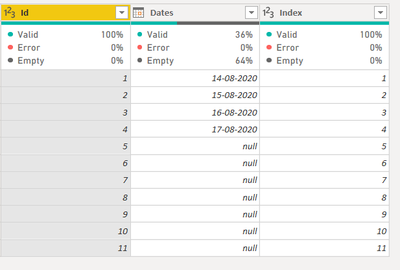
Similarly I created a date table for the same month ( you can create for May and June as reqd in your case).
Then I added a column from same index 1 (Please ensure your date starts from the start date that you've in your data and ends untill the last desired date or last available date in your data whichever is oldest).
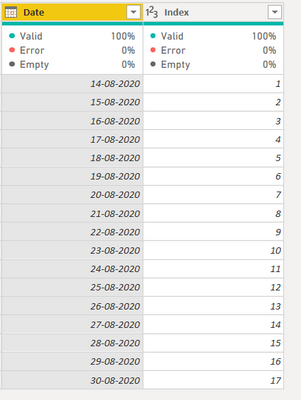
Then I did a simple left join using merge on both the index and got this result. Now I can use this date instead of old 1.
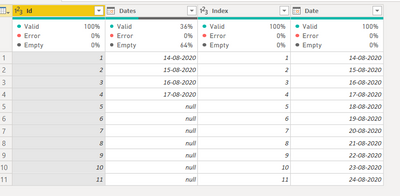
Just an fyi, if your data will add more rows every month. I would advise you to sanitize your data in the datasource (it seems excel to me) So you can just drag those date and that can autofill. This will not add running time on Power BI if your data gets bigger every day or month.
I hope this helps, please let me know if you want it to be doen on your dataset, please share your pbix.
what is your merge join on? can you provide the m query code of what you are doing
what result are you getting from your soluton
Proud to be a Super User!
Hi! @j_logan
As I coudn't copy your data as it is an image. I've tried something on sample data.
I created 4,5 rows with dates and added an index with 1.
Similarly I created a date table for the same month ( you can create for May and June as reqd in your case).
Then I added a column from same index 1 (Please ensure your date starts from the start date that you've in your data and ends untill the last desired date or last available date in your data whichever is oldest).
Then I did a simple left join using merge on both the index and got this result. Now I can use this date instead of old 1.
Just an fyi, if your data will add more rows every month. I would advise you to sanitize your data in the datasource (it seems excel to me) So you can just drag those date and that can autofill. This will not add running time on Power BI if your data gets bigger every day or month.
I hope this helps, please let me know if you want it to be doen on your dataset, please share your pbix.
Check out the April 2026 Power BI update to learn about new features.
Sign up to receive a private message when registration opens and key events begin.
If you have recently started exploring Fabric, we'd love to hear how it's going. Your feedback can help with product improvements.
| User | Count |
|---|---|
| 37 | |
| 29 | |
| 29 | |
| 21 | |
| 18 |
| User | Count |
|---|---|
| 68 | |
| 39 | |
| 33 | |
| 24 | |
| 23 |