Join us at FabCon Atlanta from March 16 - 20, 2026, for the ultimate Fabric, Power BI, AI and SQL community-led event. Save $200 with code FABCOMM.
Register now!The Power BI Data Visualization World Championships is back! Get ahead of the game and start preparing now! Learn more
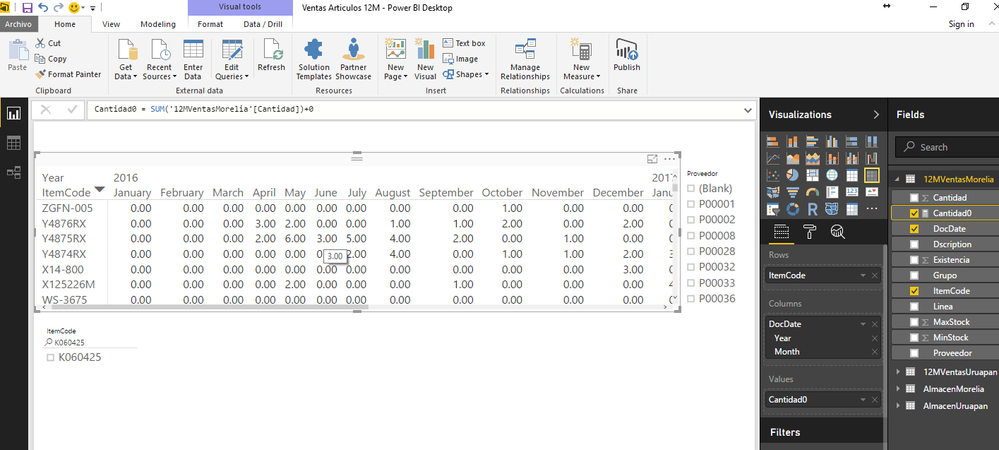
You can try using a Measure:
MyMeasure=sum(Table[YourField])+0
Hi @Paco
Adding a +0 to your forumla will sometimes work, but if you don't actually have data for that intersection you have nothing to add 0 to
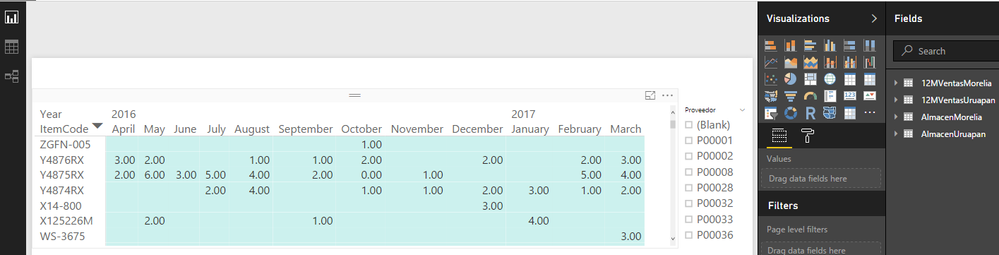
eg. in your photo, do you have any data for ZGFN-005 for April 2016? I'm guessing not so you may have to invent some 0 rows to force this.
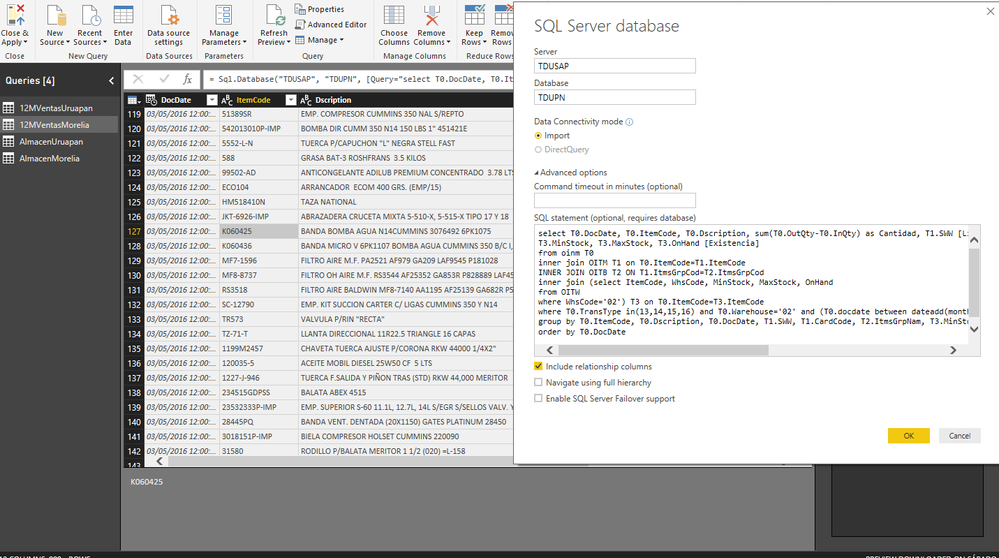
I am using a data from SQL Query, so I can´t add or I dont know how to add rows with 0.
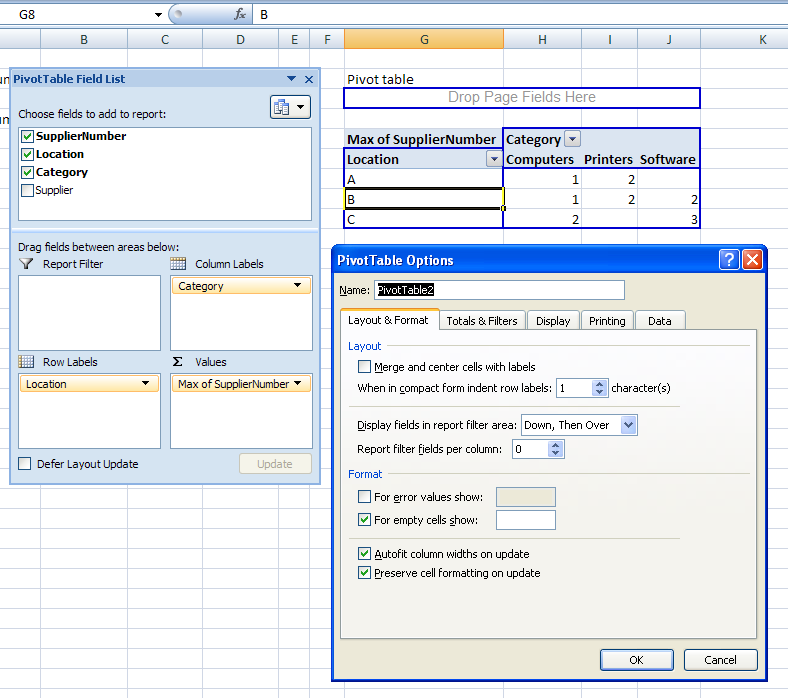
What I want to do is something similar to a pivot table in Excel "For empty cells show" with this option in excel I resolve this but I dont know how to do it in Power BI
don
A field
Thank you very much, it has been solved
Do you use a measure? If so you can try adding 0 (+0) in your formula.
If you use values from a column you can create a new column referring your existing one and adding 0.
Hope this helps!
JJ
The Power BI Data Visualization World Championships is back! Get ahead of the game and start preparing now!
| User | Count |
|---|---|
| 46 | |
| 41 | |
| 34 | |
| 32 | |
| 23 |
| User | Count |
|---|---|
| 125 | |
| 119 | |
| 90 | |
| 75 | |
| 69 |