Join us at FabCon Atlanta from March 16 - 20, 2026, for the ultimate Fabric, Power BI, AI and SQL community-led event. Save $200 with code FABCOMM.
Register now!The Power BI Data Visualization World Championships is back! Get ahead of the game and start preparing now! Learn more
Good Morning,
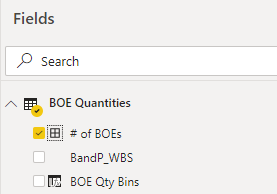
Does anyone know what this icon indicates (the first one in the list with the four squares)? I couldn't find it on https://docs.microsoft.com/en-us/power-bi/service-the-report-editor-take-a-tour#what-do-the-field-ic...
Thanks!
Solved! Go to Solution.
Hi @BekahLoSurdo ,
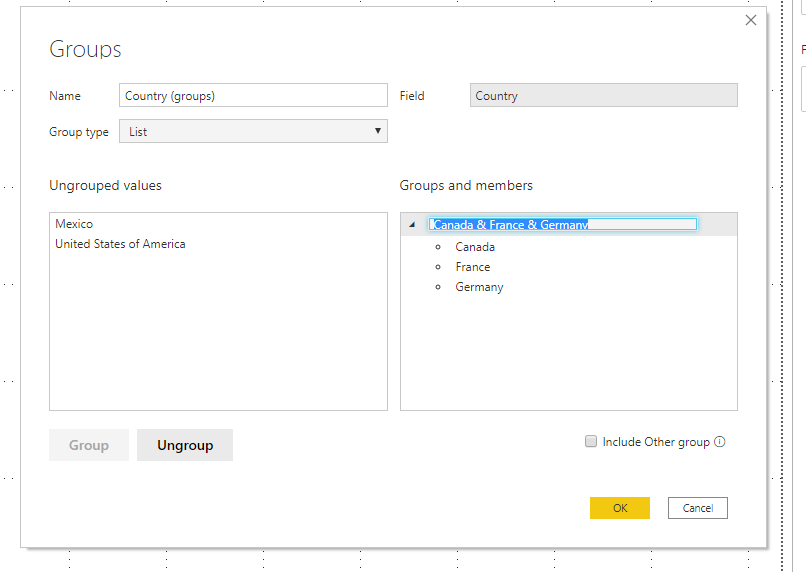
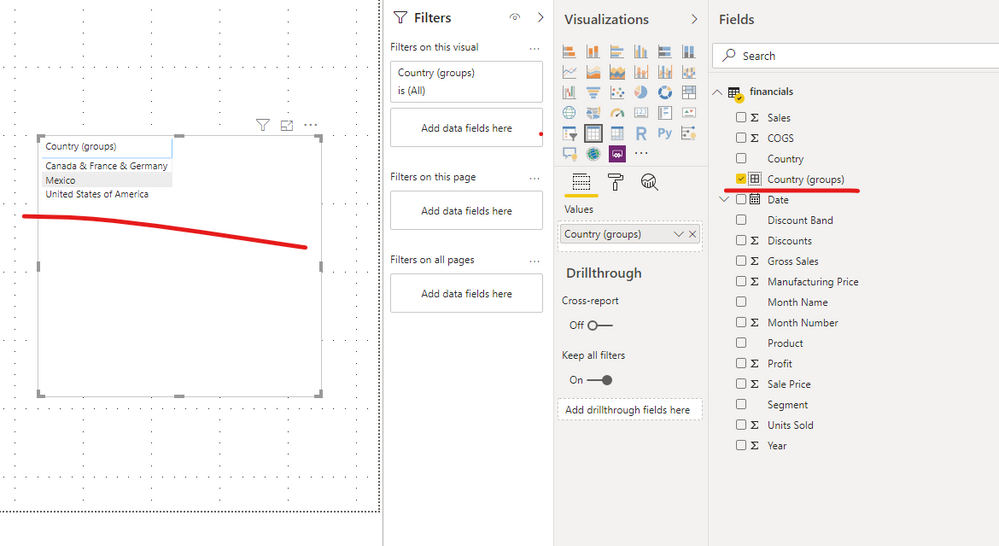
This is "Group" type. You can group a column using different categories in the front-end.
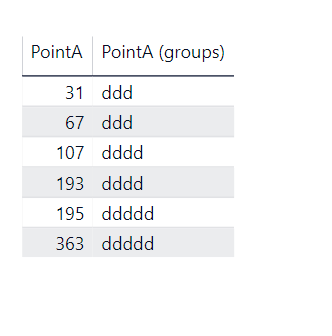
For my example, right click the Point A column, choose New Group, then change the Bin type to List, and group it by ddd,dddd,ddddd.
Please try.
Aiolos Zhao
Hi , @BekahLoSurdo
This icon indicates that the field is created by “new group”.
You can follow steps as below to create this field.
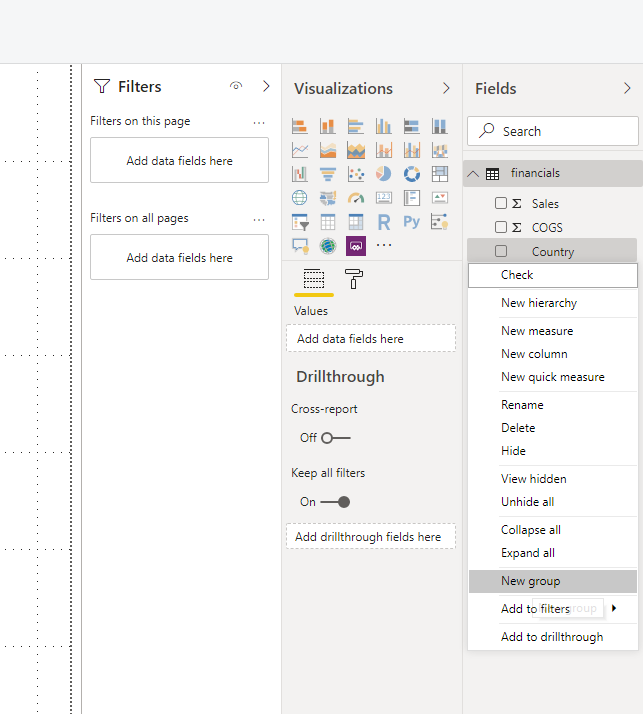
1)right click a field and click ‘new group’
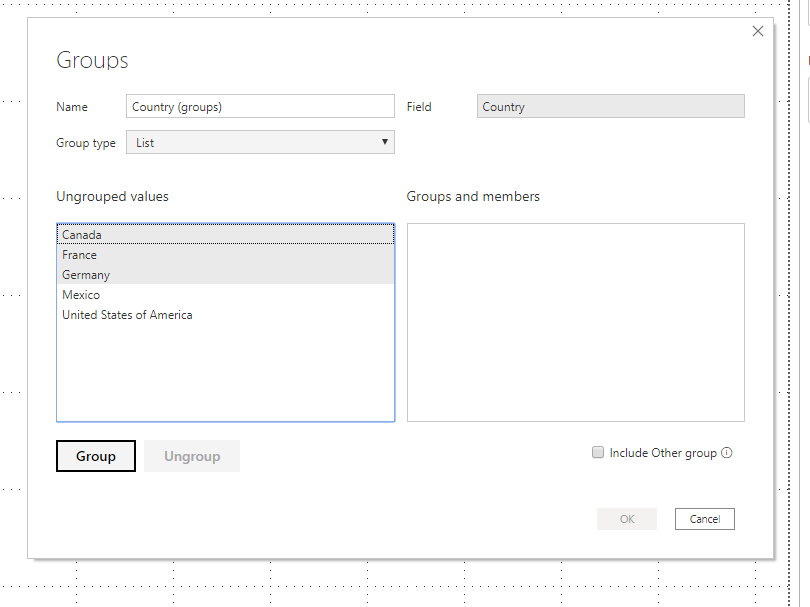
2)choose the group type and the values you want group (use “ctrl” +click to choose values you want to group), then click “group”
You can also refer to this article and video for more related details:
url: https://docs.microsoft.com/en-us/power-bi/desktop-grouping-and-binning
url: https://www.youtube.com/watch?v=BRvdZSfO0DY
Best Regards,
Community Support Team _ Eason
Hi , @BekahLoSurdo
This icon indicates that the field is created by “new group”.
You can follow steps as below to create this field.
1)right click a field and click ‘new group’
2)choose the group type and the values you want group (use “ctrl” +click to choose values you want to group), then click “group”
You can also refer to this article and video for more related details:
url: https://docs.microsoft.com/en-us/power-bi/desktop-grouping-and-binning
url: https://www.youtube.com/watch?v=BRvdZSfO0DY
Best Regards,
Community Support Team _ Eason
Hi @BekahLoSurdo ,
This is "Group" type. You can group a column using different categories in the front-end.
For my example, right click the Point A column, choose New Group, then change the Bin type to List, and group it by ddd,dddd,ddddd.
Please try.
Aiolos Zhao
Check out the November 2025 Power BI update to learn about new features.
Advance your Data & AI career with 50 days of live learning, contests, hands-on challenges, study groups & certifications and more!