Don't miss your chance to take the Fabric Data Engineer (DP-700) exam on us!
Learn moreWe've captured the moments from FabCon & SQLCon that everyone is talking about, and we are bringing them to the community, live and on-demand. Starts on April 14th. Register now
Good Morning,
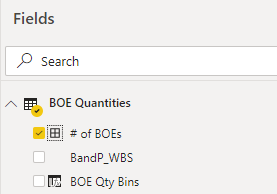
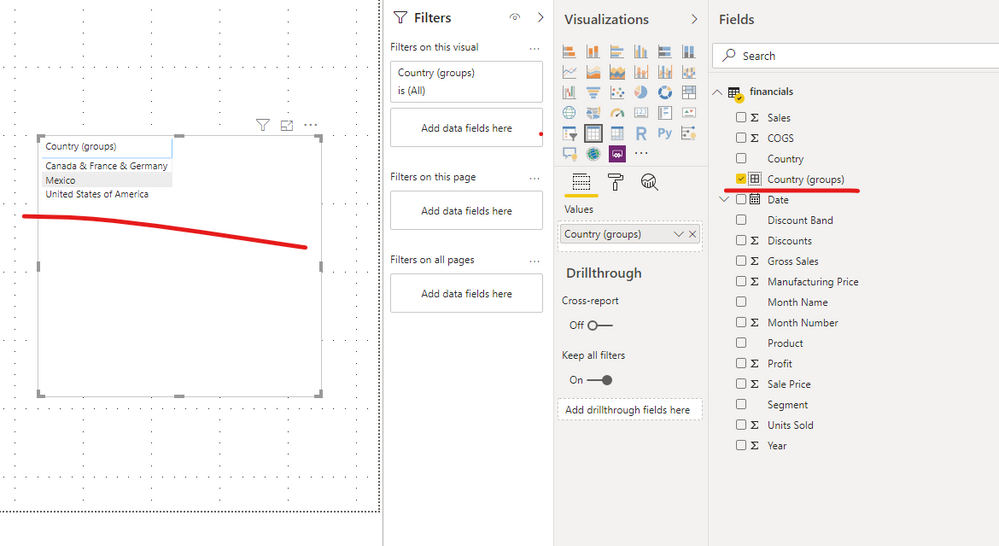
Does anyone know what this icon indicates (the first one in the list with the four squares)? I couldn't find it on https://docs.microsoft.com/en-us/power-bi/service-the-report-editor-take-a-tour#what-do-the-field-ic...
Thanks!
Solved! Go to Solution.
Hi @BekahLoSurdo ,
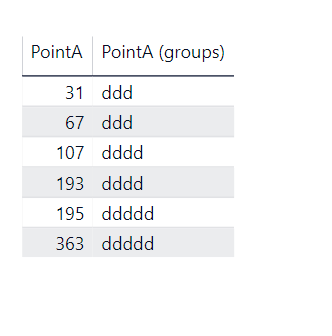
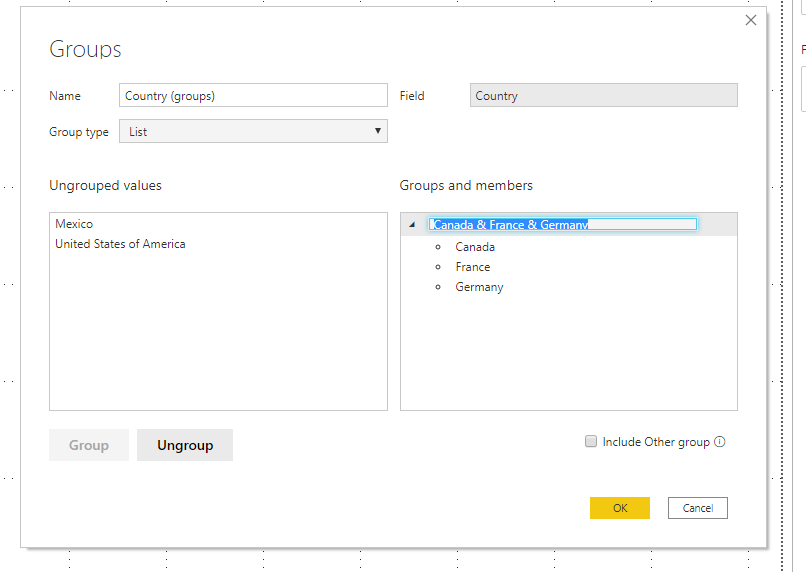
This is "Group" type. You can group a column using different categories in the front-end.
For my example, right click the Point A column, choose New Group, then change the Bin type to List, and group it by ddd,dddd,ddddd.
Please try.
Aiolos Zhao
Hi , @BekahLoSurdo
This icon indicates that the field is created by “new group”.
You can follow steps as below to create this field.
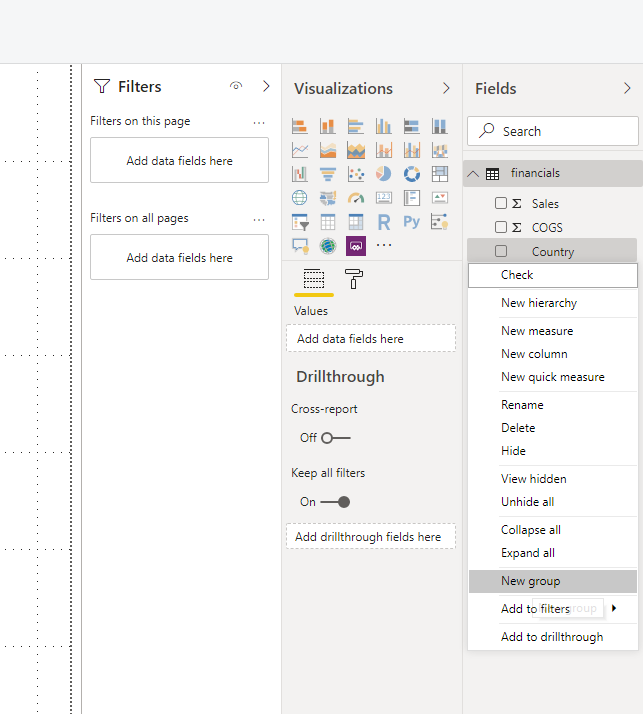
1)right click a field and click ‘new group’
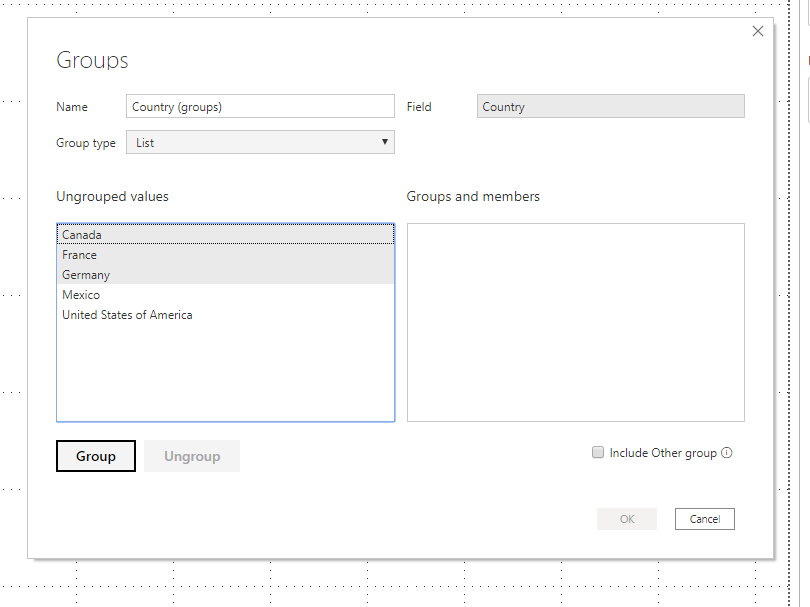
2)choose the group type and the values you want group (use “ctrl” +click to choose values you want to group), then click “group”
You can also refer to this article and video for more related details:
url: https://docs.microsoft.com/en-us/power-bi/desktop-grouping-and-binning
url: https://www.youtube.com/watch?v=BRvdZSfO0DY
Best Regards,
Community Support Team _ Eason
Hi , @BekahLoSurdo
This icon indicates that the field is created by “new group”.
You can follow steps as below to create this field.
1)right click a field and click ‘new group’
2)choose the group type and the values you want group (use “ctrl” +click to choose values you want to group), then click “group”
You can also refer to this article and video for more related details:
url: https://docs.microsoft.com/en-us/power-bi/desktop-grouping-and-binning
url: https://www.youtube.com/watch?v=BRvdZSfO0DY
Best Regards,
Community Support Team _ Eason
Hi @BekahLoSurdo ,
This is "Group" type. You can group a column using different categories in the front-end.
For my example, right click the Point A column, choose New Group, then change the Bin type to List, and group it by ddd,dddd,ddddd.
Please try.
Aiolos Zhao
If you have recently started exploring Fabric, we'd love to hear how it's going. Your feedback can help with product improvements.
A new Power BI DataViz World Championship is coming this June! Don't miss out on submitting your entry.
Share feedback directly with Fabric product managers, participate in targeted research studies and influence the Fabric roadmap.
| User | Count |
|---|---|
| 57 | |
| 40 | |
| 36 | |
| 19 | |
| 18 |
| User | Count |
|---|---|
| 70 | |
| 69 | |
| 38 | |
| 35 | |
| 23 |