Hello,
I have access to a pretty big Azure Cosmos DB and I have entered it in the PowerBI.
I can see the records and the columns included as follows:
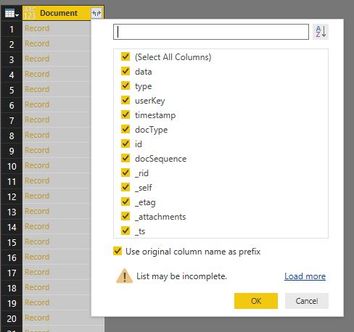
However, I would like to expose the columns included in those tables.
For example, I know that in the "docType" table there is a table named "feedback" .
So I can see the columns of that table by using the following statement:
select * from c where c.docType='feedback'
However, in that docType, there are also other tables that I am interested, and I am not sure about their names. In fact I don't know any of the names as I just received the URL and the key to connect to the Azure Cosmos DB.
Is there any way to expose the tables included in the docType?
Thank you in advance for your time.
Thank you,
Stavros


