cancel
Showing results for 
Search instead for 
Did you mean: 

The Power BI Data Visualization World Championships is back! Get ahead of the game and start preparing now! Learn more

Reply
richrich123
Helper III
Helper III

Expanded Columns vanished?

Hi all,


Its been a while (over 6 months) since I last build a new report and connected via CDS to get Dynamics 365 data.


Having just done this today for some new reports, I have noticed 2 things:


1. Once connected to the data source via CDS, when I pick a table e.g Orders and there is no longer the option with it asking if you want to also include linked tables. Has that been removed? I now seem to have to sit and try and work out all the other related tables I may then need. Not a huge problem as I am familiar with the structure but a problem if you arent? 


2. Having grabbed Sales and User tables and pulled them into Power Query > transform, the option to expand columns seems to have gone as well. So for example in the Order table I have 3 fields which are all Dynamics ID numbers like "41451aa0-903a-e811-a950-000d3a23db8b"


  • OwnerID
  • Lastupdateby
  • Lastactivityby


When building visuals I dont want the ID numbers, I want the text names of the users. Previosuly it would give me the little expand icons in the column header and I could expand any one of these 3 and drill down to pick 'full name'. The expand option is no longer present? Has it been removed?


So I now have a table that has a number of id values that are all numerical ID's when I need to use the text descriptions. 


I even went back to an older pbix and into Power Query and I can still see the expand options but if I now create a new pbix and grab the same tables as are in the old pbix, there is no longer the expand option.


Presume something has been changed or updated?


Many Thanks

2 REPLIES 2
Anonymous
Not applicable

Hi @richrich123 

Could you show somes screenshots of previous and current to me?

This will make it easier for me to understand your requirement.


Best Regards,

Rico Zhou


If this post helps, then please consider Accept it as the solution to help the other members find it more quickly. 


Hi @Anonymous ,


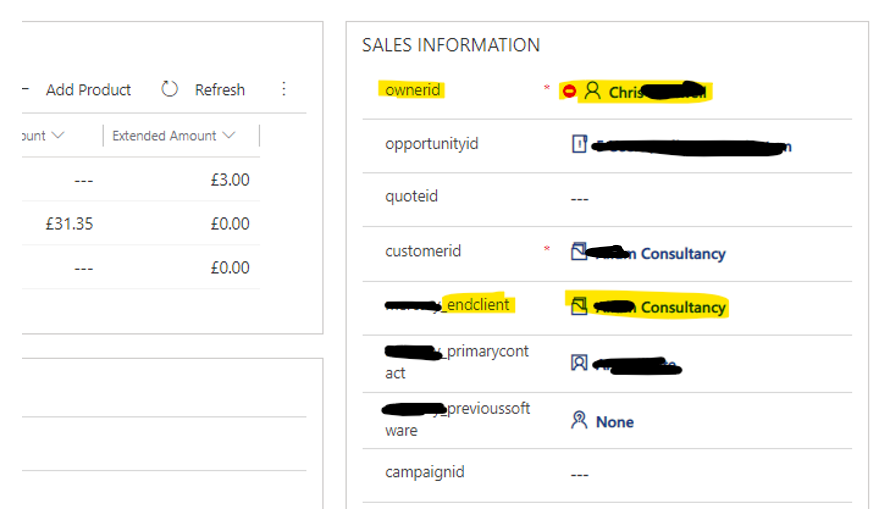
Of course, so previosuly I would select a table(s) let’s say sales order and users and bring it into transform and typically any column that was an ID would give you the expand icon so you could drill into the field you needed so for example here, end client and into 'full name' so you ended up with the name of the customer e.g Investments PLC and not 000af6b-2483 etc


richrich123_0-1612432189130.png


You can see the above columns just offer the Dynamics id for Owner, End client etc in the table / column and no expand option so I seem to have no way to do visualisations where it says owner is “Jim Smith” rather than owner is 000af6b-2483. I always used to get the table and then get the expand options on all the fields where relvant.


I can't see any way to now get the associated names values rather than the ID's?


richrich123_1-1612432314888.png

Hope that makes sense

Helpful resources

Announcements
Power BI DataViz World Championships

Power BI Dataviz World Championships

The Power BI Data Visualization World Championships is back! Get ahead of the game and start preparing now!

December 2025 Power BI Update Carousel

Power BI Monthly Update - December 2025

Check out the December 2025 Power BI Holiday Recap!

FabCon Atlanta 2026 carousel

FabCon Atlanta 2026

Join us at FabCon Atlanta, March 16-20, for the ultimate Fabric, Power BI, AI and SQL community-led event. Save $200 with code FABCOMM.