
Join us at FabCon Atlanta from March 16 - 20, 2026, for the ultimate Fabric, Power BI, AI and SQL community-led event. Save $200 with code FABCOMM.
Register now!Get Fabric Certified for FREE during Fabric Data Days. Don't miss your chance! Request now
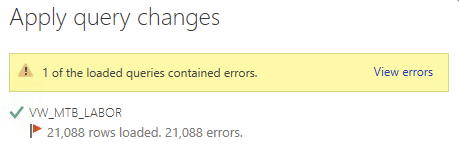
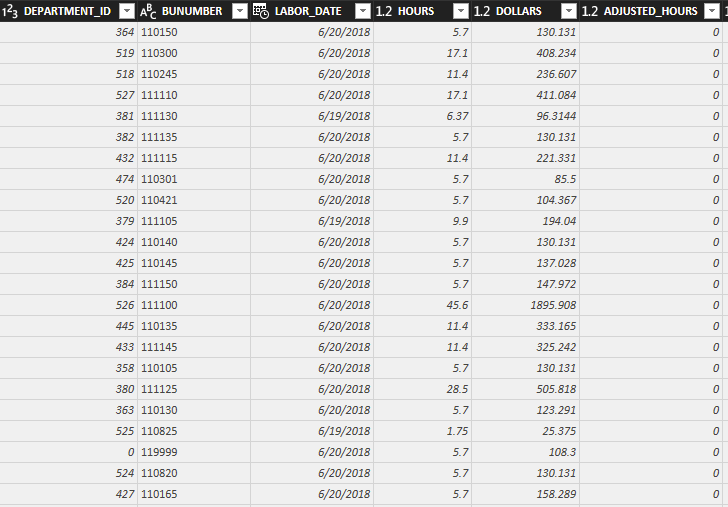
I'm bringing in two tables. A Fact table and a Dimension table. I'm trying to join them on Deparment_ID, which is a whole number and can range for 0-999. When i go into Edit Queries and change the Deparment_ID from a decimal number to a whole number and then hit close and apply I get an error. When I view the error the applied steps are Souce, Added Index, Kept Errors and Reordered Columns. I have no idea why it's adding an index and reordering the columns. Any help would be greatly appreciated.Error Message
Fact Table
Applied Steps Info
Hi @Anduve11,
I have made a test try to reproduce your issue, but when I change the data type from a decimal number to a whole number in Query editor, everything works as expected.
What is your data source and how do you connect it?
I'm trying to join them on Deparment_ID, which is a whole number and can range for 0-999.
Besides, Have you merged the two tables with the department Id?
If it is convenient, could you share a dummy pbix file which can reproduce the scenario, so that we can help further investigate on it? You can upload it to OneDrive or Dropbox and post the link here. Do mask sensitive data before uploading.)
Best Regards,
Cherry
Check out the November 2025 Power BI update to learn about new features.
Advance your Data & AI career with 50 days of live learning, contests, hands-on challenges, study groups & certifications and more!