Join us at FabCon Atlanta from March 16 - 20, 2026, for the ultimate Fabric, Power BI, AI and SQL community-led event. Save $200 with code FABCOMM.
Register now!The Power BI Data Visualization World Championships is back! Get ahead of the game and start preparing now! Learn more
Hi, I have two slicer on the same page that are having a strange behavior at design time (see the photo at the end).
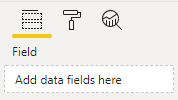
They have the same dropdown list of items, and that's because at design time, whenever I add or delete one data field from one of the slicer, Power BI adds or deletes the same data field on the other slicer. I can't use different data fields in each one. So I have two different slicers having the same behaviour.
Every other slicer has their own field.
How can I correct this?
Here's a photo where the problem happens:
Thanks
Solved! Go to Solution.
The Power BI Data Visualization World Championships is back! Get ahead of the game and start preparing now!
| User | Count |
|---|---|
| 67 | |
| 45 | |
| 41 | |
| 36 | |
| 23 |
| User | Count |
|---|---|
| 191 | |
| 127 | |
| 106 | |
| 78 | |
| 53 |