Join us at FabCon Atlanta from March 16 - 20, 2026, for the ultimate Fabric, Power BI, AI and SQL community-led event. Save $200 with code FABCOMM.
Register now!Learn from the best! Meet the four finalists headed to the FINALS of the Power BI Dataviz World Championships! Register now
I have a problem with the Power BI Map.
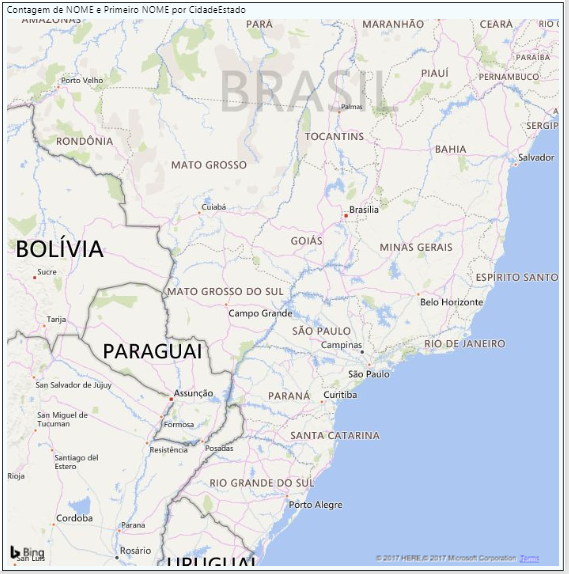
PowerBi Desktop is all right, see:
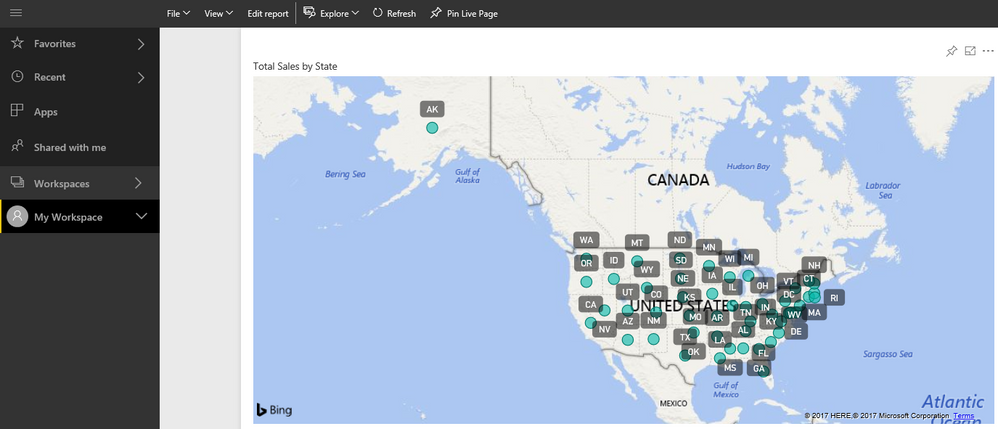
when I open it by browser, it does not show the colored dots, look:
Anyone know how I can fix this error?
Solved! Go to Solution.
Hi @FabrPrado,
I just verified that I don't have this issue on my Google Chrome (Version 61.0.3163.100 (Official Build) (64-bit)). So I would suggest you create a support ticket on Power BI Support page for better assistance on this issue. ![]()
Regards
Hi @FabrPrado,
I just verified that the Map visual works fine for me without this issue on Power BI service.
What version of Power BI Desktop are you using? Make sure you're using the latest version(2.50.4859.502 64-bit (September 2017)). ![]()
Regards
Yes, I'm using this version.
Version: 2.50.4859.502 64-bit
Hi @FabrPrado,
Could you share a sample pbix file which can reproduce the issue, so that we can help further investigate on it? You can upload it to OneDrive or Dropbox and post the link here. Do mask sensitive data before uploading. ![]()
Regards
Hi,
I believe it's a problem in my browser (Internet Explorer and Google Chrome), take a new test today by Mozilla Fire Fox and it worked, see:
Google Chrome (Version: 60.0.3112.90 (Oficial version)):
Mozila Fire Fox:
I will update the version of my browser and make new test, warning if it works.
After updating my browser, the same problem continues.
Hi @FabrPrado,
I just verified that I don't have this issue on my Google Chrome (Version 61.0.3163.100 (Official Build) (64-bit)). So I would suggest you create a support ticket on Power BI Support page for better assistance on this issue. ![]()
Regards
Share feedback directly with Fabric product managers, participate in targeted research studies and influence the Fabric roadmap.
Check out the February 2026 Power BI update to learn about new features.
| User | Count |
|---|---|
| 61 | |
| 59 | |
| 42 | |
| 18 | |
| 15 |
| User | Count |
|---|---|
| 109 | |
| 101 | |
| 39 | |
| 29 | |
| 29 |