cancel
Showing results for 
Search instead for 
Did you mean: 

Get Fabric Certified for FREE during Fabric Data Days. Don't miss your chance! Request now

Reply
Anonymous
Not applicable

Error Connecting the Gateway

Hello, dear comunity 


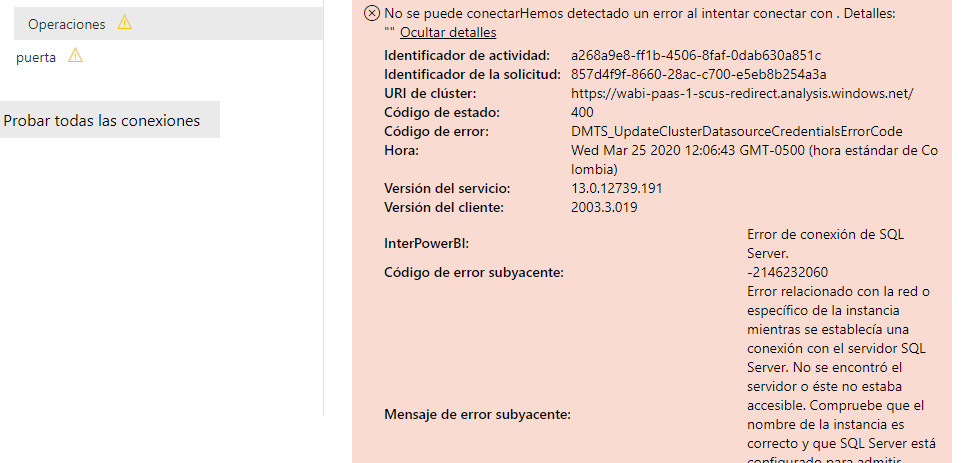
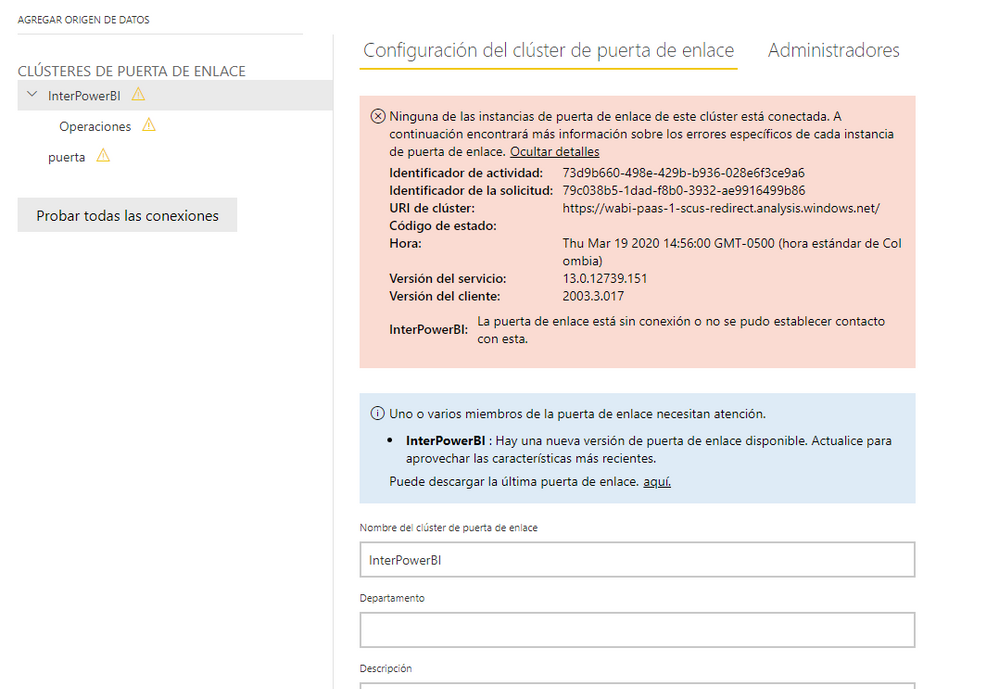
I need your help as I am trying to connect the gateway but I get the following errors


PowerBi.pngpuertaEnlace.png


Thank you

1 ACCEPTED SOLUTION

Hi @Anonymous ,

Please check below:

  1. Please make sure your database engine is configured to accept remote connections.
  2. Please make sure that you create an exception on the firewall for the SQL Server instance and port you are using.
  3. Please check if your SQL server services is up and running properly.
  4. Please make sure that you enable TCP/IP in SQL Server Configuration

You can also refer the following links that could also help you:

  1. https://www.mssqltips.com/sqlservertip/2340/resolving-could-not-open-a-connection-to-sql-server-errors/
  2. https://community.powerbi.com/t5/Desktop/Not-able-use-data-source-configured-on-on-premises-data-gateway/td-p/60581


Best Regards,

Yingjie Li


If this post helps then please consider Accept it as the solution to help the other members find it more quickly.

View solution in original post

3 REPLIES 3
v-yingjl
Community Support
Community Support

Hi @Anonymous ,

I tried to understand the Spanish in the picture and found the problem is that your gateway is old and configured incorrectly.

Solutions:

  1. Download the latest version of gateway(https://powerbi.microsoft.com/en-us/gateway/), recommend standard mode
  2. Install the gateway, sign in and register a new gateway until you see The gateway xxx is online and ready to be used
  3. Open power bi service, in Manage gateways page, choose the new gateway you have registered previously, select ADD DATA SOURCE on the left corner of the page, choose your Data Source Type and enter the information about data source, select Authentication Method and enter the credentials correctly, apply it. If all finished successfully, you can see Connection Successful tag


For further information about gateway installation, please refer: https://docs.microsoft.com/en-us/data-integration/gateway/service-gateway-install

If there is still something wrong, you can posted it for further discussion.


Best Regards,

Yingjie Li


If this post helps then please consider Accept it as the solution to help the other members find it more quickly.
Anonymous
Not applicable

buenos dias


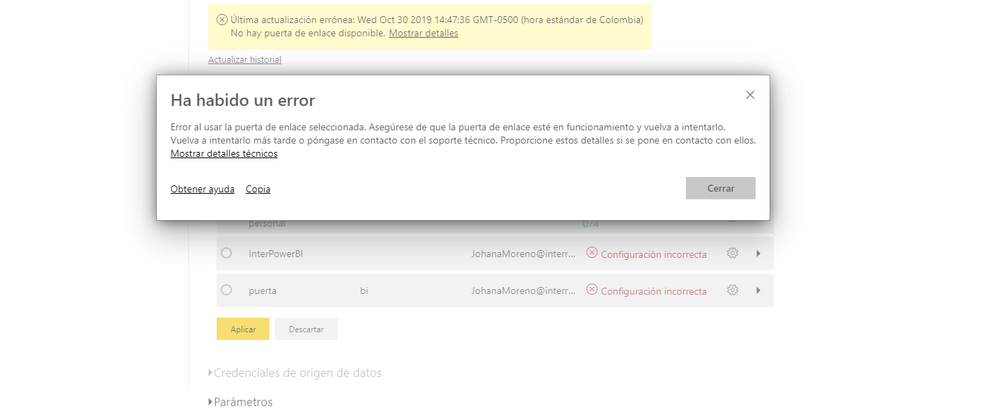
He realizado el paso a paso, pero sigue el error?


error1.png

Hi @Anonymous ,

Please check below:

  1. Please make sure your database engine is configured to accept remote connections.
  2. Please make sure that you create an exception on the firewall for the SQL Server instance and port you are using.
  3. Please check if your SQL server services is up and running properly.
  4. Please make sure that you enable TCP/IP in SQL Server Configuration

You can also refer the following links that could also help you:

  1. https://www.mssqltips.com/sqlservertip/2340/resolving-could-not-open-a-connection-to-sql-server-errors/
  2. https://community.powerbi.com/t5/Desktop/Not-able-use-data-source-configured-on-on-premises-data-gateway/td-p/60581


Best Regards,

Yingjie Li


If this post helps then please consider Accept it as the solution to help the other members find it more quickly.

Helpful resources

Announcements
November Power BI Update Carousel

Power BI Monthly Update - November 2025

Check out the November 2025 Power BI update to learn about new features.

Fabric Data Days Carousel

Fabric Data Days

Advance your Data & AI career with 50 days of live learning, contests, hands-on challenges, study groups & certifications and more!

FabCon Atlanta 2026 carousel

FabCon Atlanta 2026

Join us at FabCon Atlanta, March 16-20, for the ultimate Fabric, Power BI, AI and SQL community-led event. Save $200 with code FABCOMM.

Top Solution Authors
Top Kudoed Authors