Join us at FabCon Atlanta from March 16 - 20, 2026, for the ultimate Fabric, Power BI, AI and SQL community-led event. Save $200 with code FABCOMM.
Register now!The Power BI Data Visualization World Championships is back! Get ahead of the game and start preparing now! Learn more
I have a table with a company name and budget. When i click on the company name i want to have a card with dynamic text that will change to show the names of the markets they are in. How do i make a measure like that that shows all the markets. I tried some things but i only get one market back and not all of them.
Thanks
Solved! Go to Solution.
Hi @Anonymous ,
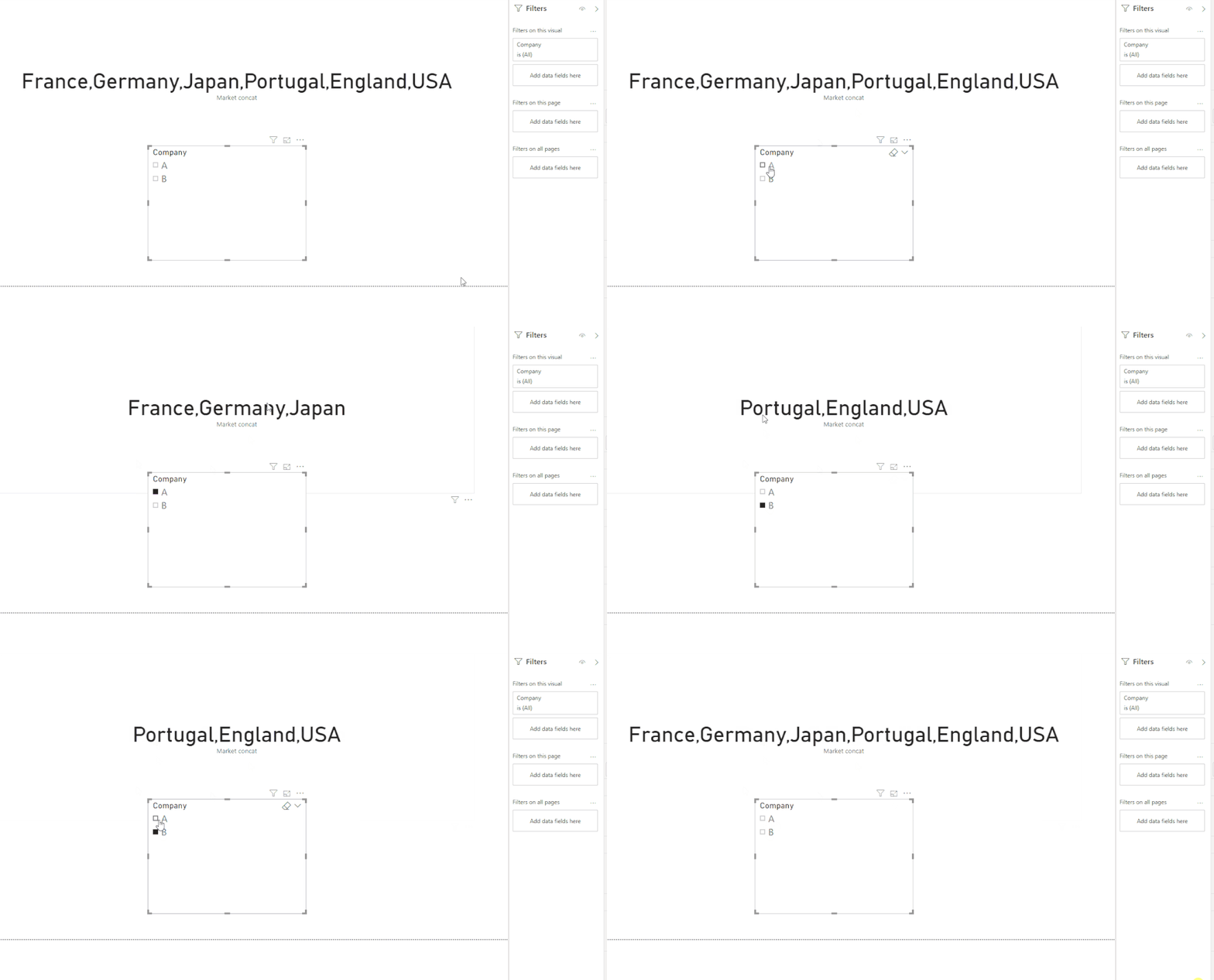
As you can see below using the measure:
Regards
Miguel Félix
Proud to be a Super User!
Check out my blog: Power BI em PortuguêsHi @Anonymous ,
You should use the CONCATANEX formula to calculate this should be something similar to:
CONCATENATEX(Table, Table[Column], “,”)
Check the documentation for further explanation.
Regards
Miguel Félix
Proud to be a Super User!
Check out my blog: Power BI em PortuguêsHi @MFelix i am not sure this is what i am looking for. The markets are all in the same column. My data looks like that.
Company A France
Company A Germany
Company A Japan
So company A is in 3 markets. If i use CONCATENATEX all i get is France multiple times for some reason.
Hi @Anonymous ,
As you can see below using the measure:
Regards
Miguel Félix
Proud to be a Super User!
Check out my blog: Power BI em PortuguêsThe Power BI Data Visualization World Championships is back! Get ahead of the game and start preparing now!
Check out the November 2025 Power BI update to learn about new features.
| User | Count |
|---|---|
| 66 | |
| 44 | |
| 40 | |
| 29 | |
| 19 |
| User | Count |
|---|---|
| 200 | |
| 129 | |
| 102 | |
| 72 | |
| 56 |