Don't miss your chance to take the Fabric Data Engineer (DP-600) exam for FREE! Find out how by attending the DP-600 session on April 23rd (pacific time), live or on-demand.
Learn moreNext up in the FabCon + SQLCon recap series: The roadmap for Microsoft SQL and Maximizing Developer experiences in Fabric. All sessions are available on-demand after the live show. Register now
Hello community,
I have a Power BI report with 3 pages:
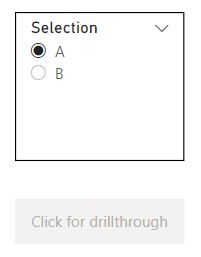
On the main page I have a slicer and a button:
In the slicer I can select one of the values A or B.
If I select A, the button (that has a drillthough action) should lead to the page Drillthrough A, else to Drillthrough B.
For that I wrote this measure:
Solved! Go to Solution.
Hi @Jan_Trummel ,
Are you talking about conditional drill-through in Power BI? If yes then check this blog:
Hello guys and thank you for your quick answers!
I my case, I really need a drillthrough and not a page navigation.
The example above is only to show, what should happen. In my case it is much more difficult. I try to explain:
On the main page the user can select between different measures. Depent on which measure he selects, the drillthrough button has to lead to different drillthrough pages.
So, how can I realize this functionality in one button?
Hope, you can understand what I mean.
Greetings!
Hi @Jan_Trummel ,
Are you talking about conditional drill-through in Power BI? If yes then check this blog:
Thank you Pragati11,
that was it!
Hi @Jan_Trummel ,
Is your Table with SELECTION column a disconnected table?
If yes, then you really don't need a measure there.
You can direction go to your BUtton Action under formatting option and give this SELECTION column as a destination.
Something like below:
I created a disconnected table with column as shown below:
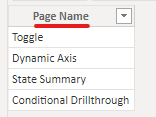
Then I created a report pade as shown below:
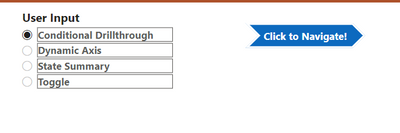
Here Click to Navigate is a page navigation button not drillthrough. You don't need a drillthrough to just naviagte to pages as in your case:
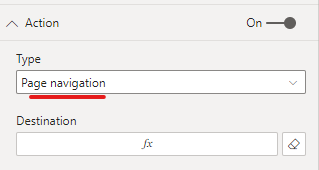
Now under destination for this page give your disconnected table column. In my case it is Page Name:
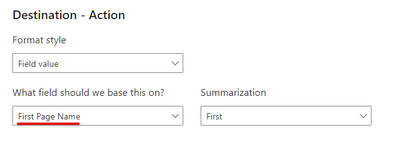
Make sure your slicer is a single selection slicer.
Now start selecting something in the slicer and then the button will start navigating you to the relevant page. Like one navigation is shown below:
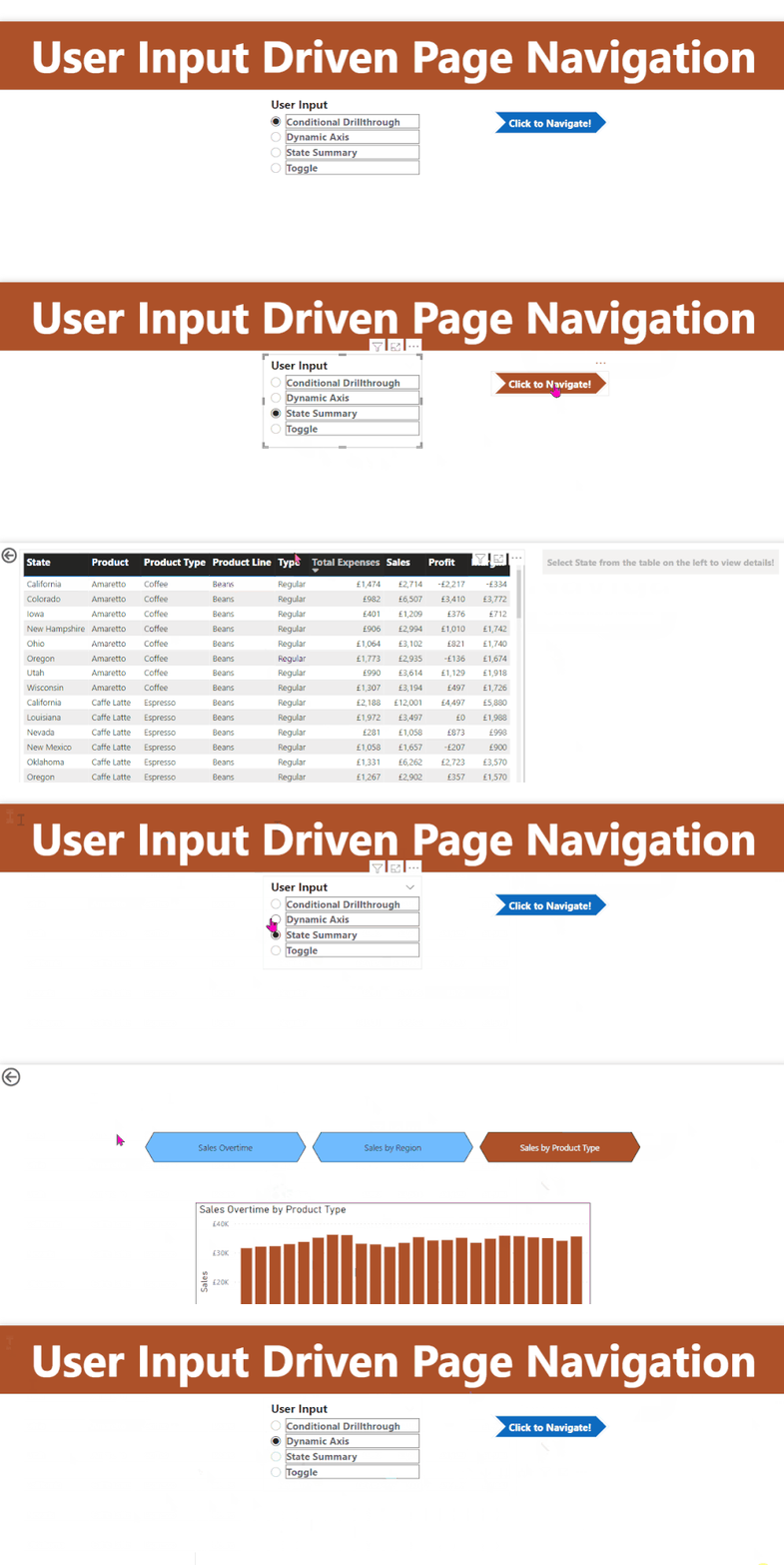
Hope this helps.
@Jan_Trummel , Use page navigation button option; as drill through button need some selected value
refer if needed
Display only one page in the report, Hide rest: https://youtu.be/d4H0GKUH0r4
Need Traditional Parameter Page: https://www.youtube.com/watch?v=F3qMwQtWjvo&list=PLPaNVDMhUXGYo50Ajmr4SgSV9HIQLxc8L&index=15
If you have recently started exploring Fabric, we'd love to hear how it's going. Your feedback can help with product improvements.
A new Power BI DataViz World Championship is coming this June! Don't miss out on submitting your entry.
| User | Count |
|---|---|
| 46 | |
| 43 | |
| 39 | |
| 19 | |
| 15 |
| User | Count |
|---|---|
| 68 | |
| 67 | |
| 31 | |
| 27 | |
| 24 |