This time we’re going bigger than ever. Fabric, Power BI, SQL, AI and more. We're covering it all. You won't want to miss it.
Learn moreLevel up your Power BI skills this month - build one visual each week and tell better stories with data! Get started
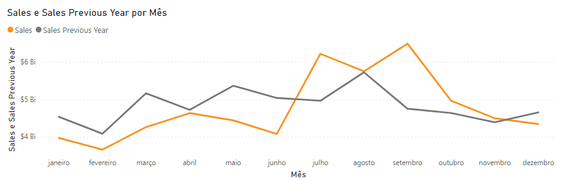
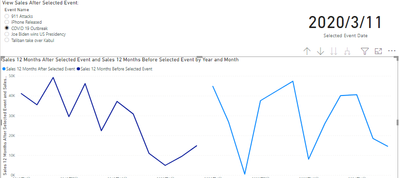
I have a scenario where I have a date slicer and a line chart that compares the sales for next 12 months and previous 12 months from the select date in slicer, everything is working fine, as you can see in following example that @AllisonKennedy kindly helped me at: Date Categorical Slicer
The problem is that I want to change the sorting from x-axis of this line chart to begin from selected date in Date Slicer.
Example: When the user choose 6 november 2019 at slicer, the x-axis should start on november, december, january, february, etc...
Any ideas of how could I do that? If someone needs more information just let me know!
Thanks!
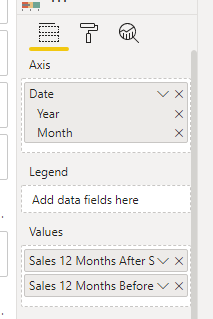
Can changing the x-axis to the drilling form of month and year meet your needs?
@lguima , if you select 1 date or month and you want more than that. Then you need more than that. You need an independent date table
Need of an Independent Date Table:https://www.youtube.com/watch?v=44fGGmg9fHI
Hi @amitchandak Thanks for your answer!
I watched your video and I'm not sure if it's related to my problem.
I'm sending a .pibx example, there you can see that I choose a Event on a Slicer, but the initial X-axis at line chart doesn't start from the beggining date of the event.
I customized a small .pbix file with a example, I'm not sure how to attach a file in this forum so I'm sending the URL with the file:
Thanks again!
Check out the April 2026 Power BI update to learn about new features.
Sign up to receive a private message when registration opens and key events begin.
If you have recently started exploring Fabric, we'd love to hear how it's going. Your feedback can help with product improvements.
| User | Count |
|---|---|
| 37 | |
| 32 | |
| 27 | |
| 24 | |
| 17 |
| User | Count |
|---|---|
| 70 | |
| 50 | |
| 31 | |
| 26 | |
| 22 |