cancel
Showing results for 
Search instead for 
Did you mean: 

Learn from the best! Meet the four finalists headed to the FINALS of the Power BI Dataviz World Championships! Register now

Reply
crjackson
Helper I
Helper I

Dynamic RLS

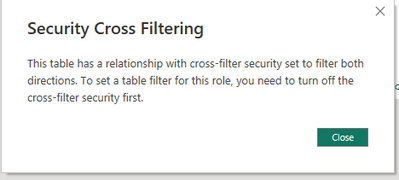
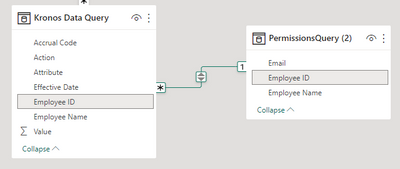
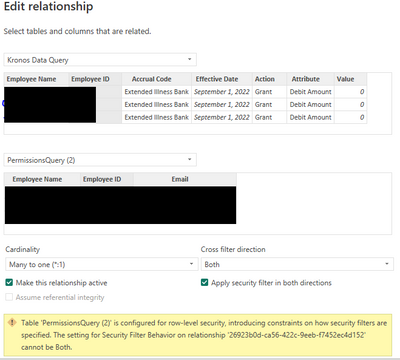
Hello! I am trying to set up dynamic RLS for some of my reports. I can't seem to get it to work. I have followed several videos, and they all seem to say that you need to cross-filter "both" and apply the security filter; however, when I set up the role [email] = USERPRINCIPALNAME(), it gives this error message and won't let me go further. I have the userprincipalname() function and set up a dimension table with their username, emp. ID and email. When I proceed without the security filter, the role doesn't work. 


crjackson_0-1683333307191.png

crjackson_1-1683333413105.pngcrjackson_2-1683333535826.png


1 ACCEPTED SOLUTION
Anonymous
Not applicable

Hi @crjackson ,

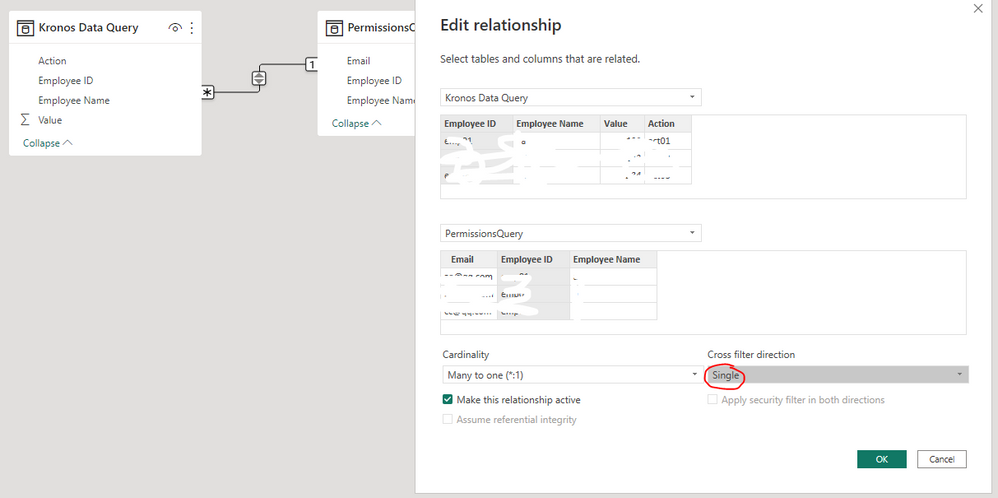
Please try to set the cross filter direction as "Single" and check if it still get the error message.

vyiruanmsft_0-1683520229660.png

In addition, please refer the content in the following blog to get it.

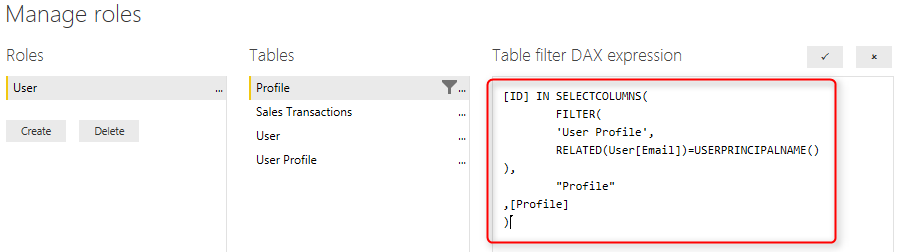
Dynamic Row Level Security with Profiles and Users in Power BI : Many-to-Many Relationship - RADACAD

vyiruanmsft_1-1683520309351.png

Best Regards

View solution in original post

1 REPLY 1
Anonymous
Not applicable

Hi @crjackson ,

Please try to set the cross filter direction as "Single" and check if it still get the error message.

vyiruanmsft_0-1683520229660.png

In addition, please refer the content in the following blog to get it.

Dynamic Row Level Security with Profiles and Users in Power BI : Many-to-Many Relationship - RADACAD

vyiruanmsft_1-1683520309351.png

Best Regards

Helpful resources

Announcements
Join our Fabric User Panel

Join our Fabric User Panel

Share feedback directly with Fabric product managers, participate in targeted research studies and influence the Fabric roadmap.

February Power BI Update Carousel

Power BI Monthly Update - February 2026

Check out the February 2026 Power BI update to learn about new features.

FabCon Atlanta 2026 carousel

FabCon Atlanta 2026

Join us at FabCon Atlanta, March 16-20, for the ultimate Fabric, Power BI, AI and SQL community-led event. Save $200 with code FABCOMM.