Join us at FabCon Atlanta from March 16 - 20, 2026, for the ultimate Fabric, Power BI, AI and SQL community-led event. Save $200 with code FABCOMM.
Register now!Get Fabric Certified for FREE during Fabric Data Days. Don't miss your chance! Request now
Hi,
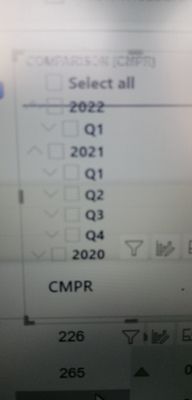
I have 5 fields in dropdown slicer year quarter month week and date. i want to see all fields in descending order. how is that possible
Solved! Go to Solution.
@HassanAli123 , Create a descending order for for column/column and mark that sort column
Date1 =[date]
date rank = rankx(Date, [Date],,desc,dense )
Mark date rank as sort column of date1
Year1=[Year]
Year rank = rankx(Date, [Year],,desc,dense )
Mark year rank as sort column year 1
use year1, date 1 etc in table visual
How to Create Sort Column and Solve Related Errors:
https://www.youtube.com/watch?v=KK1zu4MBb-c
We have an option in the slicer. for ascending or descending, try this. and please let me know if this is helpful or not
@HassanAli123 , Create a descending order for for column/column and mark that sort column
Date1 =[date]
date rank = rankx(Date, [Date],,desc,dense )
Mark date rank as sort column of date1
Year1=[Year]
Year rank = rankx(Date, [Year],,desc,dense )
Mark year rank as sort column year 1
use year1, date 1 etc in table visual
How to Create Sort Column and Solve Related Errors:
https://www.youtube.com/watch?v=KK1zu4MBb-c
Year rank = rankx(Date, [Year],,desc,dense )
This dax expression is not reversing the year colum in descending order.
Hi,
i have 5 fields in date slicer, year, quarter, month, week, date. i want to see all in descending order like first, year 2014 2013 2012 and then quarter q4 q3 q2 and then month dec nov oct
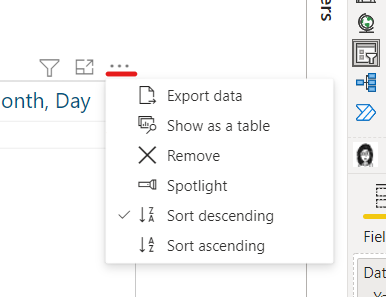
@HassanAli123 , You can use sort descending option from three dots.
Or you have to create a sort column if that does not work
How to Create Sort Column and Solve Related Errors:
https://www.youtube.com/watch?v=KK1zu4MBb-c
@amitchandak i posted this question again. your previous solution which you suggested me in my previous post that helped me. the link is under following. Thanks for your response
Check out the November 2025 Power BI update to learn about new features.
Advance your Data & AI career with 50 days of live learning, contests, hands-on challenges, study groups & certifications and more!