Join us at FabCon Atlanta from March 16 - 20, 2026, for the ultimate Fabric, Power BI, AI and SQL community-led event. Save $200 with code FABCOMM.
Register now!The Power BI Data Visualization World Championships is back! Get ahead of the game and start preparing now! Learn more
Hi,
I have data about Sales and Profits in 4 regions (one column - Region). How can I display 4 different donut charts (one for each region). Power BI creates only one unreadable chart for all regions together..
Solved! Go to Solution.
Hi @Anonymous ,
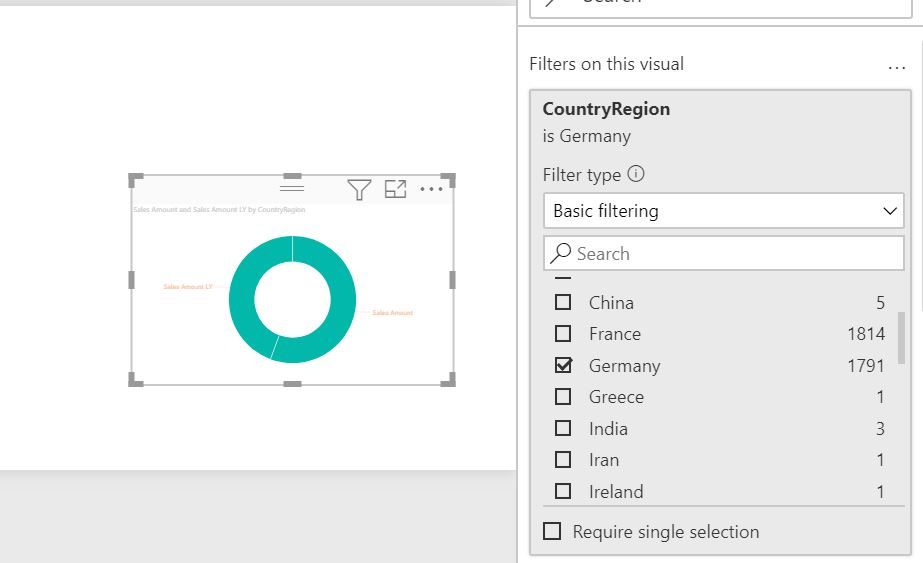
You can create visuals filters for each of these Regions.
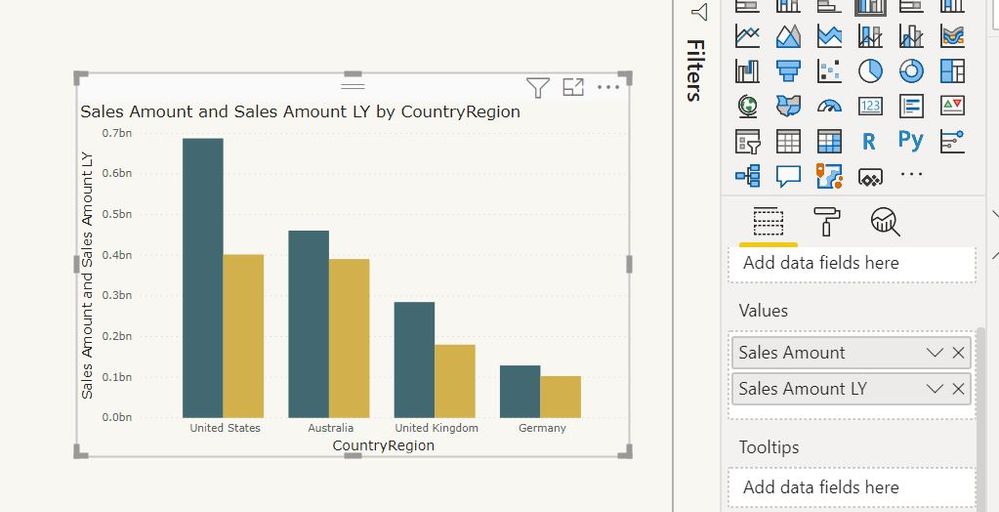
Though this type of visual will be preferred for comparisons.
Regards,
Harsh Nathani
Appreciate with a Kudos!! (Click the Thumbs Up Button)
Did I answer your question? Mark my post as a solution!
Regards,
Harsh Nathani
@Anonymous , You have to use custom visual for that
https://appsource.microsoft.com/en-us/product/power-bi-visuals/WA104380858?tab=Overview
Hi @Anonymous ,
You can create visuals filters for each of these Regions.
Though this type of visual will be preferred for comparisons.
Regards,
Harsh Nathani
Appreciate with a Kudos!! (Click the Thumbs Up Button)
Did I answer your question? Mark my post as a solution!
Regards,
Harsh Nathani
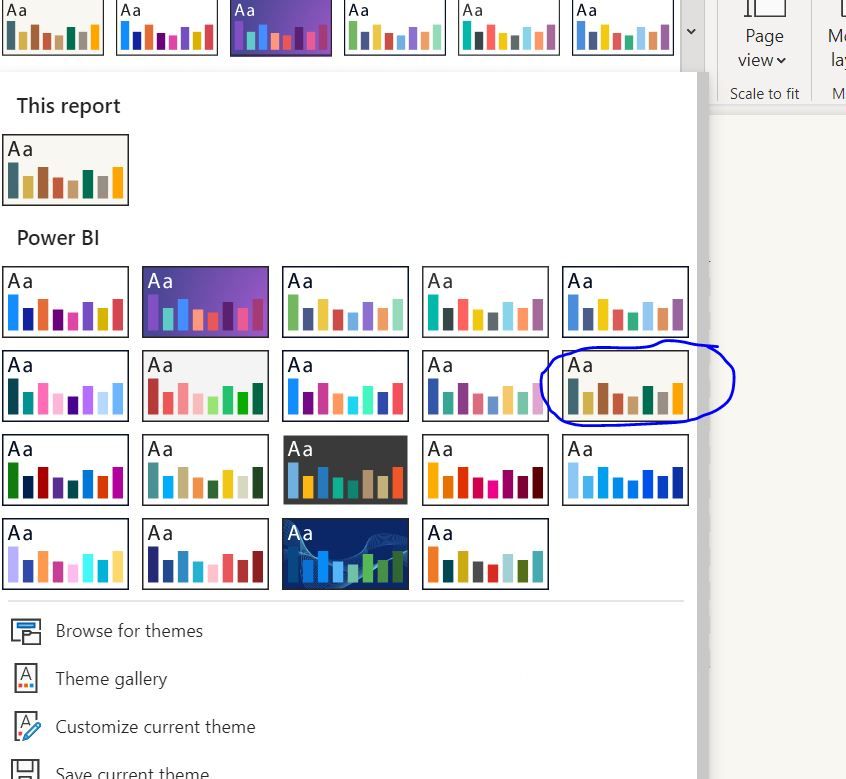
Liking that colour scheme @harshnathani
Proud to be a Super User!
Hi @Daviejoe ,
Thanks . It is the inbuilt template of Power BI (Frontier)
Regards,
Harsh Nathani
Appreciate with a Kudos!! (Click the Thumbs Up Button)
Did I answer your question? Mark my post as a solution!
@harshnathani ah, perfect, I'll remember that one for the future.
Proud to be a Super User!
The Power BI Data Visualization World Championships is back! Get ahead of the game and start preparing now!
| User | Count |
|---|---|
| 39 | |
| 37 | |
| 33 | |
| 32 | |
| 29 |
| User | Count |
|---|---|
| 133 | |
| 88 | |
| 85 | |
| 68 | |
| 64 |