Hi @Anonymous
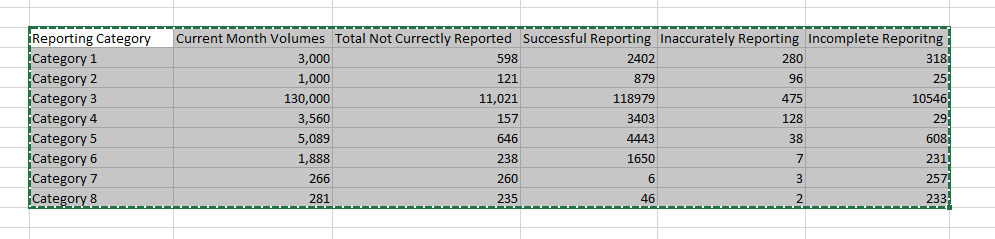
Please use the M code to transform your table as below:
let

    Source = Table.FromRows(Json.Document(Binary.Decompress(Binary.FromText("XZA7DgIxDESvskq9hR1/4tQcA21BgSiREA23Z2doUJo4cd5Mxrle2+X2vj+er8+2adubichZYta5dpeOUmiZVjv2fx53+uO1Q1xjnutMaGKBDRTciatQoFqTGh9Bs/BcdI6nI6mKgYMLvToTzgWHTUjBMx1B3B24gU5ZRwChVbQiohl4arChC81ucjwGws447FhIGpbSBZEYhX9p1o7jCw==", BinaryEncoding.Base64), Compression.Deflate)), let _t = ((type text) meta [Serialized.Text = true]) in type table [#"Reporting category" = _t, #"Current month volumes" = _t, #"Total not currently reported" = _t, #"Successful reporting" = _t, #"Inaccurately reporting" = _t, #"Incomplete reporting" = _t]),

    #"Changed Type" = Table.TransformColumnTypes(Source,{{"Reporting category", type text}, {"Current month volumes", Int64.Type}, {"Total not currently reported", Int64.Type}, {"Successful reporting", Int64.Type}, {"Inaccurately reporting", Int64.Type}, {"Incomplete reporting", Int64.Type}}),

    #"Unpivoted Other Columns" = Table.UnpivotOtherColumns(#"Changed Type", {"Reporting category", "Total not currently reported", "Current month volumes"}, "Attribute", "Value")

in

#"Unpivoted Other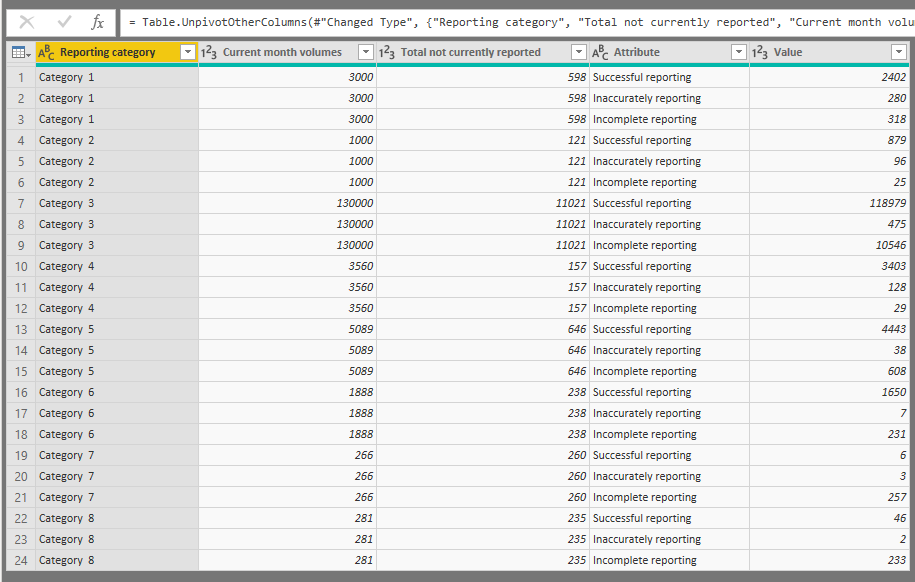
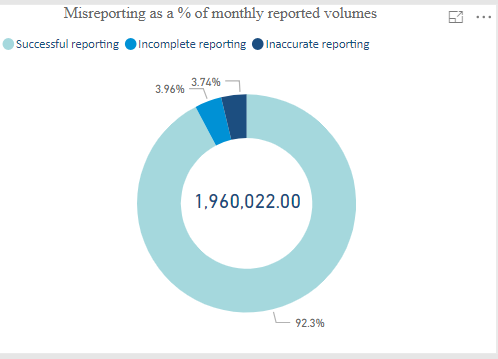
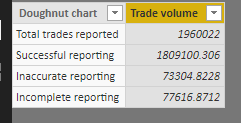
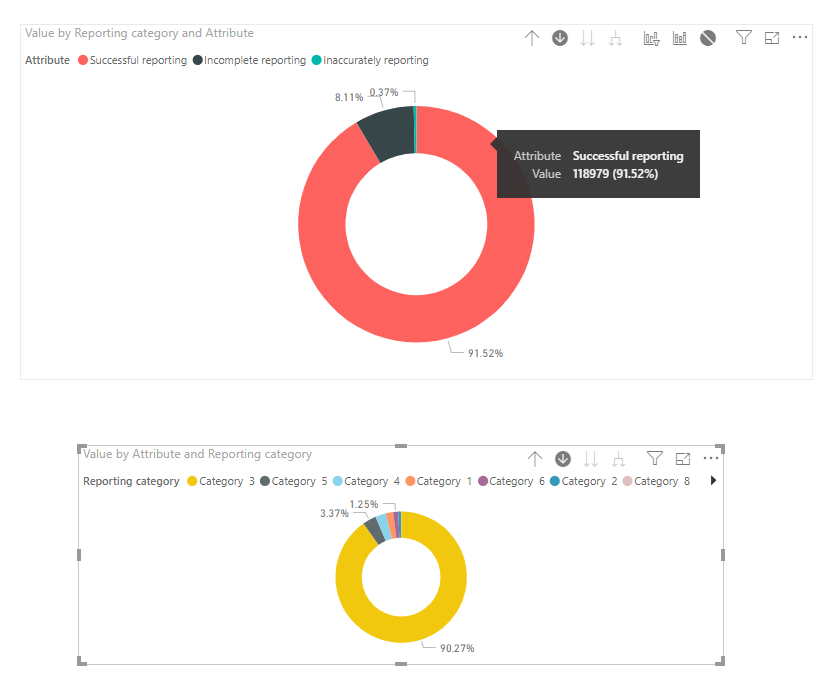
And then create the donut chart: (keep the drill mode on)

When you click category 3 in the first donut chart, or select inaccurate in the second chart:
Attached pbix here for your reference: https://wicren-my.sharepoint.com/:u:/g/personal/dinaye_wicren_onmicrosoft_com/EcQHotD-Gd9BhpW4-PuXU-...
Best regards,
Dina Ye
Community Support Team _ Dina Ye
If this post helps, then please consider Accept it as the solution to help the other members find it more
quickly.