
Get certified for free when you join Fabric Data Days 2026 and dive into Fabric, Power BI, SQL, AI, and other essential data skills.
Join nowTry your skills in the Power BI Dataviz World Championship! Round one ends June 26. Join now
I am trying to build a hyperlink within a table, as the URL is too long I decided to display the URL as URL Icon:
It successfully shows on Power BI desktop. However, when I publish it to report/ dashboard level, it doesnt show anything under the header:
And It works when I chose to display the whole url before and after I publish it...
Solved! Go to Solution.
@Keith_leung,
Please update to the latest version of Power BI Desktop. Some problems in the previous version of Power BI Desktop are always fixed in the new version of Power BI Desktop.
Regards,
@Keith_leung,
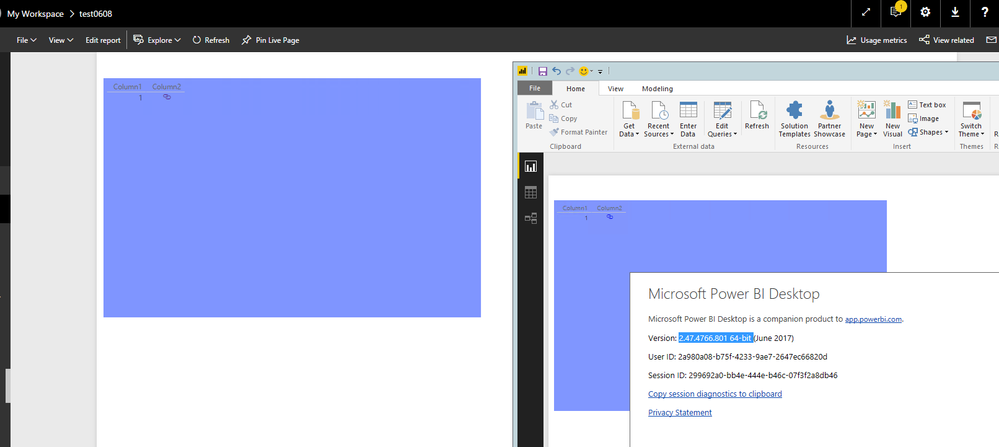
I am not able to reproduce your issue, URL icon works well in Power BI Desktop and Power BI Service, you can review the example in my environment. Do you use the latest version of Power BI Desktop(2.47.4766.801) to create the table visual?
Regards,
My version is not up to date, but just tried again in Chrome browser, but not in IE.
I believe this is the bug for 2.45.4704.442 64-bit (April 2017) version? I may need extra time to update the Power BI due to internal company policy.
@Keith_leung,
Please update to the latest version of Power BI Desktop. Some problems in the previous version of Power BI Desktop are always fixed in the new version of Power BI Desktop.
Regards,
| User | Count |
|---|---|
| 23 | |
| 21 | |
| 20 | |
| 17 | |
| 11 |
| User | Count |
|---|---|
| 56 | |
| 54 | |
| 43 | |
| 36 | |
| 32 |