Share feedback directly with Fabric product managers, participate in targeted research studies and influence the Fabric roadmap.
Sign up nowGet Fabric certified for FREE! Don't miss your chance! Learn more
Hi All,
I have a Table as shown below
| Product | Buyers |
| A | X |
| A | Y |
| A | Z |
| A | M |
| B | X |
| B | Y |
| B | K |
| B | P |
| B | L |
| C | X |
| C | Z |
| C | M |
| C | K |
| D | Z |
| D | X |
| D | P |
I have created a Top N function using the "New Parameter What IF" that tells me how many buyers were there against a particular product
I have used this function RANKX(ALLSELECTED(bidder1[Product Name),[total bids]='Top N'[Top N Value])-1 for that purpose
So if in the Top N slicer I select 3 then the the products with 3 buyer are 1 is dispalyed.
But now i want a table that shows the product and the name of the buyers. HOw should i do this.
If in the top N slider i select 4 i.e. I want to know how many products were bought by 4 buyers then a table should display the name of products and the name of the buyers, like this
| C | X |
| Z | |
| M | |
| K |
Solved! Go to Solution.
Hi @baronraghu,
Based on my assumption, the formula of [total bids] should be:
total bids = CALCULATE(COUNT(bidder1[Buyers]),ALLEXCEPT(bidder1,bidder1[Product]))
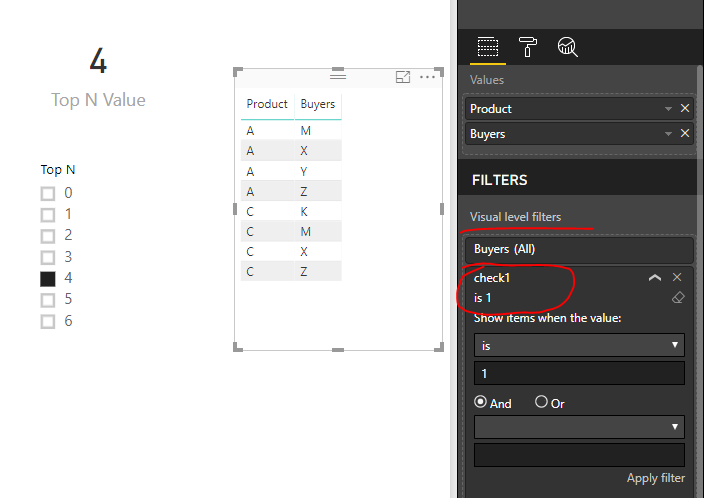
Then, create an extra measure like this, add [check1] to table visual and set its value to 1.
check1 = IF([total bids]='Top N'[Top N Value],1,0)
Best regards,
Yuliana Gu
Hi @baronraghu,
Please refer to this document to better understand ALLEXCEPT() function.
It is not possible to avoid duplicating values in table visual to get above result. As a workaround, you can use a Matrix instead.
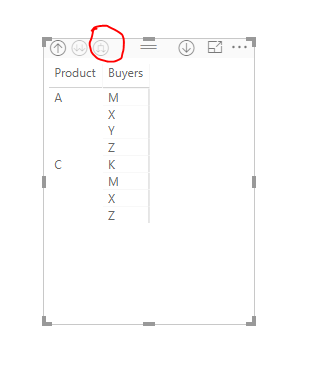
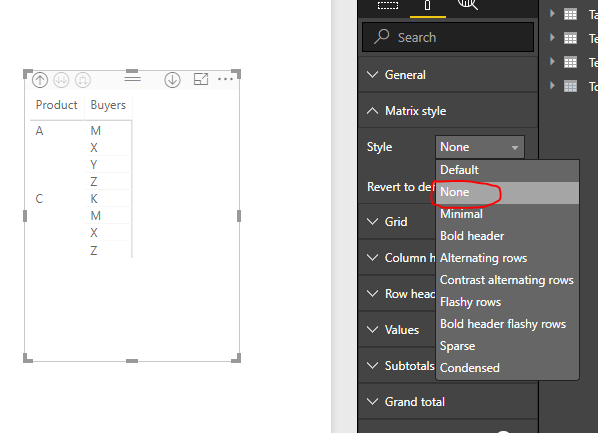
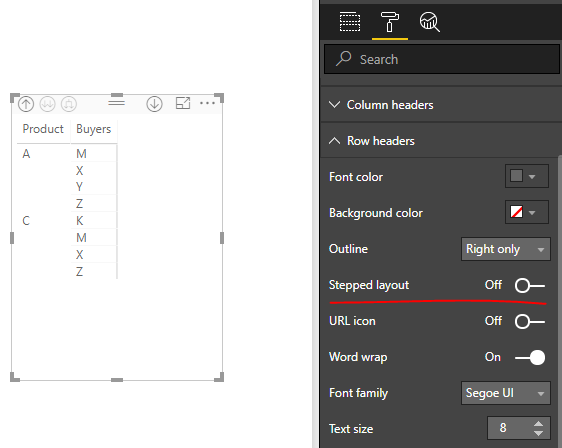
Add [Product] and [Buyer] into "Rows" section of Matrix. Click the third "Drill Down" icon. Turn off "Stepped Layout" option.
Best regards,
Yuliana Gu
Hi @baronraghu,
Based on my assumption, the formula of [total bids] should be:
total bids = CALCULATE(COUNT(bidder1[Buyers]),ALLEXCEPT(bidder1,bidder1[Product]))
Then, create an extra measure like this, add [check1] to table visual and set its value to 1.
check1 = IF([total bids]='Top N'[Top N Value],1,0)
Best regards,
Yuliana Gu
Thanks Yulina (@v-yulgu-msft)
The solution offered worked great. Just didnt understand the purpose of ALLEXCEPT in the formula.
Also is it possible to have a Product name not repeated in the table for multiple buyers. Illustration below
Product Buyer
A X
A M
A T
A P
A L
A E
I want to show my Data as
Product Buyer
A X
M
T
P
L
E
This way i feel it looks clean to see. Also I am open to any better visual/ recomendation
Thanks
Raghu
Hi @baronraghu,
Please refer to this document to better understand ALLEXCEPT() function.
It is not possible to avoid duplicating values in table visual to get above result. As a workaround, you can use a Matrix instead.
Add [Product] and [Buyer] into "Rows" section of Matrix. Click the third "Drill Down" icon. Turn off "Stepped Layout" option.
Best regards,
Yuliana Gu
If you love stickers, then you will definitely want to check out our Community Sticker Challenge!
Check out the January 2026 Power BI update to learn about new features.
| User | Count |
|---|---|
| 62 | |
| 58 | |
| 45 | |
| 21 | |
| 18 |
| User | Count |
|---|---|
| 121 | |
| 116 | |
| 37 | |
| 34 | |
| 30 |