Join us at FabCon Atlanta from March 16 - 20, 2026, for the ultimate Fabric, Power BI, AI and SQL community-led event. Save $200 with code FABCOMM.
Register now!The Power BI Data Visualization World Championships is back! Get ahead of the game and start preparing now! Learn more
Hi,
I have a date table as follows:
Date = ADDCOLUMNS(CALENDAR(DATE(2000,1,1),DATE(2025,12,31)),
"DateAsInteger", FORMAT ( [Date], "YYYYMMDD" ),
"Year", YEAR ( [Date] ),
"Monthnumber", FORMAT ( [Date], "MM" ),
"YearMonthnumber", FORMAT ( [Date], "MM YYYY" ),
"YearMonthShort", FORMAT ( [Date], "mmm YYYY" ),
"MonthNameShort", FORMAT ( [Date], "mmm" ),
"MonthNameLong", FORMAT ( [Date], "mmmm" ),
"DayOfWeekNumber", WEEKDAY ( [Date] ),
"DayOfWeek", FORMAT ( [Date], "dddd" ),
"DayOfWeekShort", FORMAT ( [Date], "dddd" ),
"Quarter", "Q" & FORMAT ( [Date], "Q" ),
"YearQuarter", FORMAT ( [Date], "YYYY" ) & "/Q" & FORMAT ( [Date], "Q" )
)
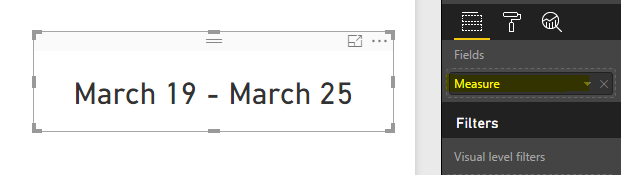
I would like to display the current week time frame at the top of my report. For example, for this week it would be: March 19 - March 25. Once it gets to Sunday, it should switch to the next week: March 26 - April 1.
Any idea on how to write the syntax for this? Thanks!
Solved! Go to Solution.
Hi @Rsanjuan,
The DAX formula below will work for your requirement.
First create a column in your date table
Weeknumber = WEEKNUM('Date'[Date])
Then create a measure
Measure = FORMAT(LOOKUPVALUE('Date'[Date],'Date'[DayOfWeekNumber],1,'Date'[Weeknumber],WEEKNUM(TODAY()),'Date'[Year],YEAR(TODAY())),"MMMM DD") & " - " & FORMAT(LOOKUPVALUE('Date'[Date],'Date'[DayOfWeekNumber],7,'Date'[Weeknumber],WEEKNUM(TODAY()),'Date'[Year],YEAR(TODAY())),"MMMM DD")
Regards,
Charlie Liao
Hi @Rsanjuan,
The DAX formula below will work for your requirement.
First create a column in your date table
Weeknumber = WEEKNUM('Date'[Date])
Then create a measure
Measure = FORMAT(LOOKUPVALUE('Date'[Date],'Date'[DayOfWeekNumber],1,'Date'[Weeknumber],WEEKNUM(TODAY()),'Date'[Year],YEAR(TODAY())),"MMMM DD") & " - " & FORMAT(LOOKUPVALUE('Date'[Date],'Date'[DayOfWeekNumber],7,'Date'[Weeknumber],WEEKNUM(TODAY()),'Date'[Year],YEAR(TODAY())),"MMMM DD")
Regards,
Charlie Liao
Regards
Miguel Félix
Proud to be a Super User!
Check out my blog: Power BI em PortuguêsThe Power BI Data Visualization World Championships is back! Get ahead of the game and start preparing now!
| User | Count |
|---|---|
| 39 | |
| 38 | |
| 38 | |
| 28 | |
| 24 |
| User | Count |
|---|---|
| 122 | |
| 92 | |
| 70 | |
| 68 | |
| 66 |