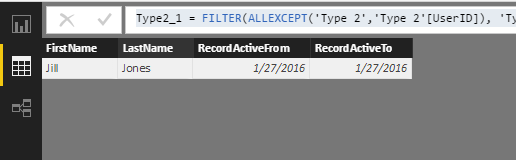
Hi,
Context
I have a Type 2 slowly changing dimension table that is listing out user names, id and email also with "RecordActiveFrom" and "RecordActiveTo". The entry with a blank "RecordActiveTo" is the most recent record.
Requirement
In my report I need to show a table of users along with when they first used the system. Due to limitations with the system that authors the data we are not able to store a 'UserCreatedOn' column in the database. Therefore, I need to show the most recent row for a given user alongside their earliest 'RecordActiveFrom' date which will represent when they appeared in our database. However, as yet I have not been able to achieve this result.
The table in my report for example should look like:
User ID First Name Last name Record Active From
| 1 | Jill | Smith | 27 January 2016 |
In my database, I would have:
ID FirstName LastName RecordActiveFrom RecordActiveTo
| 1 | Jill | Smith | 01 February 2016 | NULL |
| 1 | Jill | Jackson | 28 January 2016 | 29 January 2016 |
| 1 | Jill | Jones | 27 January 2016 | 27 January 2016 |
I have tried a number of approaches with table filters, various DAX expressions with no success.