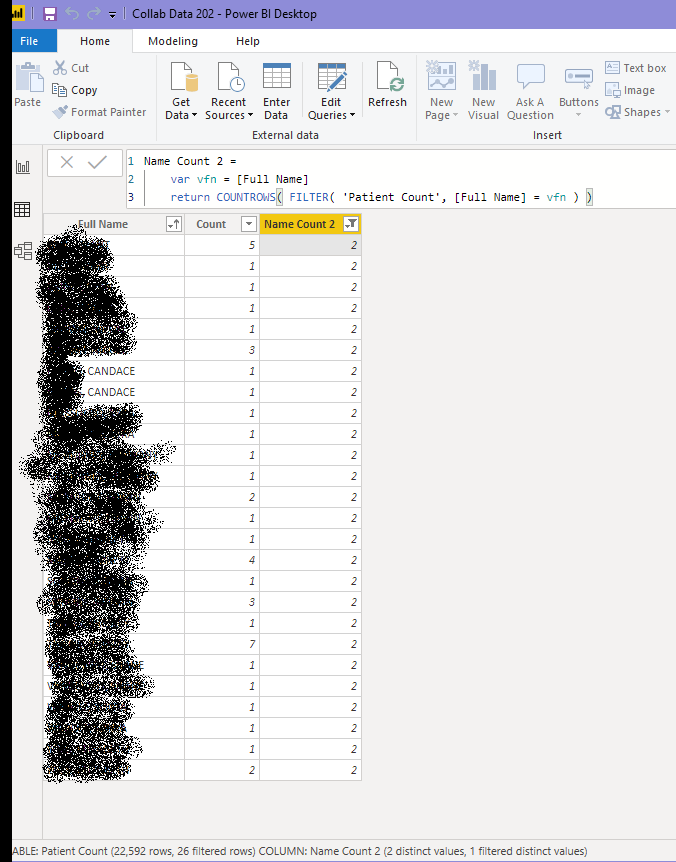
I am a bit perplexed by how DAX is reporting distinct values for a column. I have a list of patients, and grouped them in PowerQuery to get a count of duplicate names. Using Table.Group should be perfectly sufficient to distinguish distinct values. e.g.
let source = Patients
in  Table.Group(Source, {"Full Name"}, {{"Count", each Table.RowCount(_), Int64.Type}})
However PBI desktop is asserting that there are duplicate values in "Full Name".
I tried a bunch of things, like eliminating spaces, and even re-asserting using Distinct. However, the discrepancy persists e.g.
let
    Source = Patients,
    #"Trimmed Text" = Table.TransformColumns(Source, {{"Full Name", Text.Trim, type text}}),
    #"Grouped Rows" = Table.Group(#"Trimmed Text", {"Full Name"}, {{"Count", each Table.RowCount(_), type number}}),
    #"Sorted Rows" = Table.Buffer(Table.Sort(#"Grouped Rows", {{"Count", Order.Descending}, {"Full Name", Order.Ascending}})),
    Counts = { Table.RowCount(#"Sorted Rows"), Table.RowCount(#"Removed Duplicates") },
    #"Removed Duplicates" = Table.Distinct(#"Sorted Rows", {"Full Name"})

in
    #"Removed Duplicates"
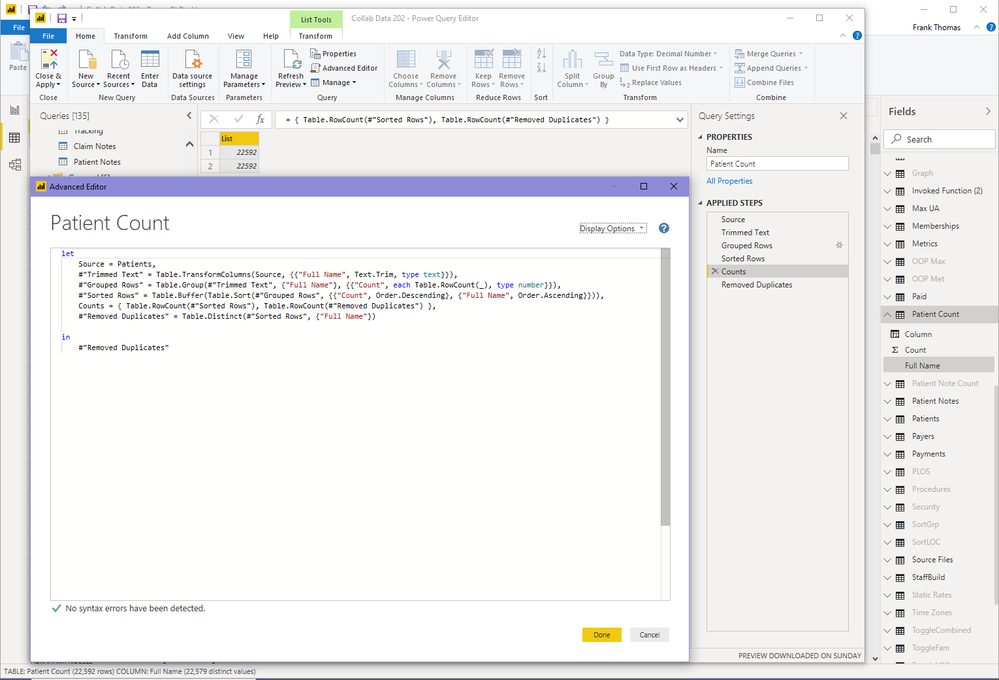
So PowerQuery shows 22592 rows before and after call to Distinct. Yet desktop (see status bar at bottom) shows 13 duplicate values.
I have to hide the names below, but I can tell you that if I filter on the table in power query using one of the names like CANDACE that there is only a single entry in the table when in the query editor, although 2 appear after loaded in the desktop.