
Join us at FabCon Atlanta from March 16 - 20, 2026, for the ultimate Fabric, Power BI, AI and SQL community-led event. Save $200 with code FABCOMM.
Register now!The Power BI Data Visualization World Championships is back! Get ahead of the game and start preparing now! Learn more
Hi,
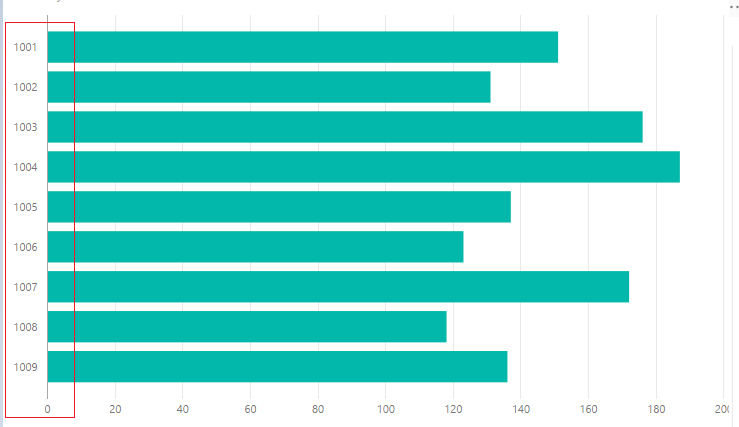
I have to order the bar chart with a particular field but the bottom Sort By Column is disable and in the chart doesn't present.
How i can do?
Thank you.
Marco
Solved! Go to Solution.
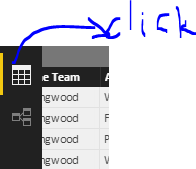
Go to Middle Side Tab -- Click Modelling. It should be active
Hi Marco,
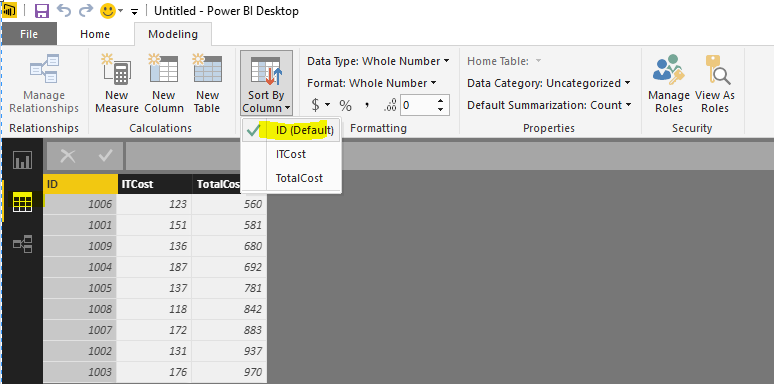
See the attached screen shot.
Thanks & Regards,
Bhavesh
Hi @marcobaciga,
In the data table, click the column you need to sort, and then click Sort By Column.
Regards,
Charlie Liao
Hi @marcobaciga,
In the data table, click the column you need to sort, and then click Sort By Column.
Regards,
Charlie Liao
Go to Middle Side Tab -- Click Modelling. It should be active
Hi Marco,
See the attached screen shot.
Thanks & Regards,
Bhavesh
The Power BI Data Visualization World Championships is back! Get ahead of the game and start preparing now!
| User | Count |
|---|---|
| 40 | |
| 36 | |
| 34 | |
| 31 | |
| 27 |
| User | Count |
|---|---|
| 135 | |
| 103 | |
| 65 | |
| 61 | |
| 55 |