

Join us at FabCon Atlanta from March 16 - 20, 2026, for the ultimate Fabric, Power BI, AI and SQL community-led event. Save $200 with code FABCOMM.
Register now!The Power BI Data Visualization World Championships is back! Get ahead of the game and start preparing now! Learn more
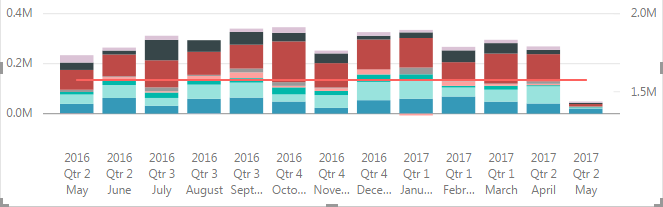
I guess Power BI uses different logics about showing X axis between the two graphs.
Do you have any idea to avoid the difference? (I don't want to convert from DATE to STRING)
graph a
graph a axis
graph b axis
graph b axis
Thanks for reading and apologize for the Japanese.
Solved! Go to Solution.
Hi @ebyhr,
If you want the axis to be consistent, create your own date table and your own columns for Month and don't use the Auto-date hierarchy feature that you are using in the image.
Do you have a separate date table?
Hi @ebyhr,
If you want the axis to be consistent, create your own date table and your own columns for Month and don't use the Auto-date hierarchy feature that you are using in the image.
Do you have a separate date table?
Hi @Phil_Seamark,
I hadn't used separated date table because this is just for sample demo.
But I tried your solution and resolved now 😉
Thanks for your rapid responce!
Check out the November 2025 Power BI update to learn about new features.
Advance your Data & AI career with 50 days of live learning, contests, hands-on challenges, study groups & certifications and more!
| User | Count |
|---|---|
| 58 | |
| 45 | |
| 42 | |
| 20 | |
| 18 |