Share feedback directly with Fabric product managers, participate in targeted research studies and influence the Fabric roadmap.
Sign up nowGet Fabric certified for FREE! Don't miss your chance! Learn more
Hi,
I have 3 columns in Excel > Start, Finish and Difference
When I import the excel i get errors with the times in Power BI.
What I want to do is list all differences that exceeds 4 hours.
Example:
Start - Finish - Difference
15:00 - 17:00 - 02:00
15:00 - 17:30 - 02:30
16:00 - 20:05 - 04:05
17:00 - 23:00 - 06:00
So, how do I import the excel spreadsheet without getting errors? I guess I can just filter the min of "Difference" column to show only greater than 04:00 hours?
Solved! Go to Solution.
Hi Will90,
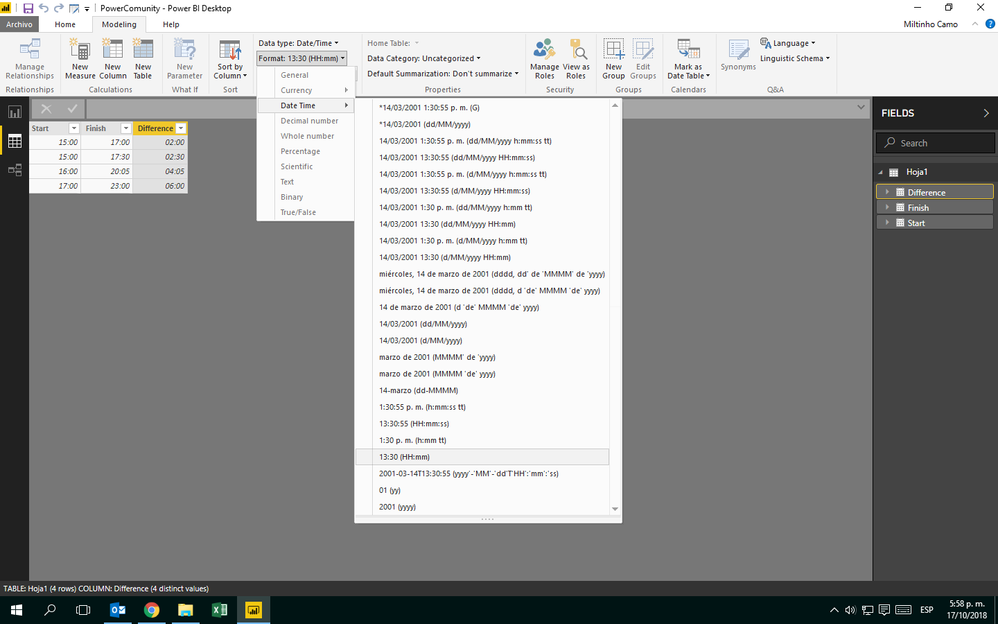
See these images. (My Excel is setting in Spanish, sorry)
You always have to change houre format in PBI
Tell us your results.
Hi Will90,
See these images. (My Excel is setting in Spanish, sorry)
You always have to change houre format in PBI
Tell us your results.
Share feedback directly with Fabric product managers, participate in targeted research studies and influence the Fabric roadmap.
| User | Count |
|---|---|
| 57 | |
| 53 | |
| 42 | |
| 18 | |
| 14 |
| User | Count |
|---|---|
| 111 | |
| 104 | |
| 36 | |
| 28 | |
| 27 |