Hi @suojis,
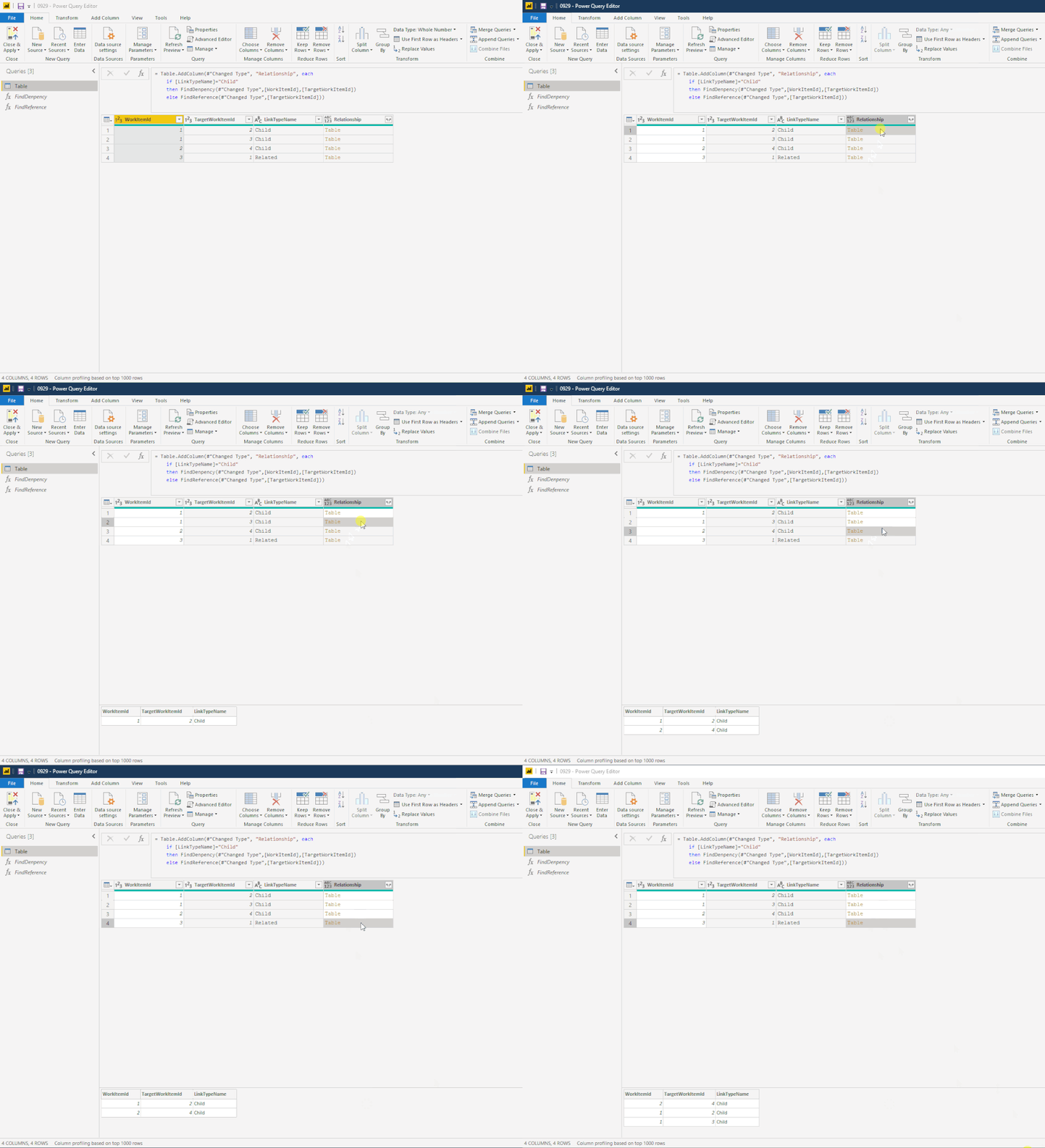
I write two custom functions to analytics raw table records and extract the corresponding records, you can try it if helps. (notice: these formulas still required additional processing to check relationship levels and replace node fields values)
Recursive functions:
let
    FindDenpency=(source as table, current as number, target as number, optional output as table)=>
    let
        search=
            if output <> null
            then Table.SelectRows(source, each [LinkTypeName]="Child" and [TargetWorkItemId]=current)
            else Table.SelectRows(source, each [LinkTypeName]="Child" and [WorkItemId]=current and [TargetWorkItemId]=target),
        merged=
            if output <> null
            then Table.Combine({search,output})
            else search,
        result =
            if Table.RowCount(search) > 0
            then FindDenpency(source, search{0}[WorkItemId], search{0}[TargetWorkItemId], merged)
            else merged
    in
        result
in
    FindDenpency
let
    FindReference=(source as table, target as number, optional item as list, optional output as table)=>
    let
        search =
            if item <> null
            then Table.SelectRows(source, each [LinkTypeName]="Child" and List.Contains(item, [WorkItemId]))
            else Table.SelectRows(source,each [LinkTypeName]="Child" and [WorkItemId] = target),
        merged=
            if output <> null
            then Table.Combine({search,output})
            else search,
        result =
            if Table.RowCount(search) >0
            then FindReference(source,target, search[TargetWorkItemId],merged)
            else merged
    in
        result
in
    FindReference
Test table:
let
    Source = Table.FromRows(Json.Document(Binary.Decompress(Binary.FromText("i45WMlTSUTICYueMzJwUpVgdiIgxighI3gRFBCQPUheUmpNYkgoUiwUA", BinaryEncoding.Base64), Compression.Deflate)), let _t = ((type nullable text) meta [Serialized.Text = true]) in type table [WorkItemId = _t, TargetWorkItemId = _t, LinkTypeName = _t]),
    #"Changed Type" = Table.TransformColumnTypes(Source,{{"WorkItemId", Int64.Type}, {"TargetWorkItemId", Int64.Type}, {"LinkTypeName", type text}}),
    #"Added Custom" = Table.AddColumn(#"Changed Type", "Relationship", each
        if [LinkTypeName]="Child"
        then FindDenpency(#"Changed Type",[WorkItemId],[TargetWorkItemId])
        else FindReference(#"Changed Type",[TargetWorkItemId]))
in
    #"Added Custom"
Regards,
Xiaoxin Sheng


