cancel
Showing results for 
Search instead for 
Did you mean: 

Learn from the best! Meet the four finalists headed to the FINALS of the Power BI Dataviz World Championships! Register now

Reply
valeriydik
Regular Visitor

Decreasing running total

Hi everyone!

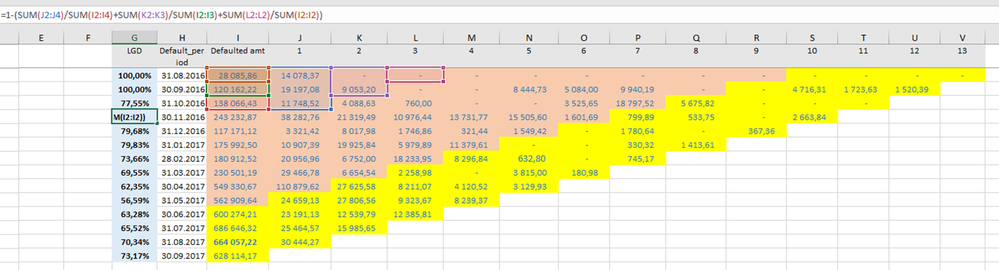
I'm developing visual to calculate loss given default (LGD) for the 91+/181+ default generations (separately). I'm stuck on the metric algorithm itself. In Excel, this is currently done as inflexible and static formula (see pic 1).

In Power BI, I want to slice-n-dice it by product line and LGD type (91+ or 181+). What is more, a number of "columns", i.e. # of months since default, may vary and, definitely, it will also increment over time 🙂 So, it must be a single metric, probably, accompanied by an intermediate column/metric.

How it can be done? I failed to implement running total and I also feel that it alone does not do the job.

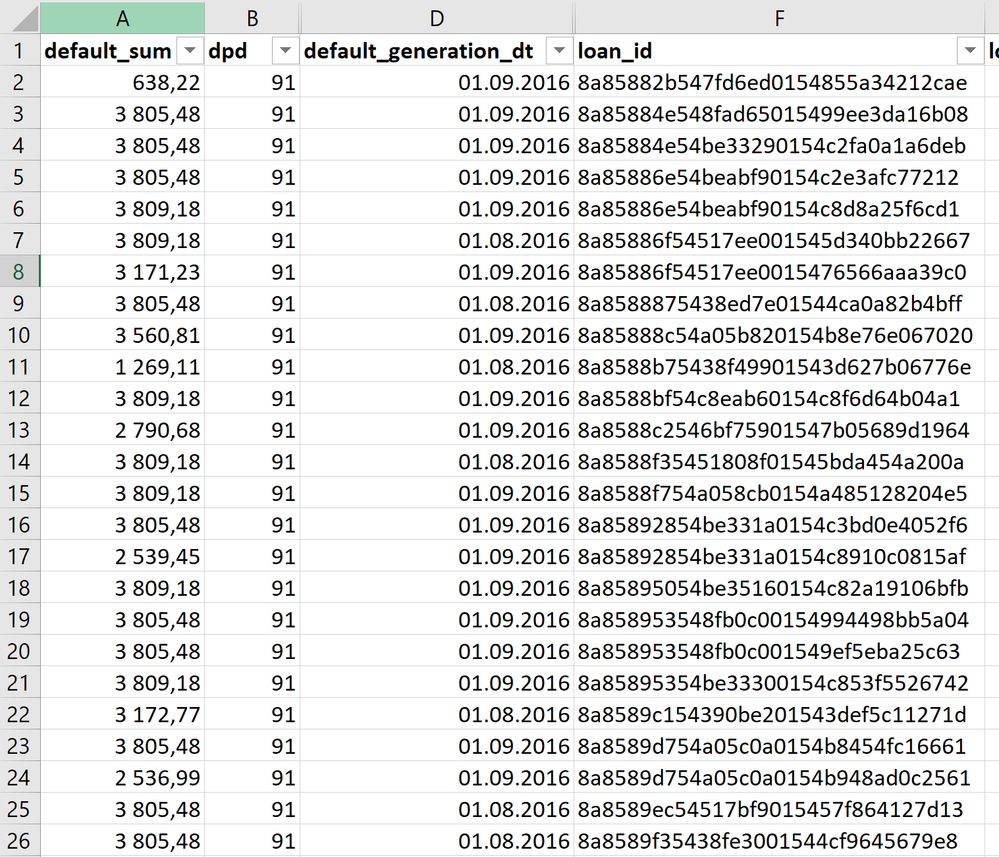
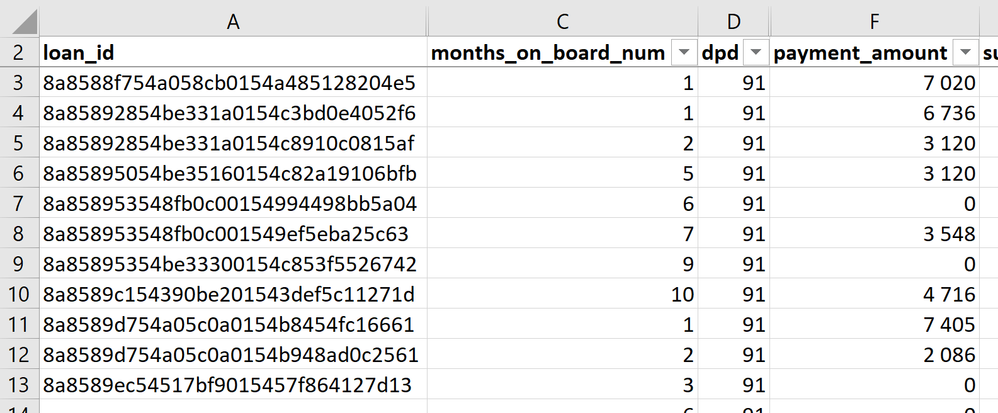
I already did some data preparation - see pics 2 and 3.

Any help is appreciated
 

Безымянный.pngimage.pngimage.png

4 REPLIES 4
valeriydik
Regular Visitor

Community is my last hope - I have been struggling with it for months!

@valeriydik


Hi can you share a Dummy PBIX and a XLS (to review the formula and what rows and columns use in the visual?


You can upload to dropbox, drive or another and share the link.


Regards


Victor


Lima - Peru

@Vvelarde,


the archive with files is here: LGD.zip

Hi @valeriydik,


I cannot understand how you arrived at the numbers in range C2:M13 of your Excel file.  They look like pasted special values.  Please share the underlying formulas.  Also, please explain the business logic of what you are trying to do.  What exactly is LGD?  What is the purpose of this exercise?


Thank you.


Regards,
Ashish Mathur
http://www.ashishmathur.com
https://www.linkedin.com/in/excelenthusiasts/

Helpful resources

Announcements
Join our Fabric User Panel

Join our Fabric User Panel

Share feedback directly with Fabric product managers, participate in targeted research studies and influence the Fabric roadmap.

February Power BI Update Carousel

Power BI Monthly Update - February 2026

Check out the February 2026 Power BI update to learn about new features.

FabCon Atlanta 2026 carousel

FabCon Atlanta 2026

Join us at FabCon Atlanta, March 16-20, for the ultimate Fabric, Power BI, AI and SQL community-led event. Save $200 with code FABCOMM.