Join us at FabCon Atlanta from March 16 - 20, 2026, for the ultimate Fabric, Power BI, AI and SQL community-led event. Save $200 with code FABCOMM.
Register now!Learn from the best! Meet the four finalists headed to the FINALS of the Power BI Dataviz World Championships! Register now
Hi,
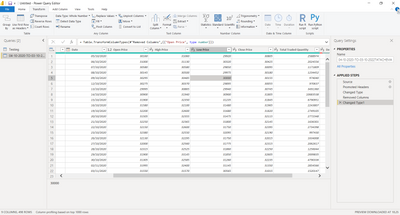
While loading data from excel file to power bi. Decimals turned into round number.
My data is price of product so how to fix it.
Excel Data
| Symbol | Series | Date | Prev Close | Open Price | High Price | Low Price | Last Price | Close Price |
| TATACHEM | EQ | 16/Oct/18 | 649.8 | 657 | 687 | 654 | 676 | 676.55 |
| TATACHEM | EQ | 17/Oct/18 | 676.55 | 678.2 | 686.6 | 663.75 | 667.7 | 670.1 |
While transforming the decimal turned into whole . I mean without decimal it showing. I tried fixed decimal and decimal too but not fixed solution.
Hello Punitha,
First of all, depending of your region Power BI use "." or "," as decimal separator.
You can still use the "Transform data" option to replace all your "." in decimal fields to "," in order to be able to use the decimal formating.
I hope this will help you find the right solution.
- Quentin
Share feedback directly with Fabric product managers, participate in targeted research studies and influence the Fabric roadmap.
Check out the February 2026 Power BI update to learn about new features.
| User | Count |
|---|---|
| 61 | |
| 54 | |
| 41 | |
| 17 | |
| 13 |
| User | Count |
|---|---|
| 106 | |
| 99 | |
| 38 | |
| 29 | |
| 28 |